
If you have found bad links pointing to your site, the disavow tool can feel like a quick fix. It is not. Used on the wrong links, it can strip away ranking value your site had earned. Used in the right way, and only when Google’s own conditions are met, it can help clear a manual action and protect your rankings. This step by step guide to disavow bad backlinks without losing rankings shows you how to tell the difference, and how to work through the process in the correct order.
First, decide if you should disavow at all
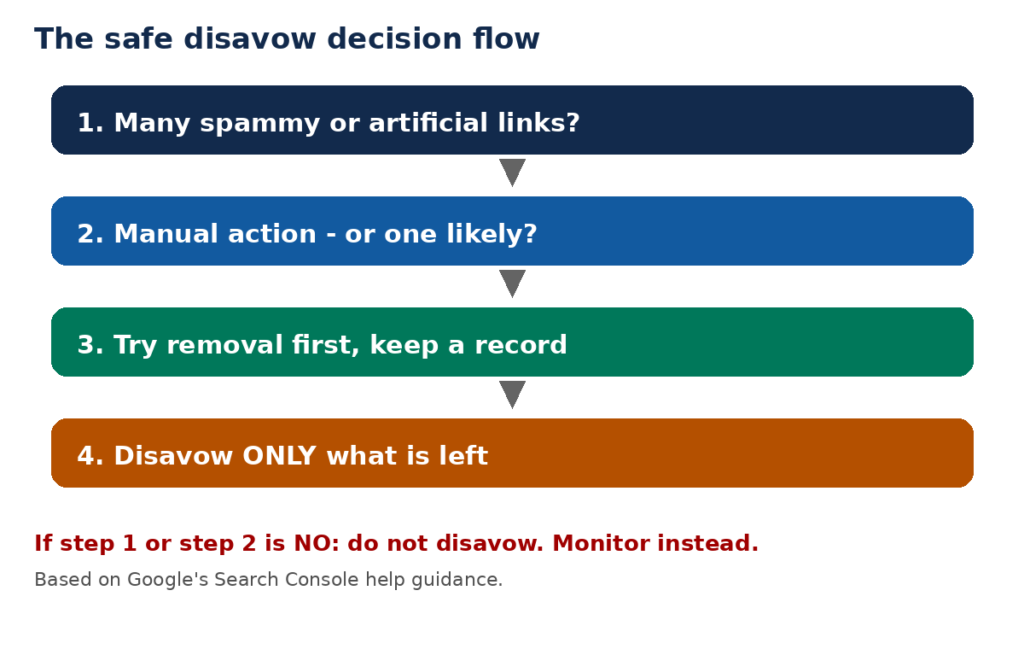
Google’s advice is blunt, and it should be your starting point. Its Search Console help page says most sites will not need to use the disavow tool at all, because Google can usually assess which links to trust without extra guidance. It says you should disavow backlinks only if two conditions both apply: you have a considerable number of spammy, artificial, or low-quality links pointing to your site, and those links have caused a manual action, or are likely to cause one.
That second condition matters most. A third-party tool flagging links as “toxic” is not, on its own, a reason to disavow. Tool scores are not Google’s judgement. Google’s automated systems already ignore much obvious spam. If you disavow links Google was already ignoring, you gain nothing. If you disavow links that were actually helping you, you lose ranking value for no benefit.
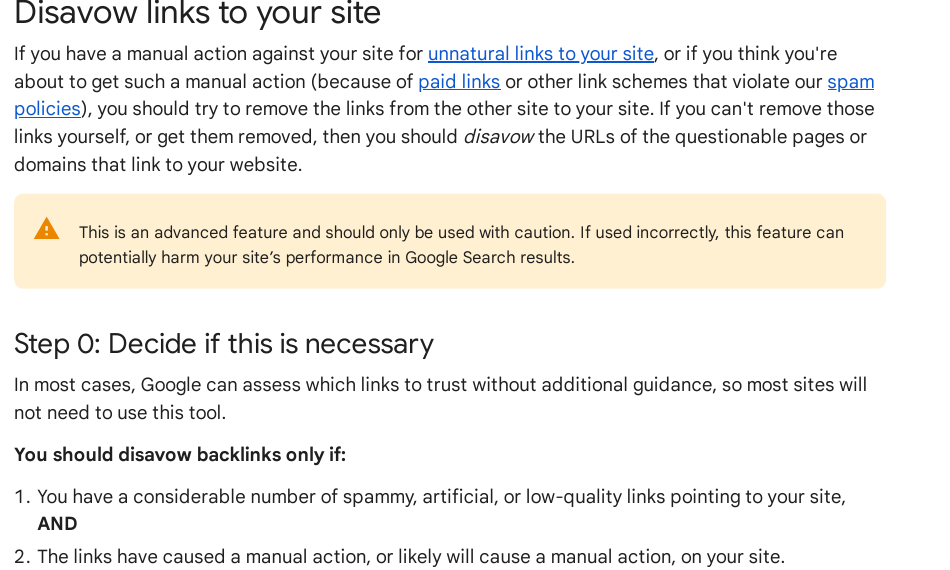
Before you touch the tool, open Search Console and check Security and Manual Actions, then Manual actions. If there is an “unnatural links to your site” action, you have a clear case to work on. If there is no action, ask yourself honestly whether past link building on your site involved paid links or link schemes that break Google’s spam policies. If the answer is no, and you have no action, stop here. Monitor your links instead, and put your effort into earning better ones.Step
Step 1: Find every link Google sees
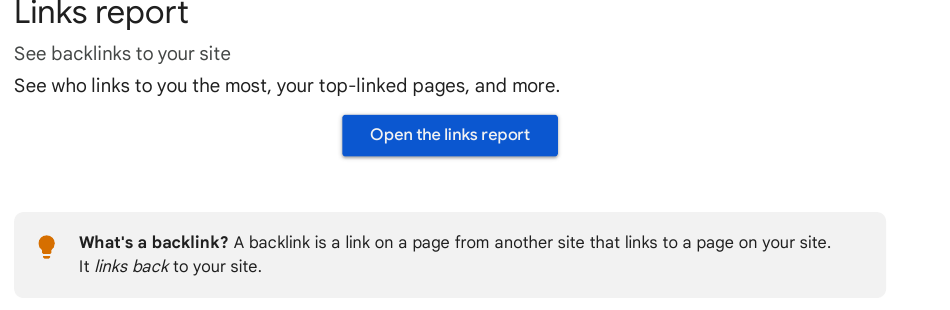
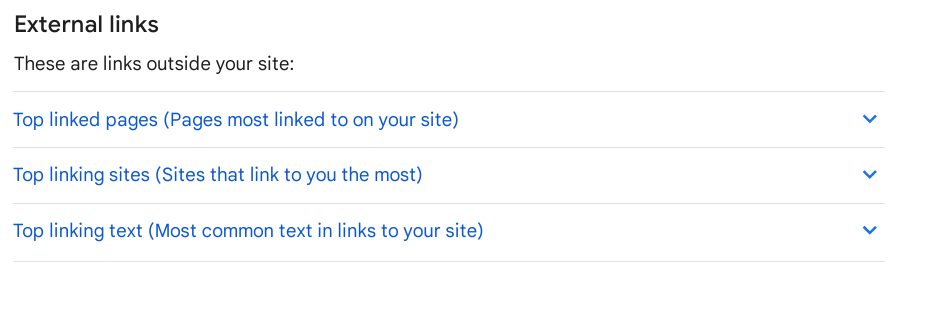
Start with the source Google itself uses: the Links report in Search Console. Open Links in the left-hand menu. Under External links you will see your top linked pages, your top linking sites, and your top linking text. Click MORE under each table to see the fuller lists, and export the data so you can work on a copy.
Add data from a backlink tool if you have one, but treat Search Console as the base record. A tool may show links Google has not indexed, or miss links Google has found. When the two disagree, trust Search Console for decisions about Google, and use the tool only to spot extra candidates for review.
Step 2: Sort links into keep, remove, and disavow
Go through your linking domains one by one and sort them into three groups. Be strict about what goes in the third group.
Keep: links from real sites on related topics, genuine press, customers, partners, and local organisations, even if the site is small. A small real site is not a bad link.
Remove: links that clearly break Google’s spam policies, such as paid links that pass ranking credit, links from link schemes, automated link building, and low-quality directory or widget links. Google’s spam policies page lists these patterns under link spam, including exchanging money for links, excessive link exchanges, and using automated programs to create links.
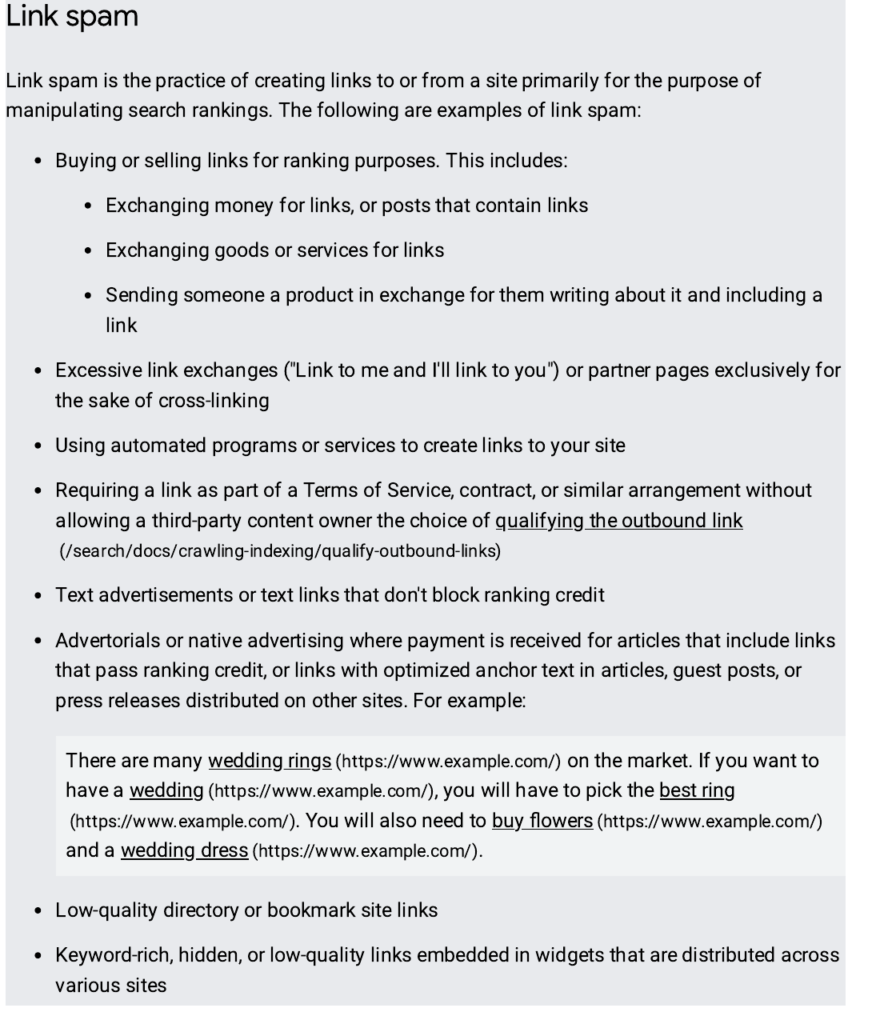
Disavow candidates: only the links in the “remove” group that you cannot get removed after trying. Everything else stays out of the file. In particular, do not disavow a whole domain because one page on it looks poor, unless the domain as a whole is part of the scheme. And never disavow links from sites you simply do not recognise. Unknown is not the same as spammy.
Step 3: Try removal first
Google’s order is clear: try to remove the links first, and disavow only what is left. Contact the site owner and ask for the link to be removed, or for a paid link to be marked with rel=”sponsored” or rel=”nofollow” so it no longer passes ranking credit. Keep a short record of each request and reply. If a site never replies, or refuses, note that too. This record matters if you later submit a reconsideration request, because it shows a genuine clean-up effort rather than a rushed file upload.
Removal also protects your rankings in a way disavowing cannot. A removed link is gone from the web. A disavowed link stays live, but asks Google to ignore it. Both end the ranking signal, but removal is cleaner, and a publisher who marks a link as sponsored may still send you referral visitors.
Step 4: Build a careful disavow file
Your disavow file is a plain text file, saved with a .txt ending, in UTF-8 encoding. Google’s help page sets out the format, and the limits are worth knowing before you start.
| One entry per line | One URL or domain per line; you cannot disavow a subpath such as example.com/en/ |
| Whole domain | Prefix with domain:, for example domain:example.com |
| File encoding | UTF-8 or 7-bit ASCII, file name ending in.txt |
| Longest single URL | 2,048 characters |
| Largest file | 100,000 lines, including blank and comment lines, and 2 MB |
| Comments | Lines starting with # are ignored by Google |
Write one URL or domain per line. Use domain: only when you want every link from that domain ignored. If only one page on a domain is a problem, list that page’s URL, not the whole domain. That single choice is often what decides whether you lose rankings: a domain-level entry can wipe out good links from other pages on the same site.
Add a comment line above each group, such as “# Paid links requested for removal, no reply”, so a future review of the file makes sense. Then read the whole file back, line by line, and delete anything you are unsure about. When in doubt, leave a link out. You can always add it later, but a wrongly disavowed good link costs you ranking value in the meantime.
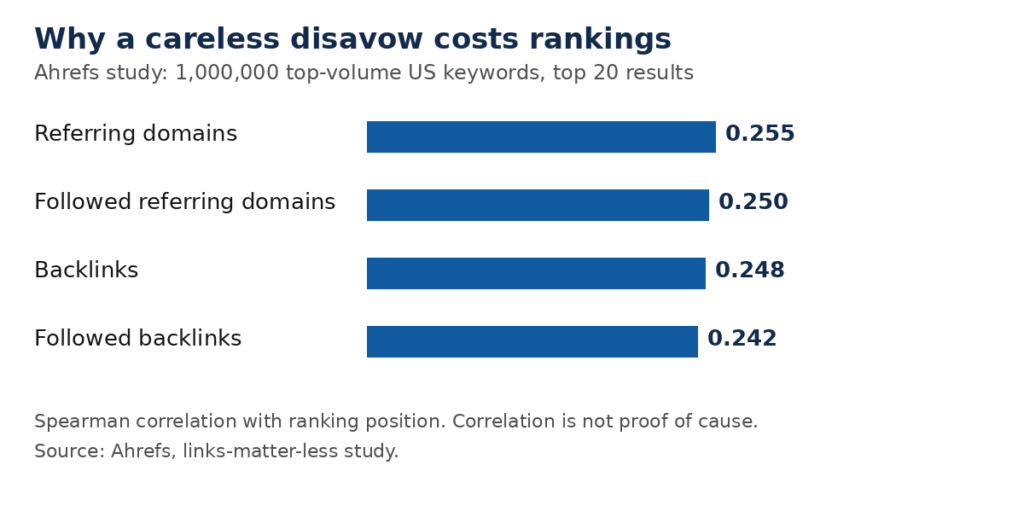
The chart above shows why a careless file is costly. In Ahrefs’ study of the top 20 results for 1,000,000 high-volume US keywords, referring domains showed a correlation of 0.255 with ranking position, slightly ahead of total backlinks at 0.248. Correlation is not proof that links alone caused the ranking, but it shows that the breadth of linking domains carries real weight. Disavowing a genuine referring domain therefore removes more than a single link: it removes that domain’s endorsement of your site.
Step 5: Upload the file in Search Console
Go to the disavow links tool page in Search Console and select the correct property. Note that the tool does not support Domain properties, and you must be a property owner to upload. If a list already exists for that property, uploading a new list replaces it, so always upload your complete list, not just the new entries.
If the file has errors, Google will list them at once and your old list will stay in place. Fix the errors and upload again. If the upload succeeds, expect to wait: Google says it can take a few weeks for the list to be folded into the index as it recrawls the listed pages. Do not expect a ranking change the next day, and do not keep re-uploading the same file while you wait.
Disavowed links will still appear in the Links report. That is normal. The report shows links that exist, not links Google counts.
Step 6: Submit a reconsideration request if you had a manual action
If you started this process because of a manual action, the disavow file alone does not lift it. After removal and disavowal, submit a reconsideration request in Search Console and explain what you did: which links you removed, which you disavowed and why, and what you will do differently from now on. Be specific and honest about past practices. A vague request, or a file that disavows every backlink you could find, is not treated as a genuine effort.
If you had no manual action, there is nothing to submit. Simply keep monitoring. Watch the Links report and your rankings over the following weeks, and keep your removal record safe in case a manual action ever arrives.
Step 7: Replace bad links with earned links
Disavowing clears risk; it does not build rankings. The links you removed were, in many cases, doing no good anyway, but any genuine value you lost needs replacing with earned links. Focus on the pages that matter most: your main service pages and your best guides. Earn links to them through useful content, genuine outreach, and relationships with real sites in your field. That slower work is what protects rankings over time, because those links are the kind Google wants to count.
If you want help with that part, our manual link building services use manual outreach only, with no private blog networks. Every link is earned from a real site, and every placement is reported honestly.
Frequently asked questions
Should I disavow links just because a tool calls them toxic?
No. A tool’s toxic score is its own label, not Google’s judgement, and Google’s systems already ignore much obvious spam on their own. Check the links in Search Console first, look at the linking pages yourself, and disavow only if you have many genuinely spammy links and a manual action, or one is likely. A scary score alone is not evidence of harm.
How long does a disavow take to work?
Allow a few weeks. Google states that it can take a few weeks for a disavow list to be folded into the index as it recrawls the listed pages, so do not expect a change the next day. Rankings may not move at all if the disavowed links were already being ignored, which is a good sign, not a failure. Judge the work by whether the manual action is lifted, not by daily ranking moves.
Can I undo a disavow if I disavowed a good link?
Yes. Upload a corrected list without that entry, or cancel all disavowals for the property in the disavow tool if you want a clean start. Remember that uploading a new list replaces the old one, so include every entry you still want to keep. The change still takes a few weeks to take effect as pages are recrawled, so check your file carefully before every upload.
Should I disavow a whole domain or just one page?
Disavow one page when only that page is the problem, and keep the rest of the domain’s links intact. Use domain: only when the domain as a whole is part of a link scheme, such as a network of spam pages. A domain-level entry ignores every link from that domain, including good ones from other pages, so it is the riskier choice and should never be your default.
Should I pay for links to replace the ones I disavowed?
No — do not buy backlinks to replace the ones you disavowed. Paid links that pass ranking credit break Google’s spam policies and are exactly the kind of link that can lead to a manual action, which would put you back where you started. If a paid placement stays live, it should be marked with rel=”sponsored” or rel=”nofollow” so it passes no ranking credit. Replace lost links with earned links instead.
Does disavowing remove the link from the web?
No. Disavowing only asks Google to ignore the link when it assesses your site; the link itself stays live on the linking site and can still send visitors. That is why removal is the first step in this guide: only the site owner can take the link down, and a removed link needs no disavow entry at all.
Sources
Google Search Console Help, “Disavow links to your site”: https://support.google.com/webmasters/answer/2648487
Google Search Central, “Spam policies for Google web search”: https://developers.google.com/search/docs/essentials/spam-policies
Ahrefs, “Google says links matter less — we looked at 1,000,000 SERPs”: https://ahrefs.com/blog/links-matter-less-but-still-matter/

Abdullah Zulfiqar is Co-founder and Client Success Manager at RankWithLinks, an SEO agency helping businesses grow online. He specializes in client relations and SEO strategy, driving measurable results and maximizing ROI through effective link-building and digital marketing solutions.