
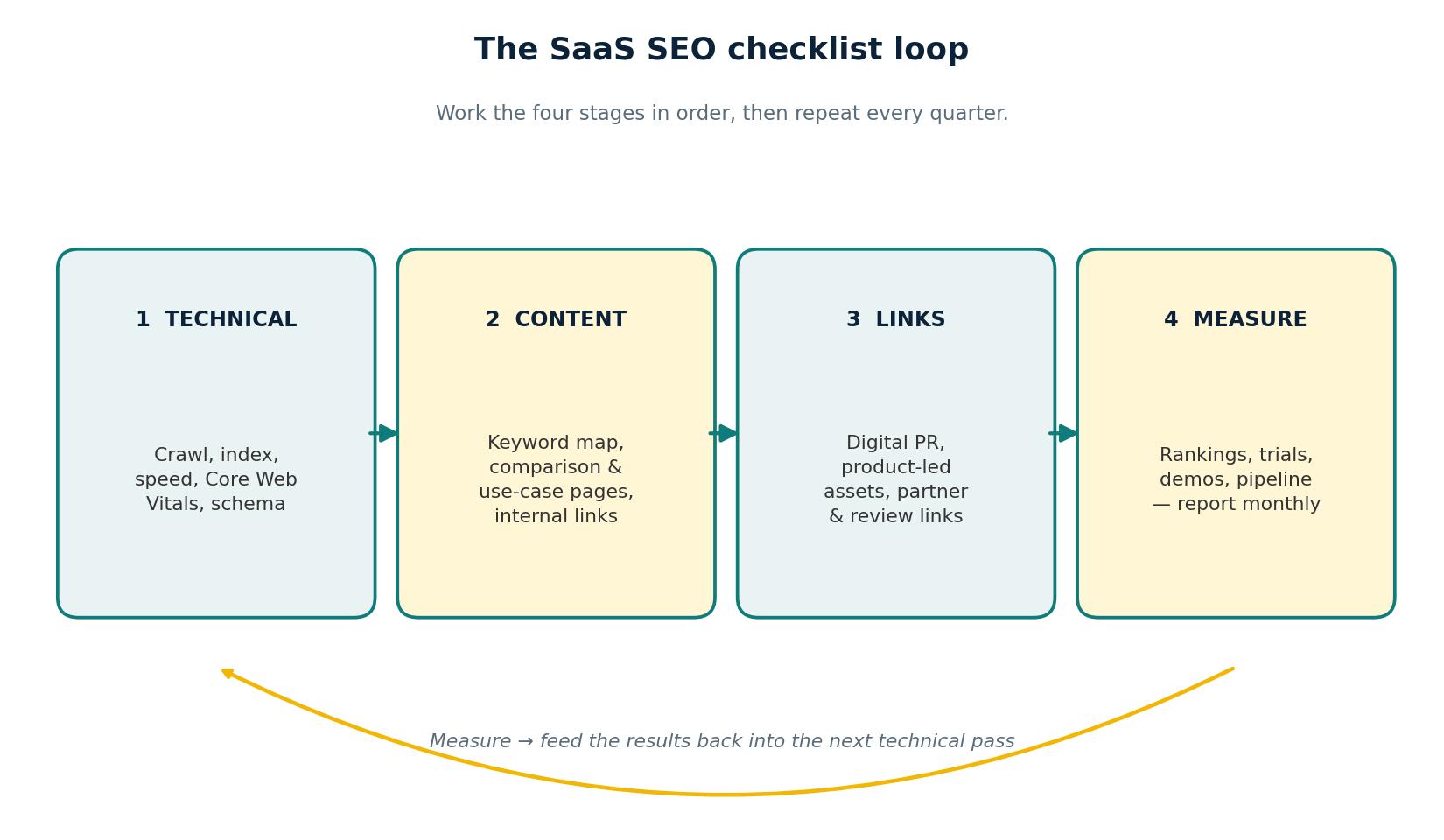
This SaaS SEO checklist covers the work that moves a software company up the search results: the technical base, the pages buyers compare before they book a demo, the links that prove authority, and the reporting that shows whether it turned into pipeline. Work through it in order — most SaaS sites fail on the basics, not the advanced tactics.
The stakes are plain. Ahrefs studied around 14 billion pages and found 96.55% of them get no organic traffic from Google at all. The pages that do get traffic have real search demand, the right intent match, and backlinks behind them. This checklist is built around those three things. (Source: Ahrefs, “96.55% of Content Gets No Traffic From Google”)
Why SaaS SEO pays off when it is done properly
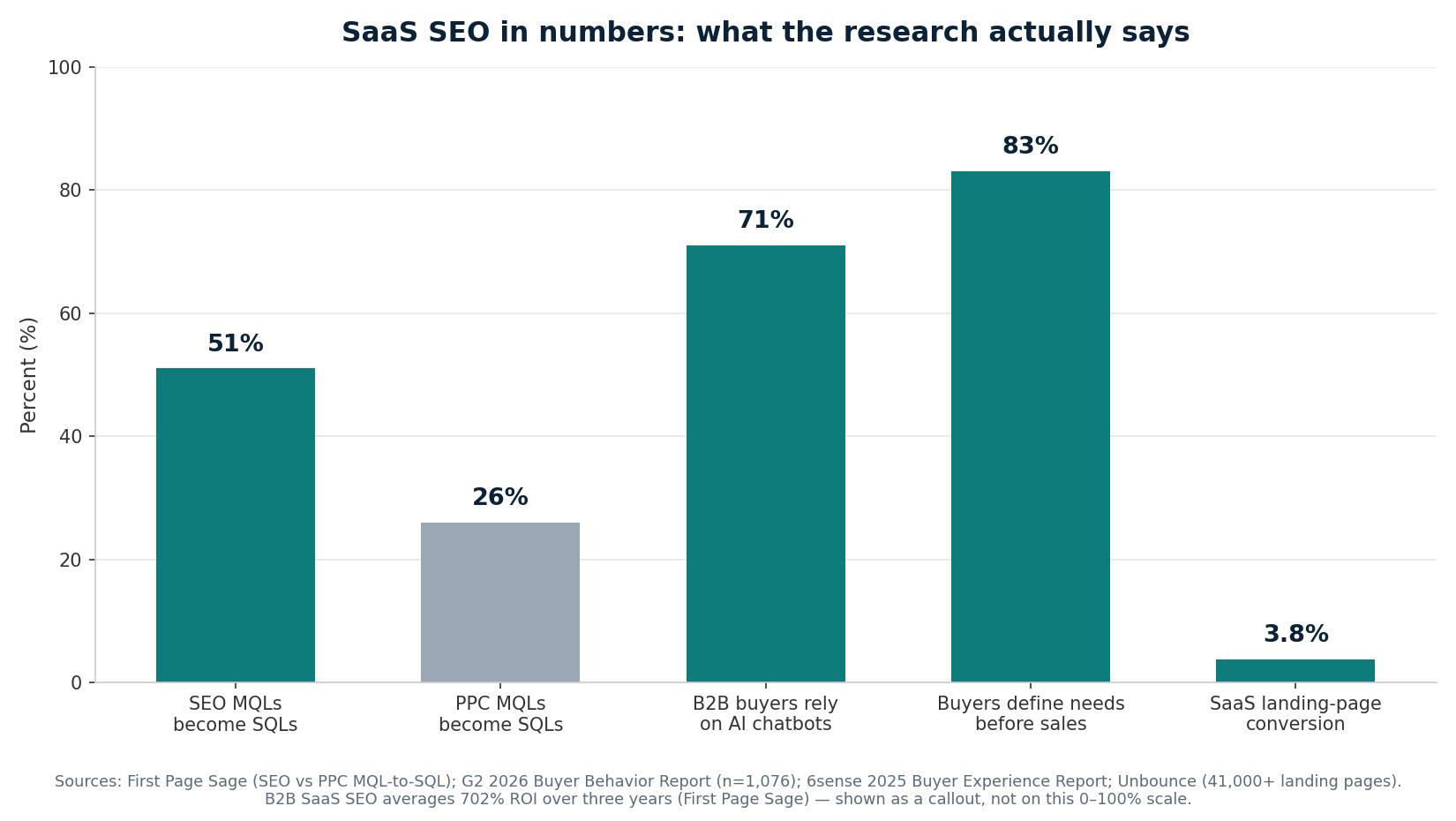
Software buyers research before they ever talk to sales. 6sense found in its 2025 Buyer Experience Report that 83% of buyers define their purchase requirements before speaking to a salesperson, and G2’s March 2026 survey of 1,076 B2B software buyers found 71% rely on AI chatbots for research, with 51% starting in a chatbot more often than Google. Your pages need to be clear enough for a buyer and an AI answer engine to quote them.
The commercial case is strong. First Page Sage reports B2B SaaS SEO averages 702% ROI over three years, with break-even at around seven months, and 51% of SEO-sourced leads become sales qualified, against 26% for PPC. (Source: First Page Sage) (Source: G2, 2026 Buyer Behavior Report)
| What the research found | Figure | Source |
|---|---|---|
| Pages that get zero traffic from Google | 96.55% | Ahrefs, study of ~14 billion pages |
| B2B SaaS SEO return over three years | 702% ROI | First Page Sage |
| SEO MQLs that become SQLs (vs 26% for PPC) | 51% | First Page Sage |
| B2B buyers who rely on AI chatbots for software research | 71% | G2, 2026 Buyer Behavior Report (n = 1,076) |
| Buyers who define requirements before talking to sales | 83% | 6sense, 2025 Buyer Experience Report |
| Median SaaS landing-page conversion rate | 3.8% | Unbounce, study of 41,000+ landing pages |
| Mobile visits abandoned when a page takes over 3 seconds to load | 53% | Google, “The Need for Mobile Speed” |
| Average click-through rate of the #1 Google result | 27.6% | Backlinko, study of 4 million results |
1. Technical foundation
Nothing else on this list matters if Google cannot crawl your site or your pages load slowly. Start here, and re-check this section every quarter.
- ☐ Confirm every important page returns a 200 status code, with no accidental noindex tags or robots.txt blocks on product and pricing pages.
- ☐ Check indexation in Search Console: compare indexed pages with the pages you want indexed, and investigate any gap.
- ☐ Fix crawl errors in Search Console, starting with 404s on pages that used to rank or still receive links.
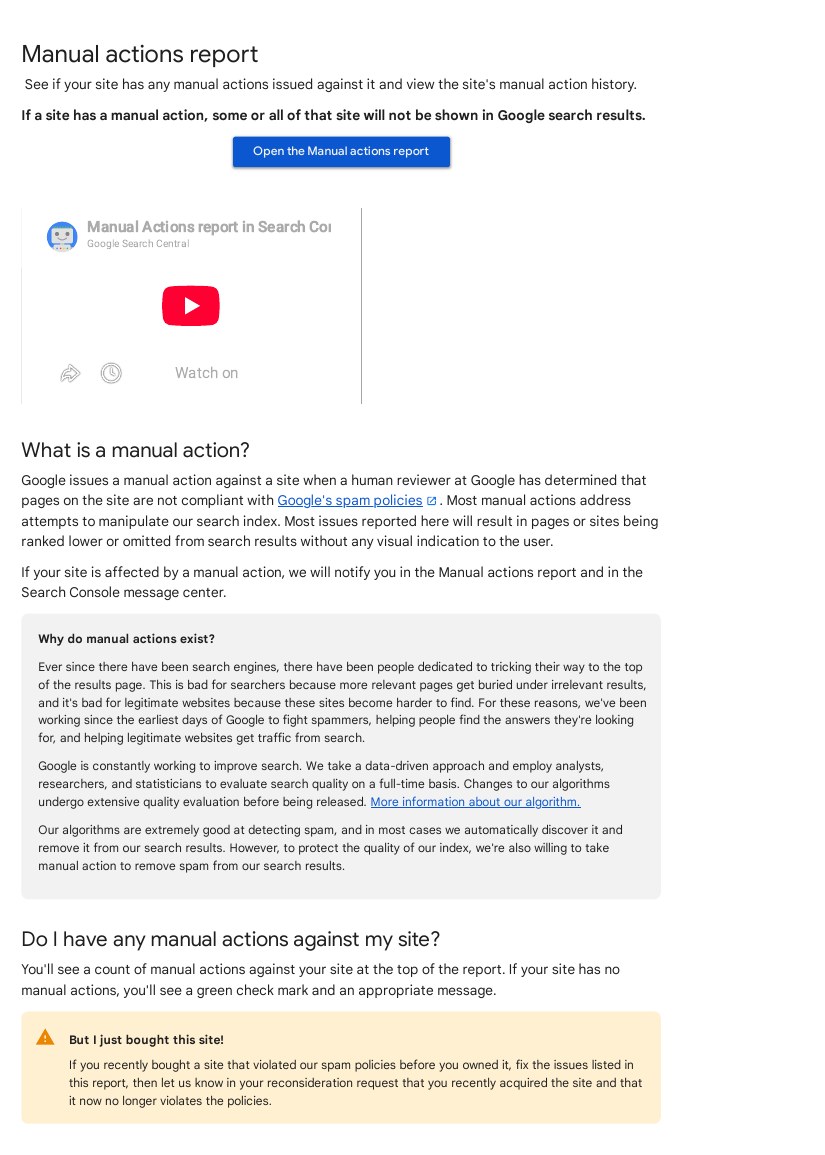
- ☐ Check the Manual actions report in Search Console. A manual action means Google has penalised the site, and it must be fixed first.
- ☐ Make the site fully usable on mobile. Google indexes the mobile version of your pages, and buyers research on their phones.
- ☐ Bring Largest Contentful Paint under 2.5 seconds on key pages. Google found 53% of mobile visits are abandoned when a page takes longer than three seconds to load. (Source: Google, “The Need for Mobile Speed”, 2016)
- ☐ Pass all three Core Web Vitals on your homepage, pricing page and top five pages.
- ☐ Serve the whole site over HTTPS with no mixed-content warnings.
- ☐ Add SoftwareApplication schema to product pages, FAQ schema to FAQ sections and BreadcrumbList schema across the site, then test pages in Google’s Rich Results Test.
- ☐ Build a clean XML sitemap of live, indexable pages only, and submit it in Search Console.
- ☐ Set canonical tags on every page, and check paginated blog and changelog pages do not create duplicate content.
- ☐ Confirm JavaScript-rendered content (pricing tables, feature lists, screenshots) is visible in Google’s cached text, not only in a browser.
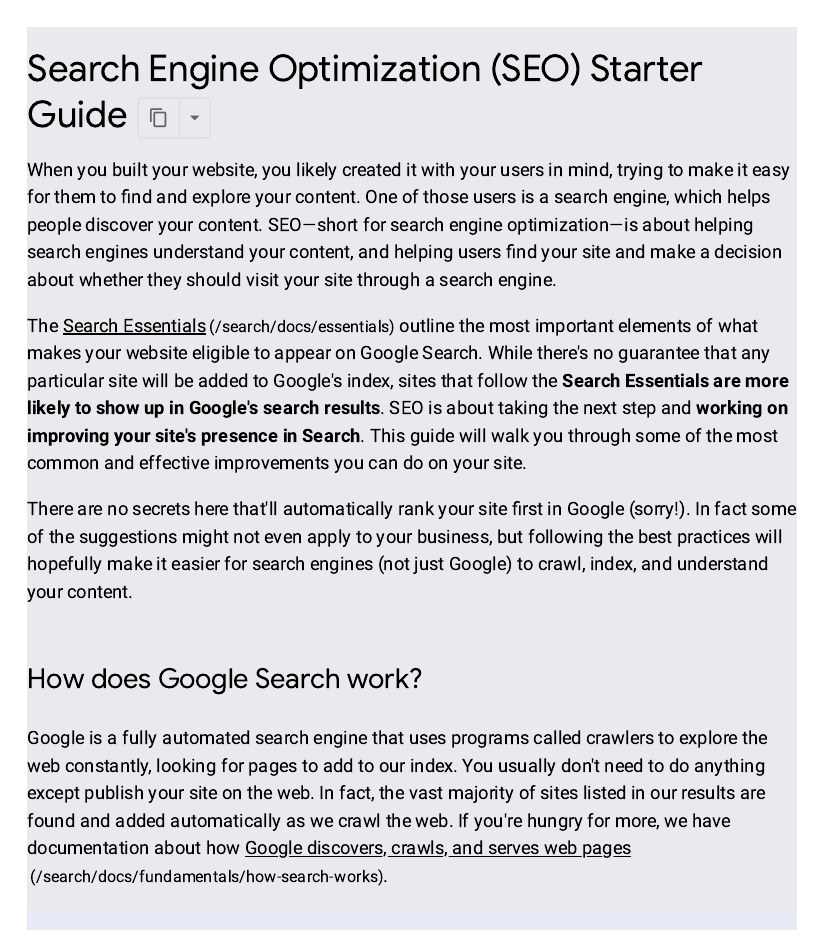
Google’s own SEO Starter Guide is the best first reference for this section. If a check here conflicts with it, follow Google.
2. On-page and content checks
SaaS buyers compare tools, look for alternatives, check pricing, and search for how to solve a problem your product addresses. Your content needs a page for each of those jobs.
- ☐ Map one primary keyword to every page, and record it so two pages never compete for the same term.
- ☐ Write a comparison page for each main competitor, honest and up to date.
- ☐ Publish an alternatives page for the category leader if you are the challenger, and for your own product if you are the leader.
- ☐ Give pricing its own indexable page. Hiding it behind a sales call costs you every “pricing” search your competitors win.
- ☐ Build a use-case page for each job your product does, written around the buyer’s problem, not your feature list.
- ☐ Put the primary keyword in the title tag, the H1 and the first 100 words, keeping titles under 60 characters.
- ☐ Write meta descriptions under 155 characters that state the outcome for the reader.
- ☐ Add an FAQ section to commercial pages, answering the questions buyers ask sales, in plain language a chatbot can quote.
- ☐ Link every new blog post to at least two relevant product or comparison pages, and link older posts forward where it helps the reader.
- ☐ Refresh your top ten traffic pages every six months: update screenshots, pricing and feature names, and show the update date.
- ☐ Add real product screenshots to every feature and how-to page. Stock photos do not show a buyer what the product looks like.
- ☐ Cut or merge pages that get no traffic and serve no purpose. Fewer strong pages beat a large site full of thin ones.
Ranking position decides how much of this work pays off. Backlinko’s study of 4 million Google results found the top result averages a 27.6% click-through rate, and the top three together take 54.4% of all clicks. Page two is close to invisible — aim at pages that can reach the top three. (Source: Backlinko, Google CTR Stats)
3. Off-page and link checks
Links remain the clearest signal that other sites trust your product. For SaaS, the best links come from being useful: original data, free tools, honest comparisons and genuine reviews.
- ☐ Audit your backlink profile in Search Console and a crawler such as Ahrefs, and list your top 20 referring domains.
- ☐ Disavow nothing by default. Only disavow with a manual action or a clear pattern of spammy links you did not build.
- ☐ Publish one original data study a year, built from your own product data, and pitch it to industry press.
- ☐ Ship a free tool related to your product (a calculator, template or checker). Free tools earn links for years after launch.
- ☐ Ask genuine customers for reviews on G2, Capterra and Trustpilot.
- ☐ Earn links from integration partners: co-marketing pages, directories and joint webinars.
- ☐ Pitch guest posts only to sites your buyers read. One strong placement beats ten weak ones.
- ☐ Reclaim unlinked brand mentions: ask sites that name your product without linking to add a link.
- ☐ Fix broken backlinks. When a linked-to page is deleted or moved, redirect it to the closest live page.
- ☐ Track new referring domains monthly, and check growth comes from real sites, not link farms.
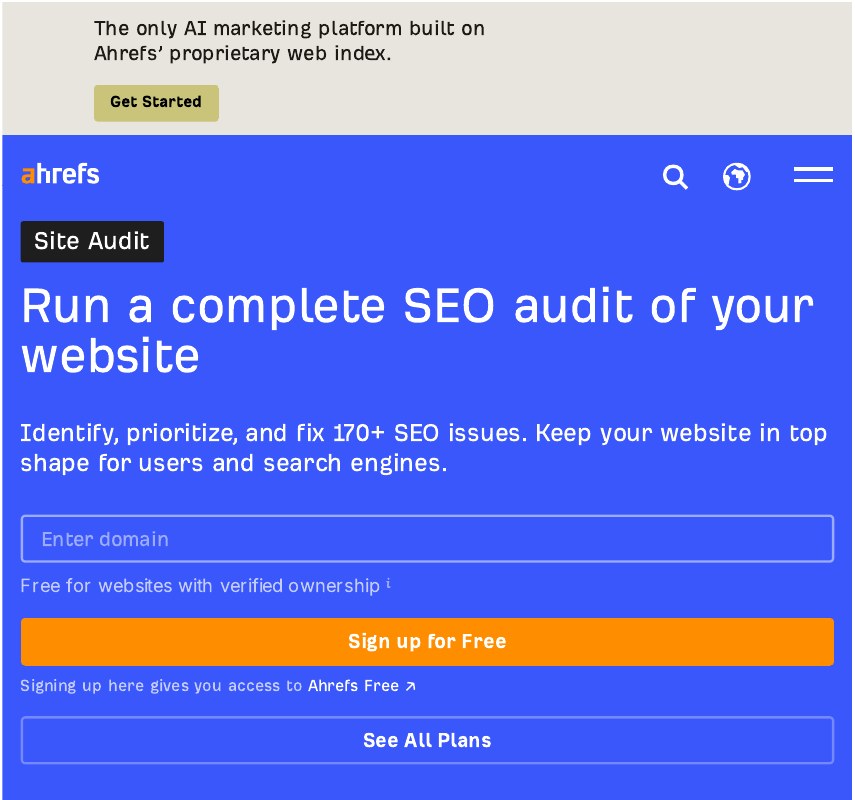
If link building is not your team’s strength, working with a specialist is a sensible option. Our SaaS link building services use manual outreach to real sites, with no private blog networks, and every placement can be checked.
4. Measurement and reporting
SEO for SaaS is judged on pipeline, not traffic alone. Set up reporting so you can say which pages produce trials and demos.
- ☐ Connect Search Console and Google Analytics 4, and confirm trial and demo conversions are tracked.
- ☐ Build one dashboard showing organic sessions, trial starts, demo bookings and pipeline value from organic search.
- ☐ Track rankings weekly for your 20 most valuable keywords, and record movement against each page’s last update date.
- ☐ Measure conversion on your top landing pages. Unbounce’s study of 41,000+ landing pages puts the SaaS median at 3.8%, against 6.6% across all industries.
- ☐ Report assisted conversions, not only last-click. A comparison page often starts a journey a pricing page finishes.
- ☐ Review Search Console queries monthly and add pages for searches you rank for on page two.
- ☐ Hold a short monthly review: what moved, what did not, and the next three actions.
- ☐ Re-run this checklist every quarter, keeping a dated log of changes so you can link results to actions.
Frequently asked questions
How long does SaaS SEO take to show results?
Expect three to six months before a new SaaS site sees steady organic trials, longer in a crowded category. First Page Sage puts average break-even at around seven months, with a 702% return over three years. Comparison and alternatives pages usually rank fastest, as their intent is close to a buying decision.
What is the most important part of a SaaS SEO checklist?
The technical foundation comes first. If pages are not indexed, load slowly or return errors, no content or links will fix it. After that, the highest-value work is comparison and pricing pages, targeting buyers ready to choose. Links then decide whether those pages reach the top three.
How many keywords should a SaaS company target?
Fewer than most teams think. Start with 20 to 30 pages, each mapped to one primary keyword, covering core use cases, comparisons and alternatives. A small set of strong pages beats a large blog nobody links to. Ahrefs found 96.55% of pages get no Google traffic, mostly because nobody planned what they were for.
Should I pay for links to speed up results?
No. Paying for links breaks Google’s spam policies, and a manual action can remove your pages from search entirely. The safe route is slower but durable: publish original data, ship a free tool, earn reviews and do manual outreach. Guaranteed links for a flat fee are a warning sign, not a shortcut.
How often should I update this checklist?
Run the full checklist every quarter and the measurement section every month. SaaS products change fast: features are renamed, prices move and competitors launch, so a page that was accurate six months ago can quietly become wrong. Keep a dated log of each review.
Does AI search change SaaS SEO?
It changes how buyers find you, not what they need. G2 found 71% of B2B software buyers already rely on AI chatbots for research, so pages must answer questions directly, in plain language, with facts a chatbot can quote. The fundamentals still apply: clear pages, honest comparisons and links from trusted sites.

Abdullah Zulfiqar is Co-founder and Client Success Manager at RankWithLinks, an SEO agency helping businesses grow online. He specializes in client relations and SEO strategy, driving measurable results and maximizing ROI through effective link-building and digital marketing solutions.