

Introduction: The SEO Task That Used to Take Me 6 Hours Now Takes 20 Minutes
Two years ago, I spent an entire Friday updating five blog posts. Pull the data from GSC, check rankings in Ahrefs, identify what changed, rewrite the outdated sections, update the internal links, re-optimize the meta descriptions. Six hours. Gone.
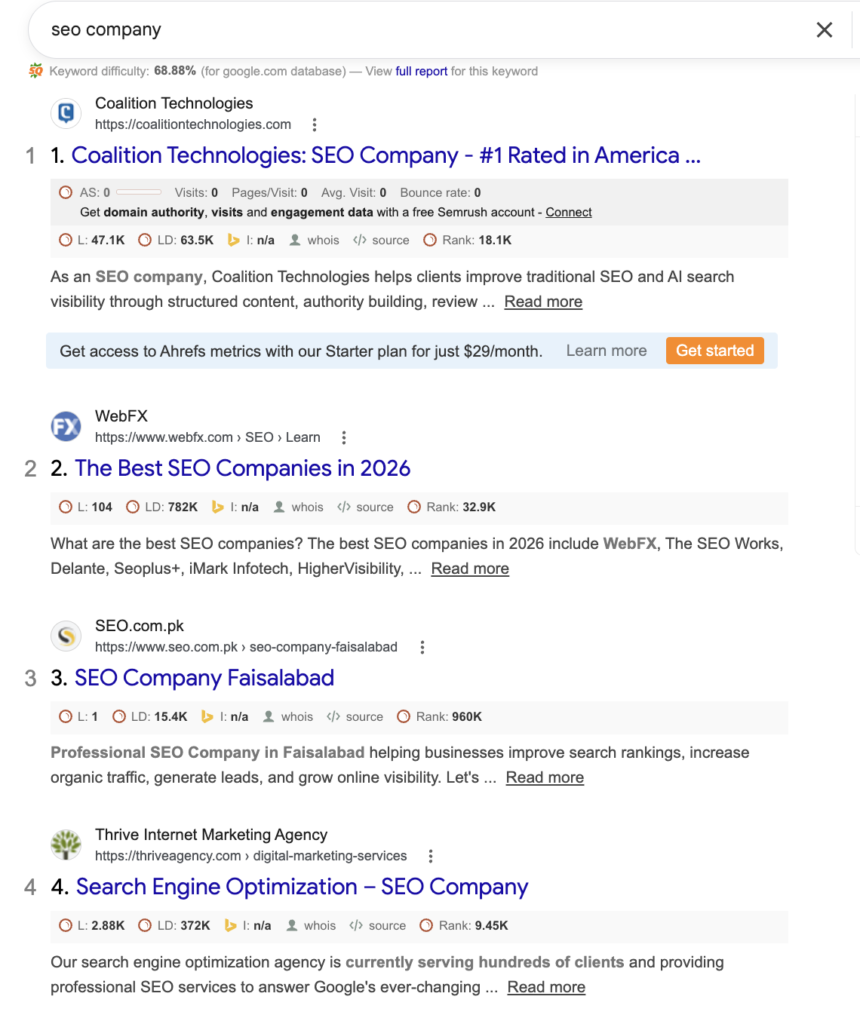
Today that same workflow runs automatically every Monday morning. I wake up, check my Slack, and there is a summary waiting for me — which posts need updates, what changed in rankings, and draft suggestions already written. I spend 20 minutes reviewing and approving.
That is what SEO automation actually means in 2026. Not robots replacing your strategy. Not AI spamming low-quality content. It means taking the repetitive, time-consuming parts of SEO — the parts that require no creativity but steal hours every week — and handing them to software so you can focus on the work that actually requires a human brain.
This guide is written for people who have never automated a single SEO task. By the end, you will know exactly what to automate, which tools to use, and how to build your first automated SEO workflow today — even if you have zero technical experience.
Key Takeaways
- SEO automation does not mean removing humans — it means removing repetitive manual work
- Rank tracking, site audits, and reporting should be automated first — they deliver the fastest time savings
- Content automation works best as a hybrid — AI drafts, humans edit and add expertise
- Free tools like Google Search Console, Google Alerts, and Screaming Frog can automate significant SEO work at zero cost
- The biggest mistake beginners make is automating everything at once — start with one workflow
- AI Overviews in 2026 reward structured, factual, well-cited content — automation can help produce this at scale if done correctly
What Is SEO Automation — And What It Is Not
SEO automation is the use of software, AI tools, and workflows to perform SEO tasks that would otherwise require manual effort — such as tracking rankings, crawling websites, finding keyword opportunities, building internal links, and refreshing old content.
What it is NOT:
It is not a magic button that ranks your site overnight. It is not about publishing hundreds of AI-generated articles with no human review. It is not a replacement for SEO strategy, creative thinking, or genuine expertise. Google’s Helpful Content System specifically targets automated content that lacks human experience and original insight — so automation without human oversight is a fast track to penalties, not rankings.
Think of SEO automation the way a good accountant thinks about accounting software. The software handles calculations, organizes data, and flags anomalies. The accountant still makes the decisions, interprets the results, and applies judgment. SEO automation works the same way.
Why SEO Automation Matters More in 2026 Than Ever Before
Three things happened between 2023 and 2026 that made automation not just helpful but necessary for competitive SEO:
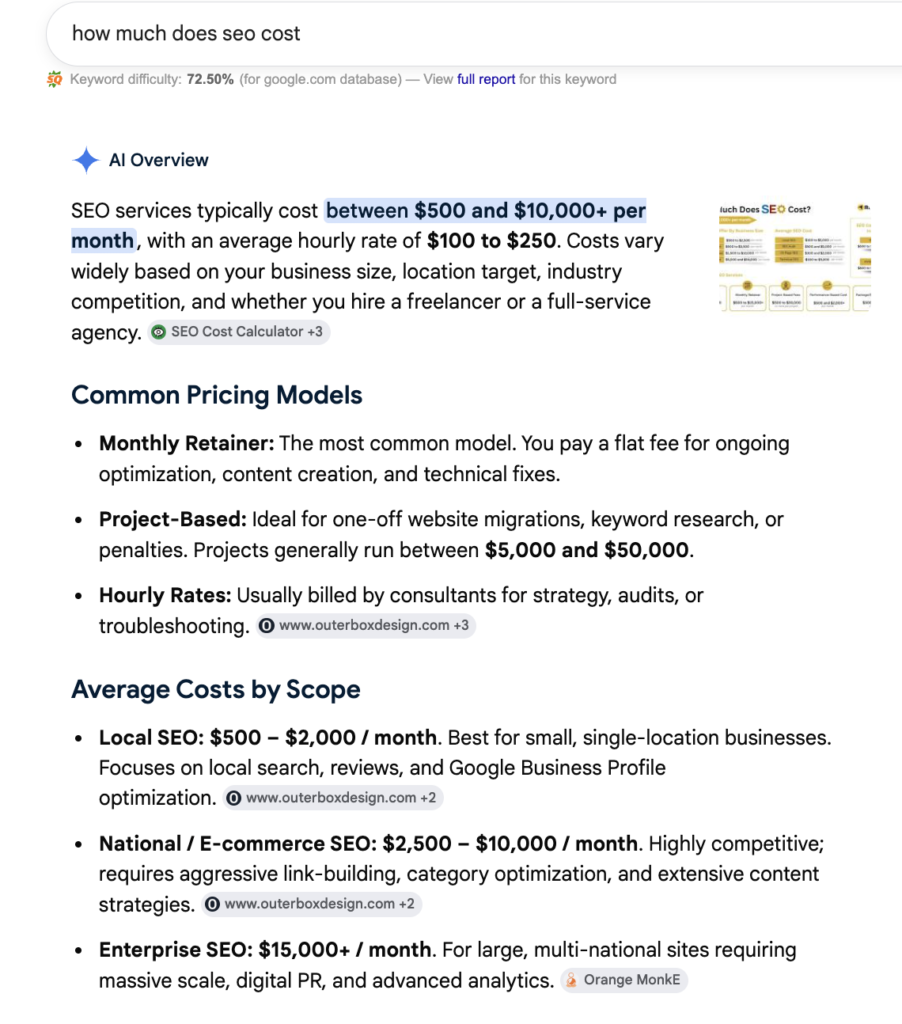
First — Google’s AI Overviews changed the traffic equation. Informational queries now get answered directly in search results, which means you need more content covering more topics just to maintain the same traffic levels. The only way to produce that volume without sacrificing quality is through intelligent automation.
Second — AI tools became genuinely useful. Earlier AI writing tools produced robotic, repetitive content that required more editing time than just writing from scratch. Modern AI agents can now research SERPs, analyze competitor gaps, draft structured content, and even push updates to WordPress — with outputs that require minimal human editing.
Third — The technical complexity of SEO increased. Core Web Vitals, schema markup, entity optimization, topical authority clusters — competitive SEO in 2026 involves more technical layers than ever. Automating monitoring and auditing of these factors is no longer optional for serious practitioners.
The 7 SEO Tasks You Should Automate First
Not all SEO tasks are equal candidates for automation. Some require human judgment and creativity. Others are pure mechanical repetition that wastes your time every single week. Here is a prioritized breakdown.
1. Rank Tracking — Automate This Today
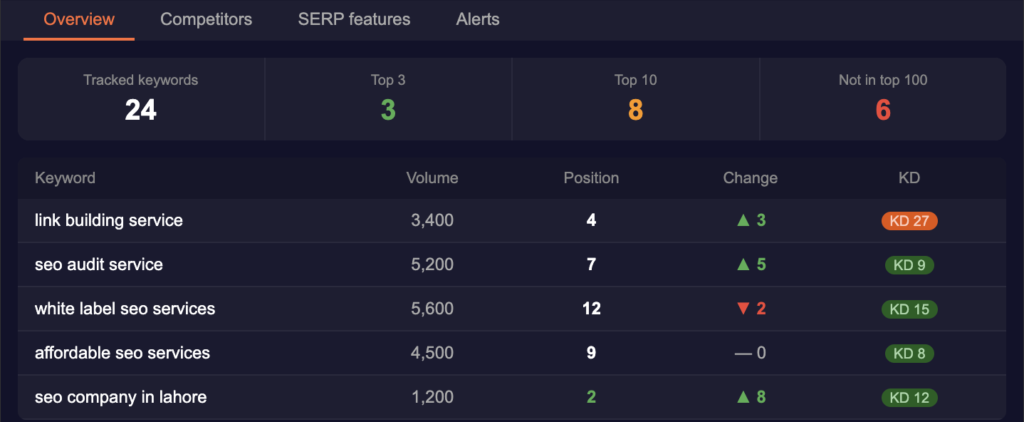
Manually checking where your pages rank for target keywords is something no SEO professional should be doing in 2026. It is completely automatable and provides zero additional value when done manually versus automatically.
What to automate: Daily or weekly rank tracking for your target keywords across desktop and mobile, with automated alerts when rankings change significantly.
Free option: Google Search Console Performance report — set up weekly email digests
Paid options: Ahrefs Rank Tracker, Semrush Position Tracking, Mangools SERPWatcher
How to set it up in Ahrefs:
- Go to Rank Tracker
- Add your domain and target keywords
- Set up email alerts for position changes of 3 or more positions
- Configure weekly summary reports
You will never manually check rankings again.
2. Technical SEO Audits — Set It and Forget It
A technical SEO audit that you run once and never repeat is almost useless. Technical issues appear constantly — new pages get published with missing meta descriptions, images get uploaded without alt text, internal links break, pages accidentally get noindexed. You need ongoing automated monitoring, not occasional manual checks.
What to automate: Weekly crawl of your entire site to detect broken links, missing meta data, duplicate content, Core Web Vitals issues, and crawl errors.
Free option: Screaming Frog SEO Spider — schedule weekly crawls and export reports automatically
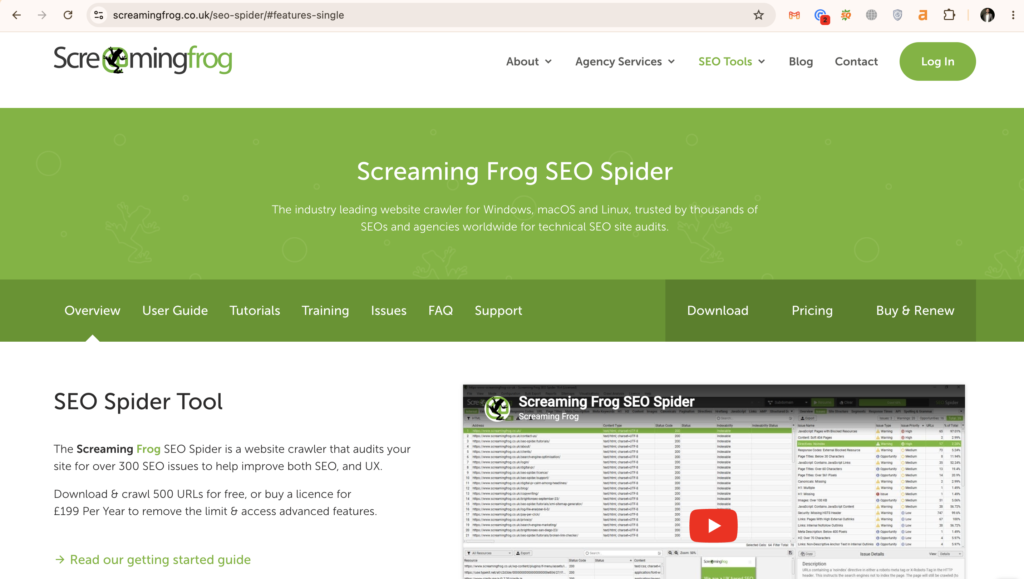
Paid options: Ahrefs Site Audit, Semrush Site Audit, Sitebulb

Practical setup:
- Configure Screaming Frog to crawl weekly
- Set up email notifications for critical issues only (404 errors, noindex on important pages, missing H1s)
- Connect Google Search Console to your audit tool for coverage data
Most teams find their first automated audit uncovers 15 to 30 fixable issues they had no idea existed.
3. Content Refresh Monitoring — Your Fastest Traffic Win
Published content decays. A blog post that ranked number two in 2024 may have dropped to position eight by 2026 because competitors updated their content and you did not. Most sites lose 20 to 40 percent of their traffic annually to content decay — and most site owners only notice when the drop is catastrophic.
What to automate: Weekly monitoring of your top 50 pages by traffic, with alerts when any page drops more than 20 percent in impressions or clicks over a 30-day period.
How to set it up: In Google Search Console, go to Performance → set date comparison to “Previous Period” → sort by Clicks change → pages with the biggest negative change need attention first.
For automatic alerts, connect GSC to Google Looker Studio and set up automated weekly email reports.
Paid shortcut: Ahrefs’ Content Gap tool can automatically surface which of your pages are losing rankings to specific competitors — telling you not just that a page is declining but why.
4. Keyword Research — Automate the Mechanical Parts
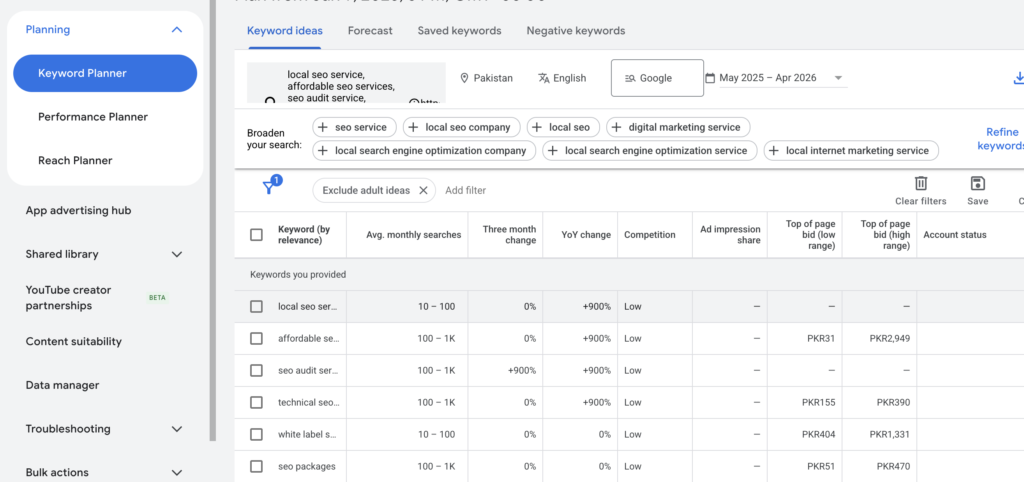
The creative part of keyword research — identifying your target audience’s problems, mapping content to the buyer journey, prioritizing topics by business value — cannot be automated. But the mechanical parts absolutely can.
What to automate:
- Pulling keyword volume and difficulty data for a seed list
- Grouping keywords by topic cluster
- Identifying SERP features (AI Overviews, featured snippets, People Also Ask) for target terms
- Monitoring new keyword opportunities in your niche monthly
Free workflow:
- Google Search Autosuggest + People Also Ask — manually collect, then use ChatGPT to cluster
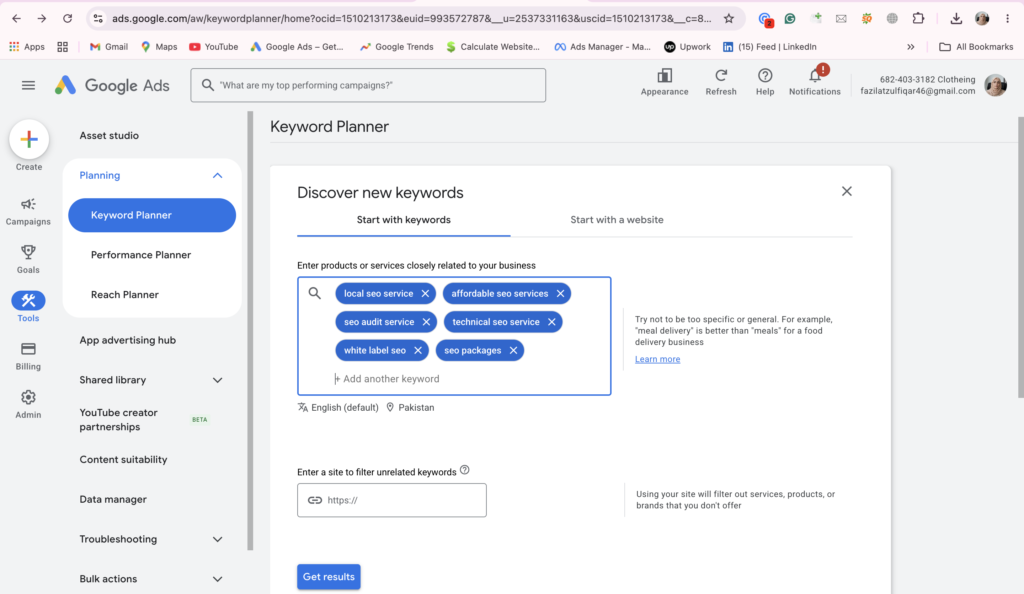
- Google Keyword Planner — export bulk data for entire topic areas
Paid workflow:
- Ahrefs Keywords Explorer — export matching terms for any seed keyword, filter by KD and traffic potential, then use the clustering feature
- Semrush Keyword Magic Tool — similar functionality with automatic grouping
Advanced automation: Tools like Agent A (Ahrefs) can run the entire keyword research loop end-to-end — pulling data, clustering keywords, identifying SERP opportunities, and producing a prioritized brief — in about 20 minutes with no manual steps.
5. Internal Linking — The Most Underused Automation
Every time you publish a new article, you should be updating 5 to 10 existing articles to link to it. Almost nobody does this consistently because it is tedious and time-consuming. The result is that new content sits in isolation with no internal link equity flowing to it — which slows down indexing and rankings significantly.
What to automate: After publishing any new article, automatically identify which existing pages should link to it based on topical relevance.
How to do it manually with a tool:
- Use Ahrefs Site Explorer → Internal pages report → search for pages that mention your new article’s topic but do not link to it
- Use Google Search: site:yourwebsite.com “keyword from new article” — this shows existing pages that mention the topic
Automated solution: Link Whisper (WordPress plugin) — automatically suggests internal links as you write and allows bulk internal link additions across your entire site. Saves hours every month for sites with 50+ articles.
6. Backlink Monitoring — Protect What You Have Built
You can spend months building backlinks and lose them in days if a site goes down, removes your link, or changes the page. Automated backlink monitoring catches these losses immediately so you can reach out and recover them before they affect your rankings.
What to automate: Daily monitoring of your backlink profile for lost links, new links, and toxic link acquisition.
Free option: Google Search Console — Links report, check weekly
Paid options: Ahrefs Alerts — set up instant email notification whenever you gain or lose a backlink from a domain above a certain DR threshold
Setup in Ahrefs:
- Go to Alerts → Backlinks
- Add your domain
- Set minimum DR to 20 (filters out spam)
- Set notification frequency to weekly digest
- Done — you will never miss a lost link again
7. Content Creation — Automate the Draft, Not the Expertise
This is the most discussed and most misunderstood form of SEO automation. AI content generation is real, it works, and it saves significant time — but only when used correctly.
What you can automate:
- First drafts of informational blog posts based on SERP analysis
- Meta descriptions for large batches of pages
- FAQ sections based on People Also Ask data
- Schema markup generation
- Title tag variations for A/B testing
What you cannot automate:
- Original case studies and real-world examples
- Expert opinions and genuine industry insights
- Brand voice and personality
- Fact-checking and accuracy verification
- Strategic decisions about what to write
Practical workflow for content automation:
Step 1 — Use an AI tool to analyze the top 10 ranking pages for your target keyword and identify the topics they all cover (content gap analysis)
Step 2 — Generate a structured outline based on that analysis
Step 3 — Write the sections that require genuine expertise manually
Step 4 — Use AI to draft the more generic informational sections
Step 5 — Edit the entire piece for accuracy, brand voice, and original insight
Step 6 — Add real examples, data, and personal experience throughout
This hybrid approach consistently produces content that outperforms both fully manual and fully automated approaches in testing.
Automated SEO Tools Comparison Table
| Tool | Best For | Free Plan | Starting Price | Skill Level |
|---|---|---|---|---|
| Google Search Console | Rank monitoring, query data | Yes — Free | Free | Beginner |
| Screaming Frog | Technical audits, crawling | Yes (500 URLs) | $259/year | Beginner |
| Ahrefs | Full SEO automation suite | No | $129/month | Intermediate |
| Semrush | Keywords + content automation | Limited | $140/month | Intermediate |
| Link Whisper | Internal linking automation | No | $97/year | Beginner |
| Surfer SEO | Content optimization automation | No | $89/month | Beginner |
| Agent A | Full agentic SEO workflows | Ahrefs trial | Included with Ahrefs | Intermediate |
| ChatGPT / Claude | Content drafting, clustering | Yes | $20/month | Beginner |
| Google Looker Studio | Automated reporting | Yes — Free | Free | Beginner |
Pros and Cons of SEO Automation
Pros:
- Saves 5 to 20 hours per week on repetitive tasks
- Catches technical issues before they damage rankings
- Enables content production at scale without proportional cost increase
- Provides consistent monitoring that humans forget to do
- Faster response time to ranking changes and algorithm updates
- Scales across multiple websites or clients without adding staff
Cons:
- Upfront time investment to set up workflows correctly
- AI-generated content without human oversight can hurt rankings
- Over-automation can remove the human experience signals Google rewards
- Tool costs add up — a full automation stack can cost $300+ per month
- False positives in alerts can create alert fatigue if not configured carefully
- Requires ongoing maintenance as tools and Google’s algorithm evolve
How to Build Your First Automated SEO Workflow — Step by Step
If you have never automated anything before, start here. This workflow takes 45 minutes to set up and will save you at least 2 hours every week permanently.
The Workflow: Automated Weekly SEO Health Check
Step 1 — Connect Google Search Console to your site (if not already done) Go to search.google.com/search-console → Add property → Follow verification steps
Step 2 — Set up automated performance report emails In GSC → Settings → Email preferences → Enable weekly performance summary
Step 3 — Set up Screaming Frog scheduled crawl Download Screaming Frog → Configuration → Scheduled Crawls → Add your domain → Set to weekly → Enable email report on completion
Step 4 — Set up Google Alerts for your brand Go to google.com/alerts → Create alert for your brand name → Set to weekly digest → This monitors new mentions and potential backlink opportunities automatically
Step 5 — Create a Google Looker Studio dashboard Connect GSC data → Add clicks, impressions, position metrics → Share the dashboard link with yourself → Set automated weekly email delivery
Total setup time: 45 minutes Weekly time saved: 2 to 3 hours Ongoing maintenance required: Zero
Common Mistakes Beginners Make With SEO Automation
Mistake 1: Automating content publishing without human review
The single most damaging mistake. AI-generated content published directly without editing is detectable by Google’s systems and increasingly penalized. Every piece of automated content needs a human to verify facts, add original insight, and ensure it reflects genuine expertise.
Mistake 2: Setting up too many alerts at once
When everything is urgent, nothing is. Configure alerts for critical issues only in the first month — 404 errors, significant ranking drops (5+ positions), and lost backlinks from high-authority domains. Add more alert types gradually as you learn what actually needs your attention.
Mistake 3: Automating strategy decisions
Which keywords to target, which topics to prioritize, what angle to take on a piece of content — these decisions require understanding of your business, your audience, and your competitive position. No tool can make these decisions for you. Automation executes strategy, it does not create it.
Mistake 4: Ignoring tool output after setup
Automation is not “set and forget” in the first three months. You need to review the outputs of your automated workflows weekly until you are confident they are working correctly. Many beginners set up a tool, get overwhelmed by the data, and never look at it again — which provides zero benefit.
Mistake 5: Prioritizing automation over fundamentals
If your site has thin content, no backlinks, and poor technical SEO, automating rank tracking will just give you automated confirmation that your site is not ranking. Fix the fundamentals first, then automate the monitoring and scaling of those fundamentals.
Expert Tips for Advanced SEO Automation
Tip 1: Build topic cluster workflows before content workflows
Before automating content production, map your topical authority structure. Decide which topic clusters you want to own, build the pillar pages manually with full human expertise, then use automation to scale the supporting content around each pillar. This is the architecture Google rewards in 2026.
Tip 2: Use AI for meta descriptions at scale
If your site has hundreds of pages with missing or duplicate meta descriptions — extremely common on ecommerce and large informational sites — AI can generate unique, keyword-rich meta descriptions for every page in hours rather than weeks. This is one of the highest ROI applications of content automation.
Tip 3: Automate competitor monitoring
Set up Ahrefs Alerts for your top three competitors. Get notified whenever they earn a new backlink from a high-authority domain — this is your prospecting list delivered automatically. Whenever a competitor earns a link from a relevant site, that site is already proven to be open to linking in your niche.
Tip 4: Connect your tools for compound automation
The most powerful automations connect multiple tools. Example: GSC data flows into Looker Studio → Looker Studio identifies pages with high impressions but low CTR → This list automatically populates a Notion database → Notion triggers a weekly reminder to update meta titles on those pages. Each tool doing one job, connected in sequence, produces outcomes no single tool could achieve alone.
Tip 5: Optimize automated content for AI Overviews
When using AI to assist with content creation in 2026, structure your content specifically to be cited by Google’s AI Overviews. This means: clear factual statements with specific numbers, proper schema markup on every page, FAQ sections that directly answer common queries, and citations to authoritative external sources. AI Overviews cite pages that answer questions clearly and credibly — automation can help you produce this format consistently at scale.
FAQ
Q: Is automated SEO safe? Will Google penalize my site?
A: Automation itself is safe and actively encouraged by Google for tasks like rank tracking, technical audits, and performance monitoring. The risk area is automated content — specifically, publishing AI-generated articles without human review, original insight, or genuine expertise. Google’s spam policies target content that is “generated primarily to manipulate search rankings” rather than to help users. Use automation to assist human content creation, not replace it, and you are fully within guidelines.
Q: What is the best free tool to start automating SEO?
A: Google Search Console is the most powerful free SEO automation tool available. Combined with Google Looker Studio for automated reporting and Google Alerts for brand monitoring, you have a functional automated monitoring system at zero cost. Screaming Frog’s free version (up to 500 URLs) adds technical audit capability. This free stack handles the most important automation needs for most small sites.
Q: How long does it take to set up SEO automation?
A: Basic automation — rank tracking, technical audits, performance reporting — can be set up in under two hours. A full automation stack including content workflows, competitor monitoring, and internal linking automation typically takes two to four weeks to configure, test, and refine to produce reliable output.
Q: Can I automate SEO for a local business?
A: Yes — and local SEO has some of the best automation opportunities. Automated review monitoring (Google Business Profile alerts), local rank tracking across multiple locations, automated citation consistency checking, and local content generation for city-specific landing pages are all highly automatable and deliver strong ROI for local businesses.
Q: Do I need coding skills to automate SEO?
A: No. The majority of SEO automation tools are no-code platforms with visual interfaces. Ahrefs, Semrush, Screaming Frog, Link Whisper, and Surfer SEO all require zero coding. If you want to build more advanced automations connecting multiple tools, platforms like Zapier and Make (formerly Integromat) allow complex workflows through drag-and-drop interfaces. Coding skills unlock more powerful custom automations but are absolutely not required to start.
Q: Will AI replace SEO professionals?
A: No — but SEO professionals who use AI will replace those who do not. The tasks being automated are the mechanical, repetitive ones that never required SEO expertise in the first place. The work that matters — understanding user intent, building topical authority, developing link building relationships, interpreting data and making strategic decisions — requires human judgment, creativity, and industry expertise that AI cannot replicate. Automation makes good SEO professionals significantly more productive and valuable, not redundant.
Conclusion: Start Small, Automate Consistently, Scale Gradually
SEO automation is not a transformation you complete in a weekend. It is a system you build incrementally — one workflow at a time — until the mechanical work runs itself and your time is reserved entirely for strategy, creativity, and genuine expertise.
Start with rank tracking and technical audits this week. They are the easiest to set up, require no creative judgment, and deliver immediate time savings. Once those are running reliably, add content monitoring and keyword research automation. Then internal linking. Then content drafting assistance.
Six months from now, you will have an automated SEO system that monitors your site, alerts you to problems, identifies opportunities, and assists content production — while you focus on the decisions only a human can make.
That is not just efficiency. That is competitive advantage.

Fazilat zulfiqar is an SEO specialist at RankWithLinks, focused on improving search rankings through smart link building and optimization.He helps businesses grow organic traffic and build strong online authority.