
Best Device Management Software in 2026: The Complete Guide
Introduction
Managing devices across a business has never been more complex — or more critical. In 2026, organizations are juggling thousands of endpoints spread across offices, remote locations, and hybrid work environments. Employees use laptops, smartphones, tablets, and IoT devices, all connecting to sensitive company networks. Without the right device management software, IT teams are left scrambling to maintain security, enforce policies, and keep systems running efficiently.
Device management software has evolved far beyond simple inventory tracking. Today’s platforms offer unified endpoint management (UEM), zero-trust security integration, AI-driven automation, and real-time compliance monitoring — all from a single dashboard. Whether you are a small business managing twenty devices or an enterprise controlling fifty thousand endpoints, choosing the right solution can make or break your IT operations.
This guide covers everything you need to know about the best device management software in 2026, including top platforms, key features to look for, pricing considerations, and how to choose the right solution for your specific needs.
What Is Device Management Software?
Device management software is a platform or suite of tools that allows IT administrators to monitor, manage, secure, and support all devices within an organization from a centralized location. These devices can include Windows PCs, macOS computers, Linux machines, Android smartphones, iPhones, iPads, Chromebooks, and even industrial IoT equipment.
Modern device management platforms fall into several overlapping categories:
Mobile Device Management (MDM) focuses specifically on smartphones and tablets. It allows IT teams to enroll devices, push configurations, enforce security policies, and remotely wipe lost or stolen devices.
Unified Endpoint Management (UEM) expands MDM capabilities to cover all device types — desktops, laptops, mobile devices, and IoT — from a single platform. UEM has largely replaced traditional MDM as the industry standard.
Enterprise Mobility Management (EMM) sits between MDM and UEM, adding application management and content management features to basic device control.
Endpoint Management and Security Platforms combine UEM with advanced threat detection, vulnerability scanning, and automated remediation, creating a comprehensive security and management solution.
In 2026, the line between these categories has blurred significantly. Most leading platforms offer capabilities across all these areas, making the term “device management software” broadly applicable to all of them.
Why Device Management Software Matters More Than Ever in 2026
Several key trends have elevated the importance of device management software in 2026:
The explosion of remote and hybrid work means that devices are no longer confined to secure corporate offices. Employees connect from home networks, coffee shops, and international locations, dramatically increasing the attack surface for cyber threats.
The rise of BYOD (Bring Your Own Device) policies has blurred the boundary between personal and corporate devices. IT teams need tools that can manage corporate data on personal devices without invading employee privacy.
Stricter global compliance requirements — including GDPR, HIPAA, CCPA, and newer regional data protection laws introduced in 2024 and 2025 — require organizations to demonstrate device-level compliance at all times. Failure to do so can result in devastating financial penalties.
AI-powered cyberattacks have become more sophisticated, targeting endpoint vulnerabilities that traditional antivirus software cannot detect. Device management platforms with built-in AI security are now a necessity, not a luxury.
The proliferation of IoT devices in manufacturing, healthcare, retail, and logistics has added thousands of new endpoints that require centralized management and security oversight.
Together, these factors make choosing the right device management software one of the most strategic IT decisions an organization can make in 2026.
Key Features to Look for in Device Management Software
Before exploring specific platforms, it is important to understand what features distinguish an exceptional device management solution from a mediocre one.
Unified Device Enrollment and Onboarding
The best platforms support zero-touch enrollment, allowing new devices to be configured automatically the moment they are powered on, without requiring IT staff to physically handle each device. Apple Business Manager, Android Zero-Touch Enrollment, and Windows Autopilot integrations are standard expectations in 2026.
Cross-Platform Support
A strong device management solution must handle Windows, macOS, Linux, iOS, Android, and ChromeOS from a single console. Platforms that require separate tools for different operating systems create fragmented visibility and management gaps.
Remote Management and Troubleshooting
IT teams need the ability to remotely access devices, push updates, execute scripts, lock devices, and perform full remote wipes — all without requiring the end user to be physically present. Low-latency remote access tools are a critical feature for distributed workforces.
Policy Enforcement and Configuration Management
Administrators must be able to create detailed security policies — password requirements, encryption standards, app restrictions, network configurations — and push them to devices automatically. Policies should be customizable by department, location, role, or device type.
Application Management
The platform should support full application lifecycle management, including app deployment, licensing, updates, and removal. Mobile Application Management (MAM) capabilities allow IT teams to manage work apps separately from personal apps on BYOD devices.
Security and Threat Detection
In 2026, device management and endpoint security are deeply intertwined. Look for platforms that offer vulnerability scanning, threat detection and response, compliance assessments, and integration with major SIEM and SOAR platforms.
Patch Management
Automated patch management ensures that all devices receive operating system and application updates on schedule, closing security vulnerabilities before attackers can exploit them.
Reporting and Analytics
Robust reporting gives IT teams clear visibility into device health, compliance status, software inventory, security incidents, and usage patterns. Evaluating Incident Management Pricing helps organizations select platforms that provide better incident visibility, faster response coordination, and more efficient threat resolution.AI-driven analytics can identify anomalies and predict problems before they escalate.
Integration Ecosystem
Device management software should integrate seamlessly with identity providers (Microsoft Entra ID, Okta, Google Workspace), ticketing systems (ServiceNow, Jira), security tools (CrowdStrike, SentinelOne), and cloud services (Microsoft 365, Google Workspace, Salesforce).
Scalability
Whether you are managing one hundred devices or one million, the platform should scale smoothly without performance degradation or prohibitive cost increases.
The Best Device Management Software in 2026
1. Microsoft Intune (Part of Microsoft Endpoint Manager)
Microsoft Intune remains one of the most widely deployed device management platforms in the world in 2026, and for good reason. It offers deep integration with the Microsoft ecosystem — Windows, Microsoft 365, Azure Active Directory (now Microsoft Entra ID), and the entire Microsoft security stack — making it the natural choice for organizations already invested in Microsoft infrastructure.
Intune supports Windows, macOS, iOS, Android, and Linux endpoints. Its Co-management feature allows it to work alongside Microsoft Configuration Manager (formerly SCCM) for organizations transitioning from on-premises to cloud-based management.
Key strengths of Microsoft Intune include its seamless integration with Conditional Access policies, which enforce zero-trust principles by checking device compliance before granting access to corporate resources. Its autopilot deployment capabilities make large-scale device provisioning nearly effortless.
In 2025 and 2026, Microsoft significantly expanded Intune’s AI-driven capabilities through Copilot for Security integrations, allowing IT administrators to use natural language queries to identify compliance issues, investigate security alerts, and generate remediation scripts.
Intune is best suited for medium to large enterprises heavily invested in the Microsoft ecosystem. Its pricing is included in Microsoft 365 Business Premium and various Enterprise Mobility and Security bundles, making it cost-effective for organizations already paying for Microsoft licenses.
Potential limitations include a steep learning curve for administrators unfamiliar with the Microsoft ecosystem, occasional latency in policy deployments, and less mature support for non-Microsoft platforms compared to dedicated cross-platform solutions.
2. Jamf Pro
Jamf Pro is the undisputed leader in Apple device management. If your organization runs primarily on Apple hardware — MacBooks, iPhones, iPads, and Apple TVs — Jamf Pro offers capabilities that no other platform can match.
Jamf’s depth of Apple integration is extraordinary. It leverages Apple Business Manager and Apple School Manager for zero-touch deployment, supports all Apple-specific APIs and security frameworks, and receives updates for new Apple OS features faster than any competing platform.
For enterprise environments, Jamf Pro provides powerful policy management, advanced software distribution, self-service portals where users can install approved apps without IT intervention, and detailed compliance reporting. Its extension attributes allow administrators to collect virtually any custom data point from managed devices.
Jamf also offers Jamf Now for small businesses needing simpler management and Jamf School for education environments, making it a versatile family of products across different market segments.
The major limitation of Jamf Pro is obvious — it is designed exclusively for Apple devices. Organizations with mixed Windows and Apple environments will need to pair it with another platform for their Windows endpoints.
Pricing for Jamf Pro is per device per year and scales reasonably well for large deployments, though smaller organizations may find it expensive compared to more budget-friendly alternatives.
3. VMware Workspace ONE (by Broadcom)
VMware Workspace ONE, now under Broadcom’s ownership following its 2023 acquisition, is one of the most comprehensive unified endpoint management platforms available. It combines UEM capabilities with digital employee experience management, application delivery, and zero-trust access controls.
Workspace ONE supports all major device platforms and excels in complex, heterogeneous enterprise environments where different departments use different device types and operating systems. Its Intelligence module provides powerful AI-driven analytics that correlate device data, application performance, and user experience metrics to proactively identify and resolve issues.
Workspace ONE’s integration with VMware’s broader virtualization and cloud infrastructure makes it particularly appealing for organizations running virtual desktops (VDI) alongside physical endpoints.
However, the Broadcom acquisition created significant uncertainty and pricing changes in 2024 and 2025. Many enterprise customers reported price increases and changes to licensing structures following the acquisition. Organizations considering Workspace ONE should carefully evaluate current pricing and support commitments before making a long-term investment.
4. Ivanti Neurons for UEM
Ivanti has emerged as a powerful player in the unified endpoint management space, particularly for organizations seeking deep automation capabilities. Ivanti Neurons for UEM uses AI-powered bots that continuously discover, heal, and secure endpoints without requiring manual IT intervention.
The platform’s self-healing capabilities are particularly impressive. Ivanti Neurons can detect configuration drift, software conflicts, and security vulnerabilities, then automatically remediate them — often resolving issues before the end user even notices a problem.
Ivanti excels in patch management, offering one of the most comprehensive third-party patch libraries in the industry. For organizations struggling with patch compliance across a diverse software environment, Ivanti’s automated patching capabilities can dramatically reduce risk and administrative burden.
Ivanti Neurons also integrates natively with Ivanti’s IT Service Management (ITSM) tools, making it ideal for organizations that want their endpoint management tightly coupled with their help desk and asset management workflows.
5. ManageEngine Endpoint Central
ManageEngine Endpoint Central (formerly Desktop Central) is one of the most feature-rich and cost-effective device management platforms available in 2026. It is particularly popular among small and medium-sized businesses and mid-market enterprises that need powerful capabilities without enterprise-level pricing.
Endpoint Central supports Windows, macOS, Linux, iOS, Android, and ChromeOS. It offers patch management, software deployment, remote control, mobile device management, OS deployment, and endpoint security — all from a single unified platform.
Its pricing model is highly accessible, with both cloud-hosted and on-premises deployment options. The on-premises version is attractive for organizations in regulated industries that need complete control over their data and infrastructure.
For MSPs (Managed Service Providers) managing multiple client environments, ManageEngine offers specific MSP editions with multi-tenant management capabilities at competitive price points.
The platform’s interface, while functional, is less modern than some competitors, and its AI and automation capabilities are less advanced than enterprise-focused rivals. However, for organizations prioritizing value and breadth of features, ManageEngine Endpoint Central is an outstanding choice.
6. Kandji
Kandji has rapidly grown in popularity among Apple-first organizations, positioning itself as a modern, cloud-native alternative to Jamf Pro. It was purpose-built for macOS and iOS management with simplicity and automation as core design principles.
Kandji’s Auto Apps feature automatically keeps popular macOS applications up to date without any administrator configuration — a massive time saver for IT teams. Its Blueprints system makes it easy to define and assign device configurations to different user groups.
Compliance monitoring is a standout feature, with Kandji offering pre-built compliance frameworks for CIS Benchmarks, NIST, SOC 2, and other standards. This makes it particularly appealing for startups and technology companies navigating compliance requirements as they grow.
Kandji tends to be favored by technology companies, startups, and organizations in regulated industries that run Apple-first or Apple-only environments. Its modern interface and strong automation capabilities appeal to smaller IT teams that need to manage many devices efficiently.
7. Hexnode UEM
Hexnode UEM is a strong contender for organizations seeking a cross-platform solution at a competitive price. It supports Windows, macOS, Linux, iOS, Android, tvOS, and FireOS — one of the broadest device support libraries in the industry.
Hexnode is particularly well-regarded for its kiosk management capabilities, making it popular in retail, hospitality, healthcare, and other industries where devices are deployed in single-purpose public-facing roles. Its digital signage management and rugged device support further extend its appeal to industries with specialized hardware needs.
The platform offers a clean, intuitive interface that reduces the learning curve for IT administrators, and its customer support is consistently rated highly by users. For organizations in sectors like retail, logistics, or healthcare that need to manage diverse device fleets including specialized hardware, Hexnode offers compelling functionality.
8. Google Chrome Enterprise and Workspace
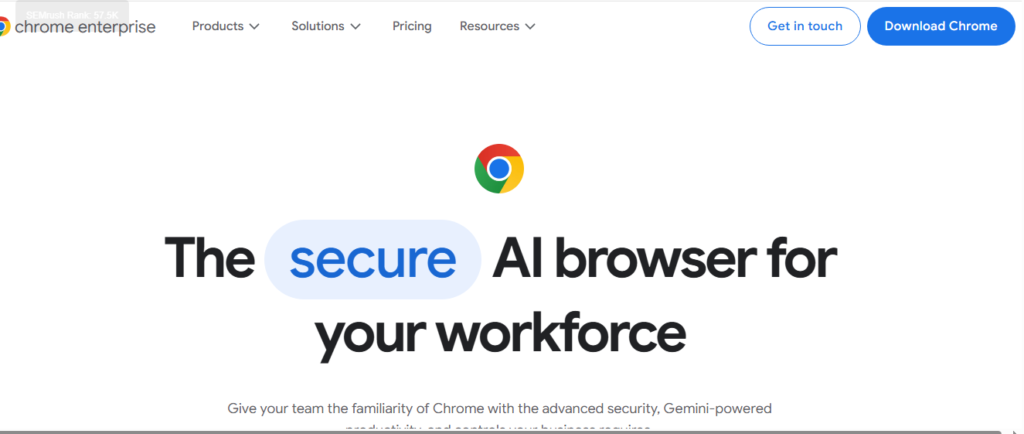
For organizations standardized on Chromebooks and Android devices, Google Chrome Enterprise and Google Workspace’s built-in device management capabilities offer a deeply integrated solution.
Chrome Enterprise provides centralized management of ChromeOS devices, including policy enforcement, app deployment, kiosk configurations, and security controls — all through the Google Admin console. For organizations already using Google Workspace, extending management to Chromebooks requires no additional infrastructure.
In 2026, Google has expanded Android Enterprise capabilities significantly, making it a strong MDM solution for Android device fleets in education, retail, and corporate environments.
The obvious limitation is that Google’s native tools are best suited for Chromebooks and Android devices. Managing Windows or macOS endpoints requires integration with third-party UEM solutions.
Comparing Device Management Software: A Quick Reference
When evaluating device management software, it helps to consider several dimensions simultaneously.
For Apple-only environments, Jamf Pro and Kandji are the top choices, with Jamf offering greater depth and customization and Kandji offering a more modern, automated experience.
For Microsoft-centric organizations, Microsoft Intune is the natural first choice, especially given its inclusion in many Microsoft 365 licensing bundles.
For mixed environments requiring true cross-platform management, VMware Workspace ONE, Ivanti Neurons for UEM, and ManageEngine Endpoint Central offer the broadest platform support.
For budget-conscious small and medium businesses, ManageEngine Endpoint Central and Hexnode UEM offer the best combination of features and affordability.
For specialized industries with kiosk, rugged device, or IoT requirements, Hexnode and Ivanti provide industry-specific capabilities that general-purpose platforms often lack.
How to Choose the Right Device Management Software for Your Organization
Selecting the best device management software requires a structured evaluation process. Here is a practical framework for making the right decision.
Start by taking a comprehensive inventory of your current device environment. Document every device type, operating system, and version in use across your organization. Understanding your exact device mix is essential before evaluating platform compatibility.
Define your core requirements by separating must-have features from nice-to-have capabilities. Security compliance, remote management, and patch automation are non-negotiable for most organizations. Advanced analytics, AI automation, and digital employee experience features are valuable but may not justify additional cost for every business.
Assess your integration requirements carefully. Your device management platform needs to work seamlessly with your identity provider, directory service, cloud productivity suite, and security tools. Compatibility gaps in these areas create significant operational friction.
Consider your team’s technical capacity. Enterprise platforms like VMware Workspace ONE and Microsoft Intune offer extraordinary depth but require skilled administrators to deploy and maintain effectively. Simpler platforms like Kandji or Hexnode can be managed effectively by smaller IT teams with less specialized expertise.
Evaluate total cost of ownership rather than just licensing fees. Factor in implementation costs, training requirements, ongoing administration overhead, and the cost of any integrations or add-ons needed to meet your requirements.
Run proof-of-concept pilots with your top two or three candidates. Test them against your most common IT scenarios — device enrollment, policy deployment, remote support, compliance reporting — with real devices in your environment.
Finally, assess vendor stability and roadmap. The device management software market continues to consolidate, and choosing a vendor with a clear long-term vision and financial stability protects your investment.
Device Management Software Pricing Overview for 2026
Pricing for device management software varies significantly based on deployment model, feature tier, and organization size.
Microsoft Intune is included in Microsoft 365 Business Premium at competitive per-user monthly pricing. Standalone Intune licensing is also available, making it accessible for organizations outside the Microsoft 365 ecosystem.
Jamf Pro pricing is per device per year, with different tiers based on device types (Mac, iPhone/iPad). Volume discounts apply for larger deployments, and educational institutions receive preferential pricing.
ManageEngine Endpoint Central offers perpetual licensing for on-premises deployments and subscription pricing for cloud. Its pricing is among the most competitive in the market for the features provided.
VMware Workspace ONE pricing increased following the Broadcom acquisition, and prospective customers should request updated quotes directly from Broadcom’s sales team.
Hexnode UEM offers tiered pricing based on features, with an Express tier for basic management needs and higher tiers for enterprise features.
Kandji pricing is per device per month with volume discounts for larger deployments.
Most vendors offer free trials ranging from 14 to 30 days, and pilot programs for enterprise evaluations are standard practice.
Emerging Trends in Device Management for 2026 and Beyond
The device management software landscape continues to evolve rapidly. Several trends are shaping the next generation of platforms.
AI-powered autonomous IT operations are moving from concept to reality. Platforms are increasingly capable of identifying device issues, predicting failures, and remediating problems without any human intervention, dramatically reducing IT workload.
Zero-trust architecture integration is becoming standard. Device compliance is now a prerequisite for network and application access, with device management platforms serving as critical enforcement points in zero-trust security frameworks.
Converging security and management capabilities mean that the boundary between endpoint management and endpoint detection and response (EDR) platforms is disappearing. Leading vendors are either building security capabilities natively or forming deep integrations with security platforms.
IoT and operational technology management are increasingly included in UEM platforms as organizations seek consolidated visibility across traditional IT devices and specialized operational hardware.
Employee experience analytics are gaining prominence as organizations recognize that device performance directly impacts workforce productivity. Platforms that can measure and optimize the digital employee experience are becoming differentiators.
Conclusion
Choosing the best device management software in 2026 is not a one-size-fits-all decision. The right platform depends on your device ecosystem, security requirements, team capabilities, budget, and long-term IT strategy.
Microsoft Intune leads for Microsoft-centric enterprises. Jamf Pro and Kandji dominate Apple-first environments. VMware Workspace ONE and Ivanti Neurons for UEM serve complex enterprise environments with diverse requirements. ManageEngine Endpoint Central and Hexnode UEM offer exceptional value for cost-conscious organizations.
What is universally true in 2026 is that not having a robust device management strategy is simply not an option. The security risks, compliance requirements, and operational complexity of modern device environments demand centralized, intelligent management. The platforms covered in this guide represent the best the industry has to offer — and investing in the right one is investing directly in the security, productivity, and resilience of your organization.

Usman Hakim is an SEO specialist at RankWithLinks, focusing on link building and organic growth. He helps brands improve search rankings through white-hat strategies, including guest posting and authority backlinks.