

If you are wondering how to manage your backlinks, the good news is that you do not need to be an SEO expert to do it well. Managing your backlinks simply means keeping a regular eye on which websites link to you, judging whether those links help or hurt, and taking action when something looks wrong.
It matters because links still move rankings. An analysis of 11.8 million Google results by Backlinko found that the top-ranked page averages 3.8 times more backlinks than the pages in positions two to ten. And an Ahrefs study of around one billion pages found that 66.31% of pages have no referring domains at all. Most of the web earns almost no links, so a small, well-managed set of quality backlinks puts you ahead of most of your competition.
Why managing your backlinks matters
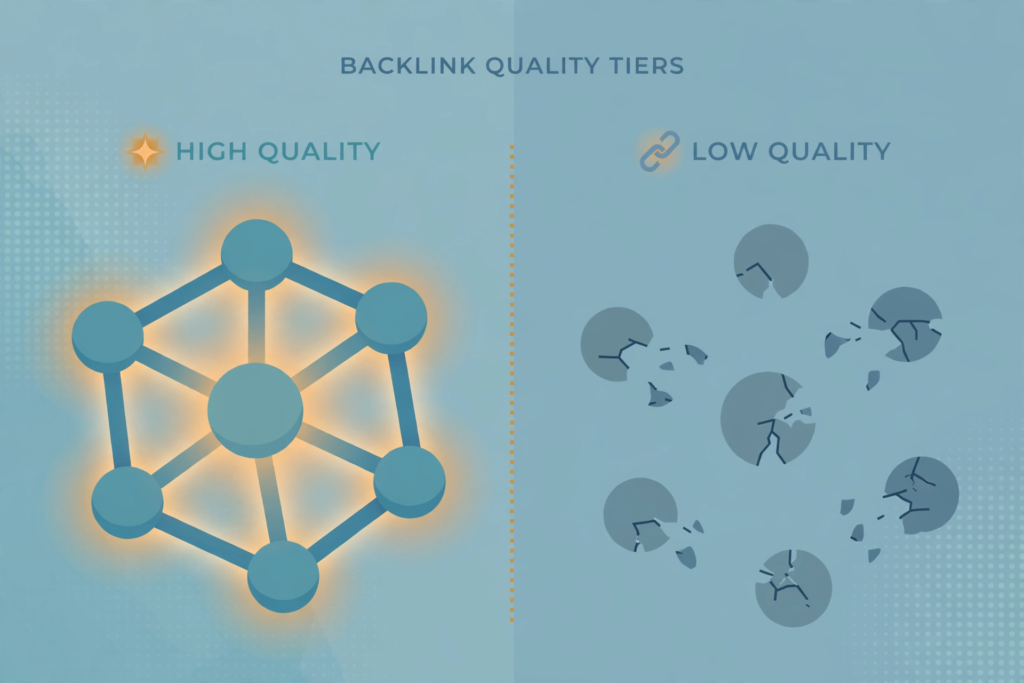
Backlinks are votes of confidence from other websites. Google treats them as evidence that your content is worth ranking. But not all votes are equal, and a profile left alone can quietly go wrong: good links get removed when sites redesign, spammy links appear that you never asked for, and pages you link-build for never earn the rankings they deserve.
Ahrefs’ research shows how rare a strong link profile is:
| Referring domains pointing to a page | Share of all pages |
|---|---|
| 0 | 66.31% |
| 1 to 3 | 26.29% |
| 4 to 10 | 5.22% |
| 11 to 100 | 2.10% |
| 101 or more | 0.08% |
Source: Ahrefs study of one billion pages, reported by Resourcera’s link building statistics (https://resourcera.com/data/seo/link-building-statistics/).
The takeaway: fewer than 3% of pages have links from more than 10 referring domains. If you audit, clean, and grow your links on a regular schedule, you are already doing more than most site owners.
Step 1 — Audit your backlink profile
Start with a full list of who links to you. Google Search Console has a free “Links” report that shows your top linking sites, top linked pages, and top anchor text, with an export button. Third-party tools such as Ahrefs or Semrush find more links and show extra data like the linking page’s traffic and the link’s context.
When you review the list, record three things for each linking domain: whether the site is real and relevant, the page your link sits on, and the anchor text. Save this as your baseline. Without a baseline you cannot tell later what changed.
A Moz correlation study found that the number of linking root domains scored a correlation of 0.293 with rankings — remarkably high for a single factor out of Google’s 200-plus signals. So as you audit, pay attention to domain diversity: links from ten different relevant sites beat ten links from one site.
Step 2 — Separate the helpful links from the harmful ones
Most links are fine. The ones to worry about are clear patterns of manipulation: links from hacked sites, pure spam pages, link farms, or links you (or a previous SEO provider) paid for in bulk.
Be careful with third-party “toxic link” scores. An independent audit by Stan Ventures found that Ahrefs and Semrush agreed on toxicity classification only 41% of the time on the same backlink sample. Google’s own John Mueller has said repeatedly that the disavow tool is only a “hint” and that Google’s systems already discount a large volume of spammy links automatically. So never nuke links based on a tool score alone — manual review matters.
Flag links as genuinely harmful only when you can point to a real reason: the linking site exists only to host links, the content is scraped or unrelated gibberish, the link was clearly bought as part of a scheme, or a sudden flood of irrelevant links appeared after a negative SEO attack.
Step 3 — Remove or disavow the truly harmful links
For most sites, this step means doing very little. Google’s guidance is clear: in most cases it can assess which links to trust without your help. Research by Semrush found that fewer than 0.1% of sites in its database have an active manual action at any given time — so manual penalties for links are rare.
Disavowal is the right move in three situations: you have a manual action for unnatural links, you inherited a large paid-link profile you need to clean up before enforcement, or you have been hit by a clear negative SEO spike that lines up with a ranking drop.
Here is why restraint matters. Ahrefs once ran an experiment where it disavowed ALL 3,476 backlinks pointing at three of its biggest blog posts. Traffic dropped immediately — one post lost 18% of its search traffic and fell from position 1 to position 4. Removing links hurts when those links were helping.
If you do disavow, the process is precise: create a plain .txt file, list one URL or domain per line, use domain:spamsite.example to disavow a whole domain, and upload it in Search Console. Each upload replaces the old file entirely, and it can take Google several weeks to recrawl and apply it. Try contacting the site owner to remove the link first — manual removal is always cleaner than disavow.
Step 4 — Reclaim the good links you have lost
Links disappear all the time. Sites redesign, pages get deleted, articles get updated and your link gets edited out. This is called link rot, and it silently drains your profile.
Your monitoring tool should have a “lost backlinks” report. Once a month, scan it and sort by the linking site’s quality. For each valuable lost link, check whether the linking page moved (a simple redirect may fix it) or email the site owner politely to ask for the link back. Lost-link outreach has one of the highest success rates in link building because the site already chose to link to you once.
Step 5 — Watch for new links every month
Set up alerts so you hear about new backlinks as they arrive — Ahrefs, Semrush, and even Google Search Console’s email reports can do this. Once a month, review the new links and ask: is this a real site? Is the link editorial and relevant? Is the anchor text natural?
A useful stat for this check comes from an analysis of one million US search results: page-level referring domains correlated with rankings at 0.255, total backlink count at 0.248, and Domain Rating at just 0.131. In plain terms, a new link from a fresh, relevant site matters more than your site’s overall authority score. So celebrate each new editorial link — but investigate any sudden spike of dozens of links from unrelated sites.

Step 6 — Keep earning quality links
Management is not only defence. A healthy profile grows steadily. The same audit that finds bad links shows you where you are thin: which important pages have few referring domains, which competitors have links you don’t.
Research by Search Atlas measured real-world backlink placements across thousands of pages and found strategic placements produced traffic gains exceeding 200%, with average ranking improvements of 10.8% at the individual page level. Links placed on strong, relevant pages genuinely move the needle — which is why consistent outreach beats one-off campaigns.
If outreach is not your strength, working with a professional link-building service keeps the pipeline steady while you handle the monitoring routine above.
Your monthly backlink management routine
Put the whole process into a simple repeating checklist:
- Export your backlink list from Search Console and your SEO tool.
- Review new links from the last 30 days — flag anything spammy.
- Check your lost-links report and start reclaiming the valuable ones.
- Scan anchor text for over-optimisation (too many exact-match anchors).
- Compare against last month: is your referring-domain count growing?
- If you found genuinely harmful links, attempt removal, then disavow only if needed.
- Keep building: pitch one new quality link opportunity per week.
One hour a month is enough for most small sites. Larger sites, or sites in competitive niches, should run the full audit quarterly.
FAQ
How often should I check my backlinks?
Do a light check monthly and a deep audit quarterly. Monthly, review new and lost links for anything unusual. Quarterly, export your full profile, re-check link quality, review anchor text distribution, and confirm your referring-domain count is trending upward.
How do I know if a backlink is bad?
Look for clear manipulation signals: links from hacked or spam-only sites, link farms, pages with no real content, paid links at scale, or hundreds of links appearing overnight from unrelated domains. Low authority alone does not make a link bad — most natural profiles contain plenty of small links.
Will Google ignore bad backlinks on its own?
Usually, yes. Google’s SpamBrain system reduced web spam by approximately 75% in 2022, and its algorithms routinely discount junk links without any action from you. That is why Google says most sites never need to use the disavow tool. Act yourself only when there is a manual action or a clear, large-scale attack.
What is the Google disavow tool?
It is an advanced feature in Search Console where you upload a .txt file asking Google to ignore specific links to your site. It does not delete the links — they still exist on the web and still appear in reports. Google calls it a “hint,” and it can take weeks to take effect. Used incorrectly, it can remove links that were helping you, so treat it as a last resort.
Should I worry about competitors building spammy links to my site?
Negative SEO attacks happen, but they are rarer than most site owners fear, and Google’s systems usually absorb them. Worry only if you see a concentrated spike of identical anchor text from unrelated domains that lines up in time with a real ranking or traffic drop. In that case, document everything and disavow the attacking domains.
Do I need to remove nofollow links?
No. Nofollow links are a normal part of every link profile — they come from comments, forums, Wikipedia, and social platforms. They may not pass ranking weight, but they add natural diversity and can send real referral traffic. Only disavow nofollow links if they are part of a clear spam pattern.

Abdullah Zulfiqar is Co-founder and Client Success Manager at RankWithLinks, an SEO agency helping businesses grow online. He specializes in client relations and SEO strategy, driving measurable results and maximizing ROI through effective link-building and digital marketing solutions.