
A 301 redirect backlink is a backlink that points to a URL which has permanently moved, so the link value follows the redirect to the new page. The link itself does not change. Another website still links to your old address, but anyone who clicks it — and any search engine that follows it — ends up on the new page instead. Used well, a 301 redirect protects the links you have already earned when a page moves, a site changes its structure, or two pages merge into one. Used badly, it sends that value to the wrong place, or nowhere at all.
This guide explains what a 301 redirect backlink is in plain terms, how much link value it passes, when to use one, and how to set one up step by step.
What Is a 301 Redirect Backlink?
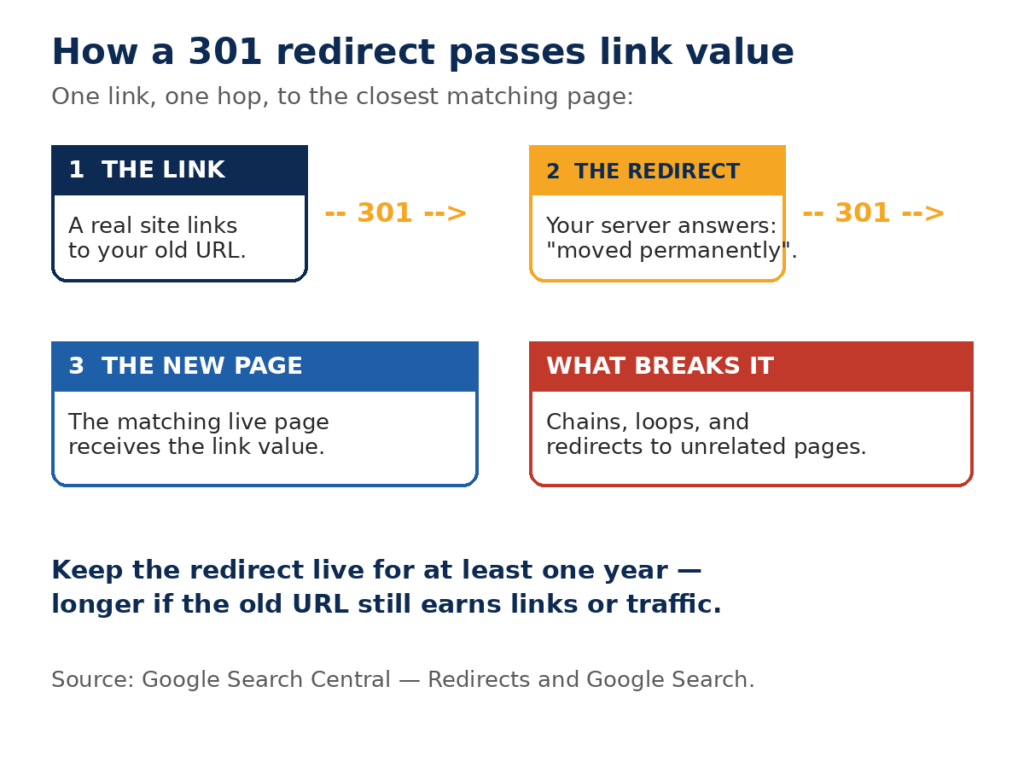
A 301 redirect is a server message that says “this page has moved permanently”. The number 301 is the HTTP status code for a permanent move. When a browser or a search engine asks for the old URL, the server answers with a 301 status and the address of the new page, and the visitor is sent there automatically.
A 301 redirect backlink is what you get when a backlink points at a URL that now redirects. Picture a simple chain:
- A newspaper links to your guide at /seo-guide-2023/.
- You rewrite the guide and move it to /seo-guide/.
- You add a 301 redirect from /seo-guide-2023/ to /seo-guide/.
- The newspaper link still points to the old address, but its value now flows through the redirect to the new page.
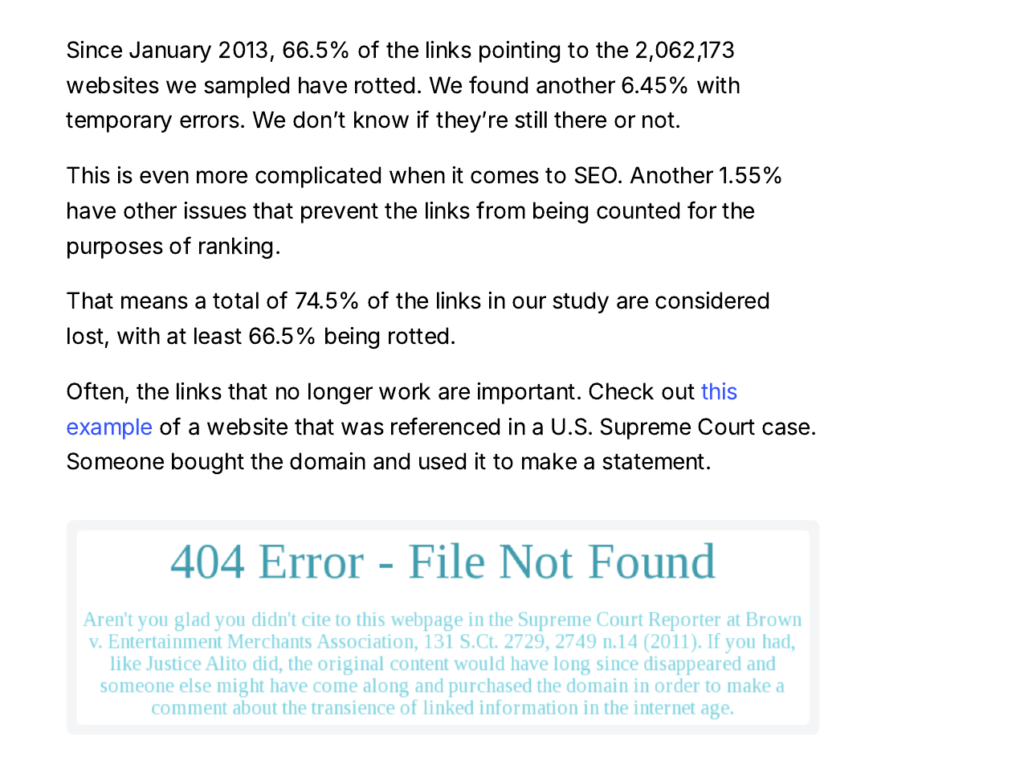
Without the redirect, that newspaper link would point at a dead page. The visitor would see a 404 error, and the link would pass nothing to any live page on your site. With the redirect, the link keeps working for readers and keeps counting for the new page.
A redirect backlink is not a separate kind of link you go out and earn. It is an ordinary backlink whose target has moved. Your job is to make sure the move is handled properly, so the value the link carries is not lost on the way.
How a 301 Redirect Passes Link Value
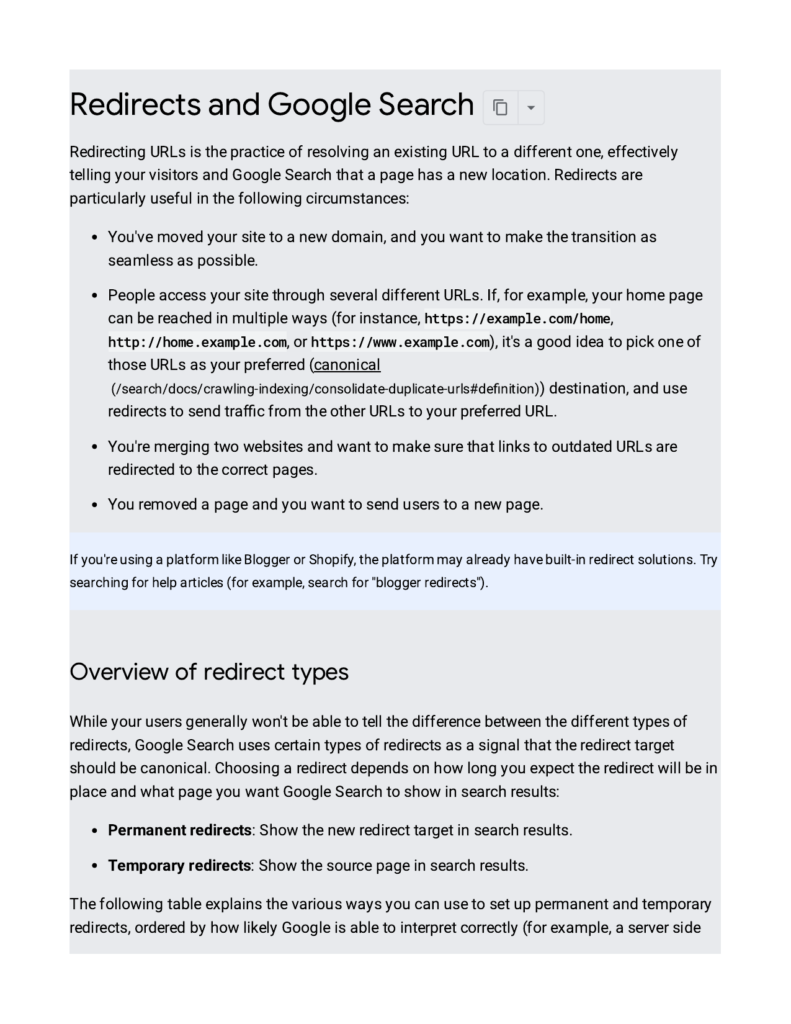
When Google finds a 301 redirect, it treats the new page as the home of the old page’s ranking signals. Google Search Central says a permanent redirect is a signal that the redirect target should be treated as canonical, and that the new target is the page shown in search results. In its crawling and indexing FAQ, Google states that ranking signals such as PageRank and incoming links are passed appropriately across 301 redirects.
That was not always the accepted view. In 2010, Google’s Matt Cutts said a 301 passed PageRank in the same way as an ordinary link, which carried a small dampening factor, and the working figure at the time was a loss of around 15%. In July 2016, Google’s Gary Illyes stated that 30x redirects no longer lose PageRank. John Mueller of Google later confirmed the same point: the redirect type does not decide how much PageRank passes, so the choice between 301 and 302 should be based on whether the move is permanent or temporary, not on chasing PageRank.
Three points follow from this:
- A single, direct 301 from one live page to a matching live page passes the link value. There is no extra penalty for using a redirect.
- The value that passes is only as strong as the link itself. A redirect cannot turn a weak link into a strong one, and it cannot make an irrelevant source page relevant.
- The target page matters as much as the redirect. If the new page covers the same topic as the old one, the value lands where it belongs. If it does not, Google may treat the redirect as a soft 404 and pass little or nothing.
Google also says to keep redirects in place for at least one year after a site move, so it has time to transfer the signals and reassign links from other sites to the new URLs. In practice, keep a redirect live for as long as the old URL still receives links or traffic. Removing it too soon breaks every backlink that still points at the old address.
301 vs 302 vs 308: Which Redirect Passes Link Value?
Not every redirect is permanent, and the difference matters for backlinks. The table below sets out the three codes you will meet most often.
| Redirect | Meaning | What Google does | Use it when |
|---|---|---|---|
| 301 Moved Permanently | The page has moved for good | Shows the new URL in results and treats it as canonical | A page has moved, merged, or been replaced for good |
| 302 Found | The move is temporary | Keeps the old URL in results | A page is down for maintenance or a short test |
| 308 Permanent Redirect | The page has moved for good, keeping the request method | Treats the new URL as canonical, like a 301 | A permanent move where the request method must stay the same |
A 302 is the common mistake. If you use a 302 for a permanent move, Google keeps the old URL in its index, and the new page may never take over the old page’s rankings. The link value is not lost in theory — Google has said all 3xx redirects pass PageRank — but the old URL stays as the indexed version, so the new page does not get the benefit in practice. Use a 301 whenever the move is permanent.
A meta refresh or a JavaScript redirect is a weaker option. Google can follow them, but it recommends a server-side 301 whenever possible, because a server-side redirect is the most reliable signal for search engines to read.
What the Numbers Say About Redirects and Link Rot
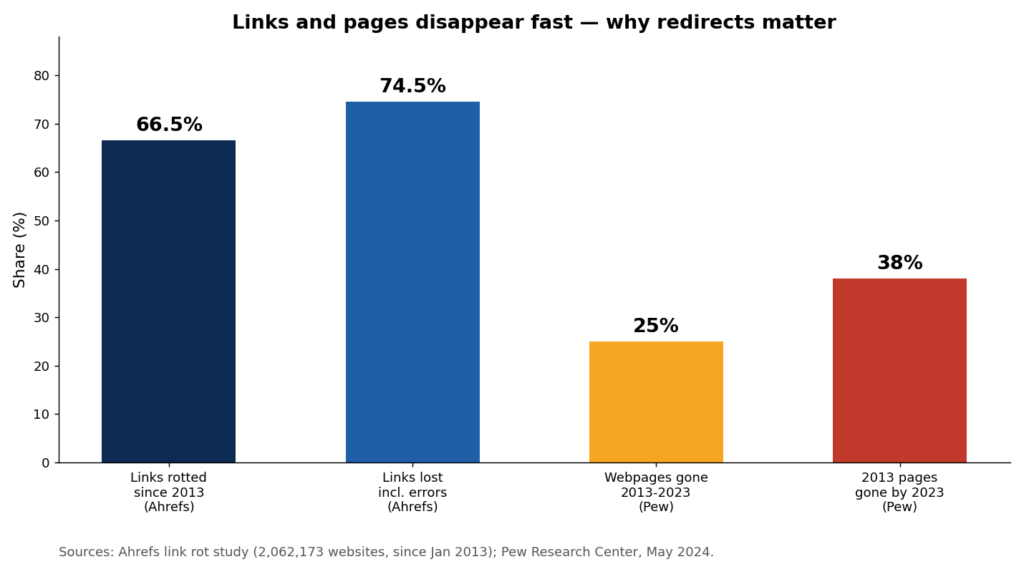
Redirects matter because links do not last forever. Pages move, sites close, and content is deleted, and every change puts the links pointing at those pages at risk. The research below shows how large that risk is.
| Finding | Figure | Source |
|---|---|---|
| Links to sampled websites that had rotted since January 2013 | 66.5% | Ahrefs link rot study, 2,062,173 websites |
| Links counted as lost once temporary errors and other issues are added | 74.5% | Ahrefs link rot study |
| Lost links where the linking page itself had been redirected | 5.99% | Ahrefs link rot study |
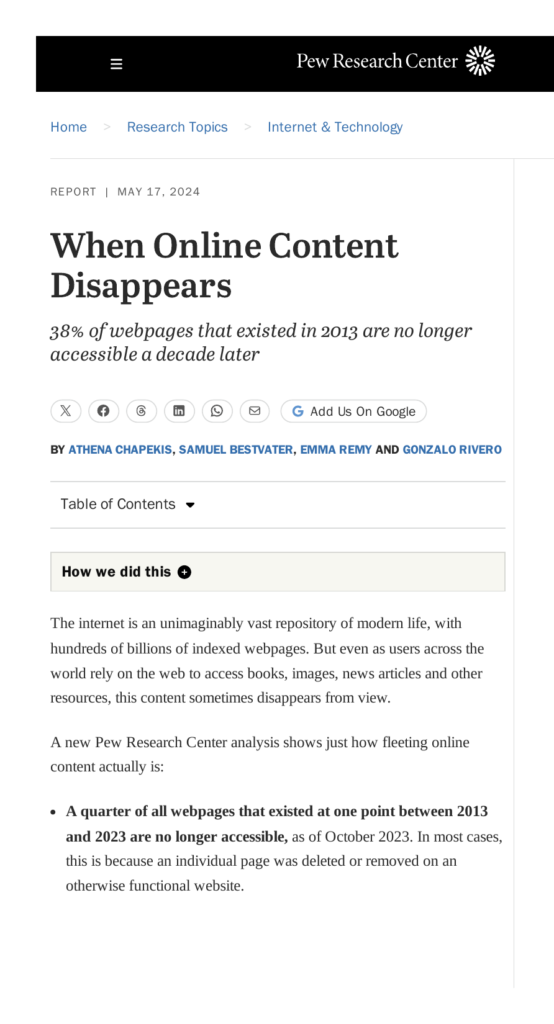
| Webpages from 2013 to 2023 no longer accessible by October 2023 | 25% | Pew Research Center, May 2024 |
| Webpages from 2013 no longer accessible by October 2023 | 38% | Pew Research Center, May 2024 |
| News webpages containing at least one broken link | 23% | Pew Research Center, May 2024 |
| Pages that get zero organic traffic from Google | 96.55% | Ahrefs search traffic study, about 14 billion pages |
| Pages with no backlinks at all | 66.31% | Ahrefs search traffic study |
The Ahrefs numbers are the clearest warning. Two out of three links built since 2013 had rotted when the study was updated in 2024, and nearly 6% of lost links were lost because the page that held the link had itself been redirected somewhere else. A redirect is not a small technical detail. It is one of the main ways a link stops counting.
The Pew Research Center figures tell the same story from the other side. A quarter of all webpages that existed between 2013 and 2023 were gone by October 2023, and more than a third of pages from 2013 had vanished. When a page disappears without a redirect, every link to it dies with it. A 301 is the tool that stops that from happening.
When to Use a 301 Redirect Backlink
A 301 is the right tool whenever a page with backlinks moves for good. The five cases below cover almost every situation a site owner will meet.
1. You change a page’s URL
A new slug, a new folder structure, or a shorter address all mean the old URL stops working. Redirect the old URL to the new one so every existing backlink keeps its value.
2. You move to a new domain
A rebrand or a domain change means every page gets a new address. Redirect each old page to its matching new page, one by one. Redirecting everything to the homepage is a mistake — see the section on common errors below.
3. You merge two pages into one
Two thin pages on the same topic often work better as one strong page. Redirect the weaker page to the stronger one, and the links that pointed at the weaker page now support the merged page.
4. You switch from HTTP to HTTPS
Moving to a secure connection changes every URL on the site. A 301 from each HTTP address to its HTTPS version keeps the links intact. This is one of the most common redirects on the web, and one of the most often forgotten.
5. You delete a page that has backlinks
Sometimes a page has to go — a product is retired, or a service ends. If other sites link to it, do not just delete it. Redirect it to the closest matching live page, so the links and the visitors still land somewhere useful. If no page matches, a clear 404 or 410 is more honest than a redirect to an unrelated page.
When Not to Use a 301 Redirect
A 301 is not a fix for every problem. Do not use one in these cases:
- The move is temporary. A sale page, a test, or a page that will come back should use a 302, not a 301.
- There is no matching page. Redirecting a deleted page to your homepage, or to a page on a different topic, does not save the link value. Google treats a redirect to unrelated content as a soft 404.
- You want to hide a penalty. Redirecting a penalised page to a clean page does not wash the problem away. Google has said a 301 passes ranking signals, and that includes negative ones. A manual action on the source can carry over to the target.
- You want to pass links from a bought domain. Redirecting an expired domain to your site only works if the domain is relevant, clean, and genuinely related to your content. A domain bought only for its links, with no topical match, is a spam signal under Google’s link spam policies, not a shortcut.
How to Set Up a 301 Redirect Backlink, Step by Step
Setting up a 301 is a short job once you know where the redirect lives. Follow these five steps in order.
Step 1: Find every backlink that points at the old URL
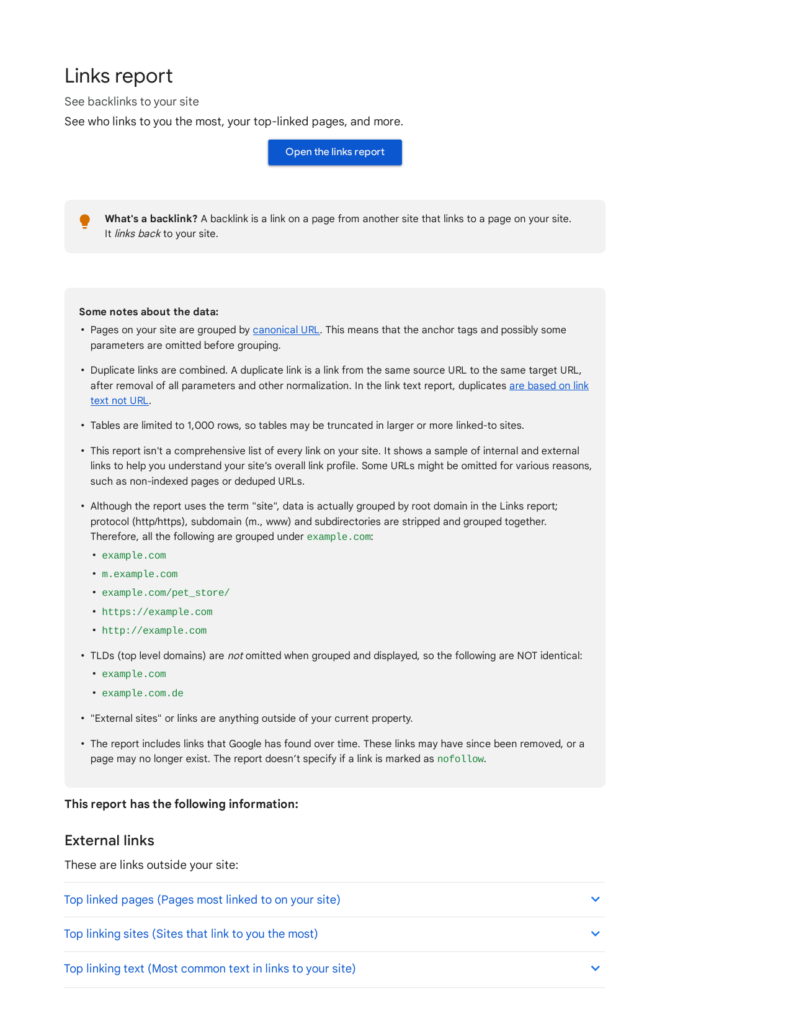
Open the Links report in Google Search Console and look at the top linked pages. Note every URL on your site that has backlinks and is about to move or be deleted. Check the same list in Ahrefs’ free backlink checker if you want a second view. Only redirect the pages that matter — the ones with real links.
Step 2: Choose the closest matching new page
For each old URL, pick the live page that covers the same topic. A product page should go to its replacement product, not to the category page. A guide should go to its updated version, not to the blog homepage. If two pages could match, pick the one a reader would expect.
Step 3: Add the redirect on your server or in WordPress
On WordPress, the Redirection plugin is the simplest route: add the old URL as the source and the new URL as the target, and set the code to 301. On an Apache server, add a line to the .htaccess file, for example Redirect 301 /old-page/ https://www.example.com/new-page/. On Nginx, add a return 301 line in the server block. Whichever route you take, the redirect must be server-side, not a JavaScript hop.
Step 4: Test the redirect
Open the old URL in a browser. It should land on the new page at once, with no extra stops in between. Then check the status code with a free header checker, or with Screaming Frog’s SEO Spider in list mode. The answer must be a single 301, not a chain of two or three redirects. Also check that the new page returns a 200 status and loads normally.
Step 5: Update the links you control, and keep the redirect live
A redirect is a safety net, not a replacement for a correct link. Where you control the link — your own pages, your social profiles, a partner page you can ask to update — change it to point at the new URL. Then leave the redirect in place for at least a year, and longer if the old URL still gets links or traffic. Google’s site-move guidance says to keep redirects for at least a year so the signals have time to transfer fully.
How to Check a 301 Redirect Backlink Works
After a redirect is live, check it in three places:
- The browser. Open the old URL. You should reach the new page in one hop, with no warning and no loop.
- A header checker. The old URL should return a 301 status code and point at the new address. The new page should return a 200.
- Google Search Console. In the Links report, check that the new page is gaining the links that used to point at the old one. In the Page indexing report, check that the old URL is not listed as an error and that the new URL is indexed. Give Google a few weeks: the signal transfer is not instant, and rankings often take time to settle after a move.
If the old URL still appears in search results after a month, or the new page has not taken over its rankings, check the redirect again. A common cause is a redirect chain: the old URL points to a middle URL, which points to the new one. Google follows up to 10 redirect hops, but chains waste crawl budget and weaken the signal, so flatten every chain to a single direct 301.
Common 301 Redirect Mistakes
Most redirect problems come from a small set of errors. Avoid these five.
- Redirect chains. Page A points to page B, which points to page C. Each hop adds delay and weakens the signal. Point page A straight at page C.
- Redirect loops. Page A points to page B, and page B points back to page A. The browser gives up, and the link passes nothing.
- Redirecting everything to the homepage. This is the most common error after a site move. Hundreds of specific pages pointing at one generic page look like soft 404s to Google, and the link value is lost.
- Using a 302 for a permanent move. The old URL stays in the index, and the new page never takes over its rankings.
- Removing redirects too soon. Deleting a redirect after a few months breaks every backlink that still points at the old URL. Keep redirects live for at least a year, and keep them longer when the old URL still earns links or traffic.
301 Redirect Backlinks and Expired Domains: The Honest Warning
One tactic you will see sold online is buying an expired domain and redirecting it to your site to take its backlinks. It sounds simple, and it can work in one narrow case: the old domain is in your niche, its links come from real sites, and its content matches yours. Even then, the redirect must go to a matching page, not to your homepage.
Most of the time, it does not work. Google’s spam policies treat links meant to manipulate rankings as link spam, and a redirect bought only to move links from an unrelated domain is exactly that kind of manipulation. The old domain may also carry a history you cannot see — spam, a manual action, or links from low-quality sites — and a 301 passes those signals too. Our advice is plain: earn links for your own pages, and use 301s to protect the links you already have. That is what they are for, and it is the only use that holds up over time. If you want links built that way, our manual link building services use outreach to real sites, with no private blog networks and no bought domains.
Frequently Asked Questions
What is a 301 redirect backlink?
A 301 redirect backlink is a backlink that points to a URL which now redirects permanently to a new page. The link still points at the old address, but the 301 sends visitors and search engines to the new page, so the link value follows the move instead of dying with the old URL.
Does a 301 redirect pass link value?
Yes. Google has said that ranking signals, including PageRank and incoming links, pass appropriately across 301 redirects, and that 30x redirects no longer lose PageRank. A single direct 301 to a matching page passes the value, so a well-set redirect protects the links you earned. Chains, loops, and redirects to unrelated pages are what lose it.
How long should I keep a 301 redirect live?
Keep it for at least one year, which is the minimum Google recommends after a site move, so the signals have time to transfer fully. In practice, keep it live for as long as the old URL still receives backlinks or traffic. Removing a redirect breaks every link that still points at the old address.
What is the difference between a 301 and a 302 redirect?
A 301 means the page has moved permanently: Google shows the new URL in search results and treats it as canonical. A 302 means the move is temporary: Google keeps the old URL in its results. Use a 301 for permanent moves and a 302 only when the page will return.
Can a 301 redirect hurt my rankings?
A correct 301 does not hurt rankings, and Google recommends one for every permanent move. A bad one can hurt: redirect chains, loops, redirects to unrelated pages, and 302s used for permanent moves can all cost rankings. A 301 also passes negative signals, so redirecting a penalised page can carry the problem to the new page.
Should I buy an expired domain and redirect it to my site?
We would not recommend it. It only helps when the old domain is in your niche, has clean links from real sites, and redirects to a matching page. In most cases the domain is unrelated or carries a poor history, and Google treats redirects bought only to move links as link spam. Earn links for your own pages instead — it is slower, but the links last.
The Short Version
A 301 redirect backlink is an ordinary backlink whose target page has moved. The 301 is the bridge that carries the link’s value to the new page. Keep the bridge short, direct, and in place: one hop, to the closest matching page, for at least a year. Check it with a header checker and in Google Search Console, update the links you control, and do not use redirects to move links from bought or unrelated domains. Do that, and the links you have already earned keep working for you, even when your site changes around them.

Abdullah Zulfiqar is Co-founder and Client Success Manager at RankWithLinks, an SEO agency helping businesses grow online. He specializes in client relations and SEO strategy, driving measurable results and maximizing ROI through effective link-building and digital marketing solutions.