
Free backlinks for your website sound too good to be true, and in some cases they are. But plenty of links cost nothing and are completely safe: a listing in a real business directory, a guest post on a site in your field, or a quote in a journalist’s article. The difference between a free backlink that helps and one that harms is how you earn it.
A backlink is simply a link from another website to yours. Google treats links as votes of confidence, and pages with strong links tend to rank higher. The catch is that most pages never earn a single link. In this guide you will learn nine free, safe ways to earn backlinks for your website, the methods to avoid, and how to check the links you already have.
Why free backlinks matter
Most pages on the web have no links at all, which is exactly why even a small number of good free links can move a new site forward. The numbers below come from large studies by Ahrefs and Backlinko, and they show how rare links really are.
| Finding | Study and source |
|---|---|
| 66.31% of pages have zero referring domains | Ahrefs, 2020 study of about 1 billion pages |
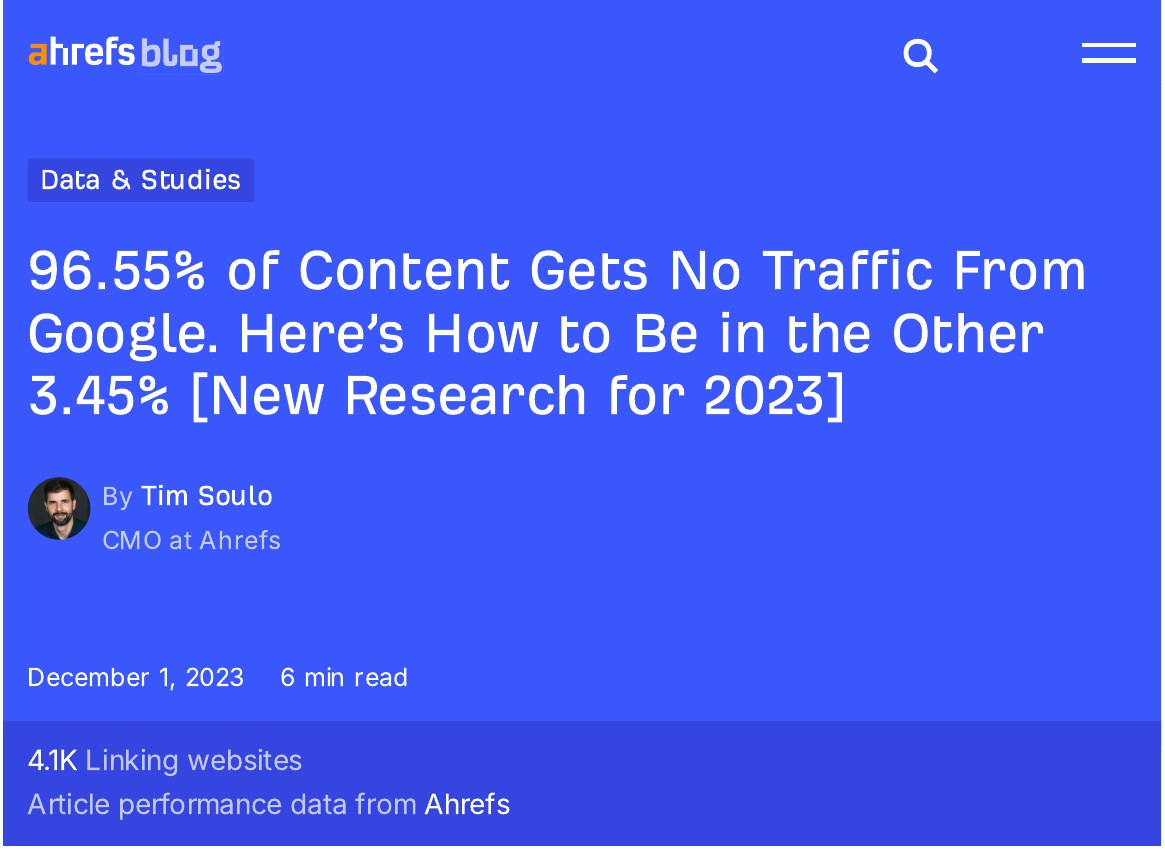
| 96.55% of pages get zero traffic from Google | Ahrefs, 2023 study of about 14 billion pages |
| The number 1 Google result has 3.8x more backlinks than positions 2 to 10 | Backlinko, analysis of 11.8 million Google results |
| 94% of published content earns zero external links | Backlinko and BuzzSumo, analysis of 912 million blog posts |
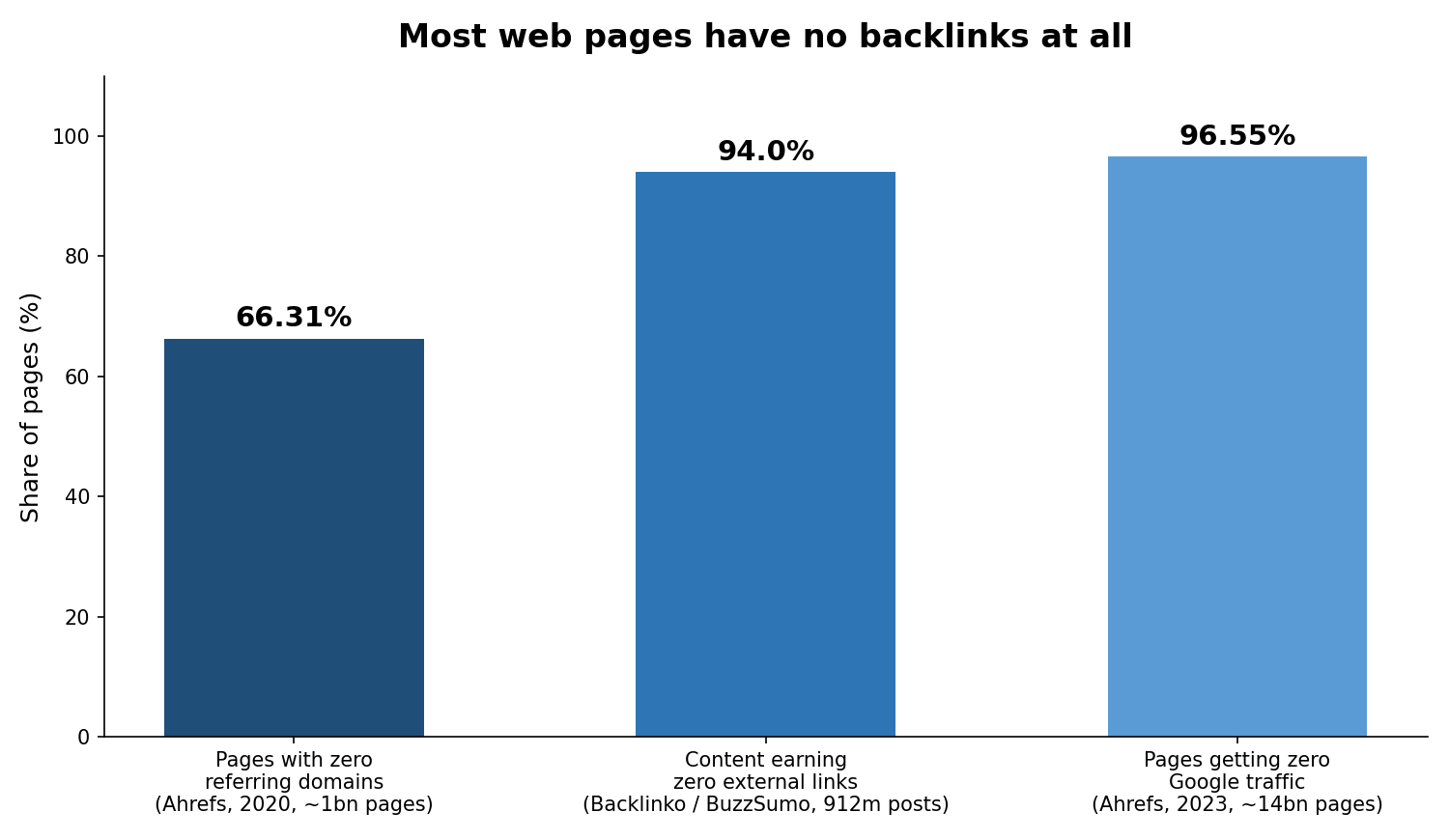
Two points in that table deserve attention. First, count referring domains, not raw links. Ten links from ten different sites carry far more weight than ten links from one site. Backlinko found the same pattern: the top result has about three times more referring domains than positions 2 to 10. Second, links are a correlation, not a guarantee. Strong pages tend to earn links and rank well at the same time, so links work best alongside useful content that matches what people search for.
What counts as a safe free backlink?
A safe free backlink is earned, not arranged to trick Google. It comes from a real website, sits in relevant content, and would still make sense if search engines did not exist. A directory listing for your real business, a guest post you wrote for a site your customers read, and a journalist quoting your advice all pass that test.
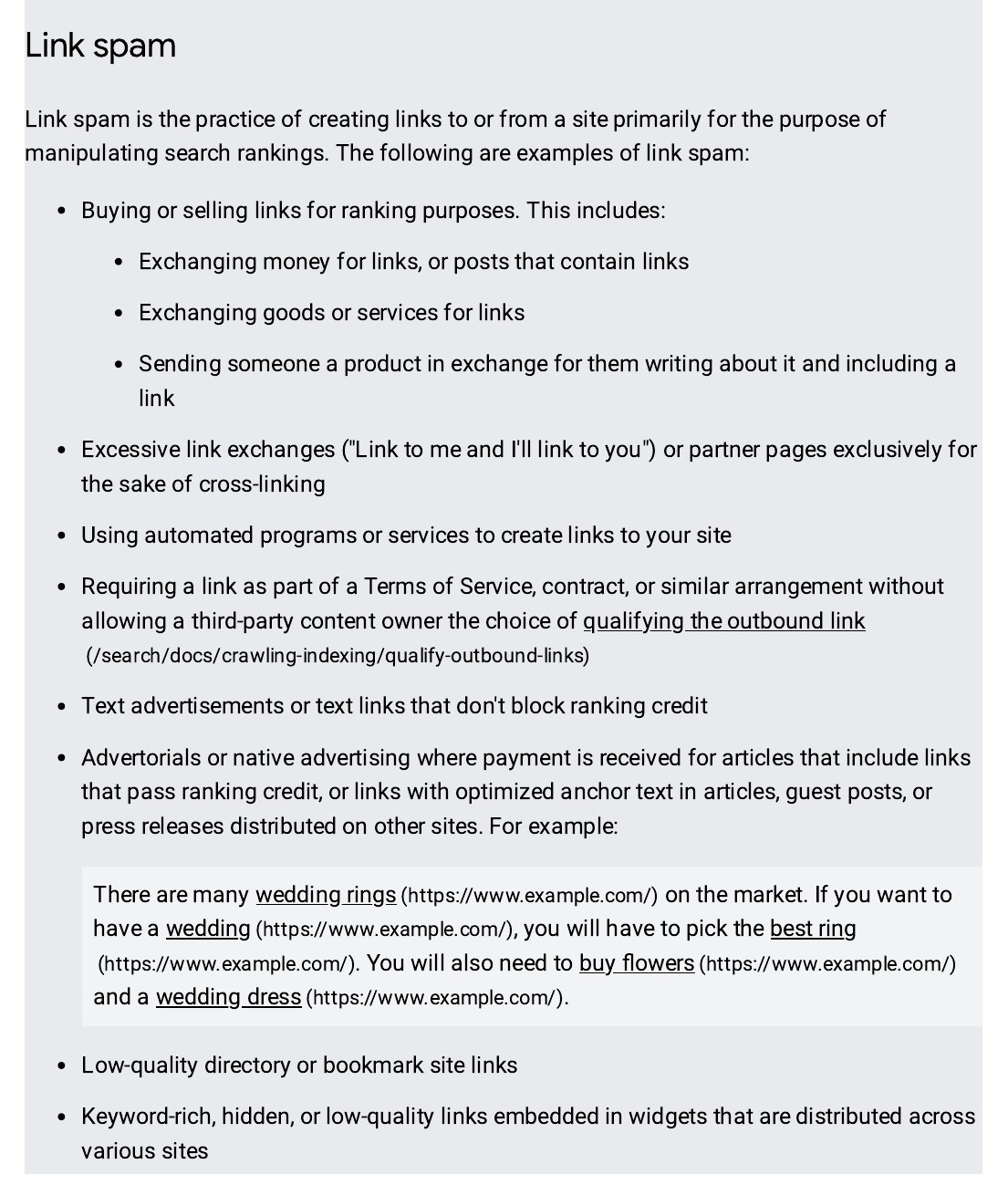
Google’s own link spam policies are clear: links created mainly to manipulate rankings can lead to action against your site. That includes link schemes, large-scale article marketing with keyword-rich anchor text, and links you pay for without the right markup. Paid links are not free, and they are not safe unless they carry a rel=”sponsored” or rel=”nofollow” attribute. Everything in this guide stays on the safe side of that line.
9 safe ways to get free backlinks for your website
1. Claim your free business listings
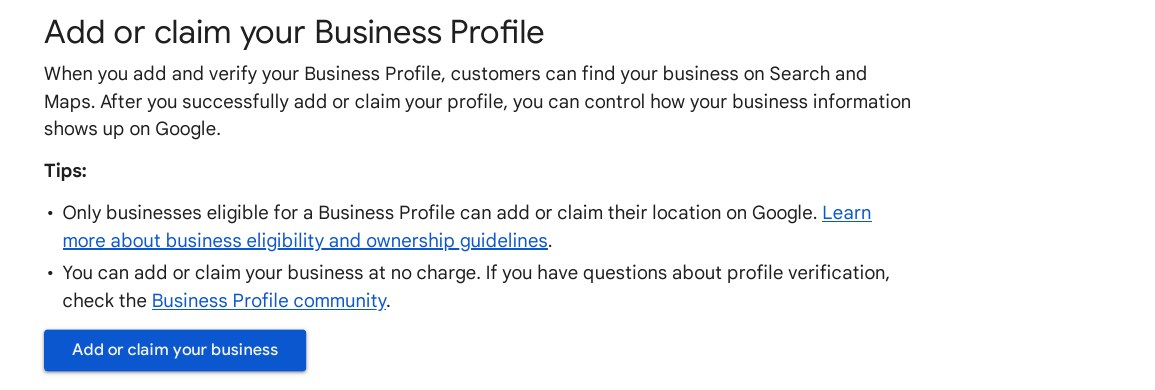
Start with the listings that cost nothing and take minutes. Create a Google Business Profile, claim your Bing Places listing, and add your business to Yelp and Apple Maps. Use the same business name, address and phone number everywhere, and link each listing back to your website. These are trusted, relevant links, and for local businesses they also help you show up in map results.
2. Publish something worth linking to
People link to pages that help them. An original survey, a free tool, a clear step-by-step guide, or a page that answers a question better than anything else out there will earn links over time without any outreach. Backlinko’s study found the average first-page Google result runs to 1,447 words, which is a useful reminder: thin pages rarely earn links, while thorough pages do. Pick one topic your customers ask about, cover it properly, and make the page easy to quote.
3. Write a guest post for a real site in your field
Guest posting still works when the site is real, relevant, and read by people you want to reach. Find blogs and trade sites in your field, read what they publish, and pitch a specific idea that fits their readers. One guest post on a respected site beats ten posts on sites nobody visits. The link back to your site should sit naturally in your author bio or in the article itself, and the article should be written for readers first, not for the link.
4. Answer journalist requests
Journalists and writers need expert quotes every day, and services such as Connectively (formerly HARO) and Qwoted send those requests to your inbox for free. Watch for questions in your field, reply quickly with a short, useful answer, and include your name, role and website. When your quote is used, you usually get a link from a news site or a well-known publication, which is one of the strongest free links a small site can earn.
5. Fix broken links on other sites
Site owners hate broken links. Find a page in your field with a link that no longer works, then email the owner, point out the dead link, and suggest your own working page as a replacement. You are doing them a favour, so the reply rate is far higher than a cold request for a link. Free tools such as Ahrefs Webmaster Tools or the Check My Links browser extension can help you spot dead links on pages you already read.
6. Get listed on resource pages
Many sites keep a page of useful links for their readers, such as “helpful resources for small business owners” or “best tools for landlords”. Search Google for your topic plus “resources”, “useful links” or “helpful links”, check that the page is genuine and up to date, then suggest your best page with one short email explaining why it fits. Resource pages are one of the easiest free links to win because the owner already wants to add good links.
7. Turn unlinked brand mentions into links
If someone already mentions your business by name, half the work is done. Search Google for your business name, or set up a free Google Alert, and look for pages that mention you without linking. A short, polite email asking them to link the mention to your site often works, because the writer already thought your business was worth naming. The same trick works for mentions of your products, your founder, or a study you published.
8. Answer questions where your audience already is
Reddit, Quora and industry forums are full of people asking questions your site already answers. Give a genuinely helpful answer and link to your page only where it adds detail the answer needs. Most of these links are nofollow, which means they pass no direct ranking credit, but they still bring visitors, build your name, and sometimes lead a blogger or journalist to link to you later with a followed link. Never spam these sites: one useful answer beats twenty dropped links.
9. Use internal links to spread authority
Your own site is a free source of links. Every new page should link to and from your most important pages, using clear, descriptive anchor text. When an outside link points at your homepage or a popular blog post, internal links pass some of that strength on to your service and product pages. It costs nothing, it helps visitors find what they need, and it is the one link building method you control completely. If you want outside help as well, see our link building services for manual outreach that follows the same safe approach.
Free backlink methods to avoid
Not every free link is a good link. Avoid these, even when they promise fast results:
- Link farms and private blog networks. Sites built only to sell or swap links. Google treats these as link schemes.
- Automated directory blasts. Submitting your site to hundreds of low-quality directories in one go. A handful of real directories is fine; five hundred junk ones is not.
- Comment spam. Dropping your link in blog comments and forums where it adds nothing.
- “Free backlink generator” tools. These create links on low-quality pages you do not control, and they can leave a trail Google can spot.
- Footer and sidebar link schemes. Site-wide links bought or traded in bulk look nothing like a natural link.
Google’s spam policies page lists link spam as a violation, and sites caught in it can lose rankings or receive a manual action. A link that would embarrass you if a customer saw how you got it is a link you should not want.

How to check the backlinks you already have
Before you chase new links, find out what you already have. Google Search Console is free, and its Links report shows your top linked pages, the sites linking to you most often, and the anchor text they use. Open Search Console, pick your property, and go to Links in the left-hand menu. Export the list, remove any links from sites you do not recognise or trust, and keep the report as your starting point. Check it once a month: new links show your outreach is working, and a sudden loss of links can mean a page you were linked to has moved or closed.
A simple 30-day plan
| Week | What to do |
|---|---|
| Week 1 | Claim Google Business Profile, Bing Places, Yelp and Apple Maps; fix your name, address and phone number everywhere |
| Week 2 | Publish one thorough, link-worthy page and link it from your homepage |
| Week 3 | Pitch two guest posts, answer three journalist requests, and email five resource-page owners |
| Week 4 | Check Google Search Console Links report, follow up on unanswered emails, and repeat what worked |
Free backlinks take time, not money. A handful of real links from real sites will do more for your rankings than hundreds of links nobody would ever click. Start with the listings, publish one page worth linking to, and send your first three outreach emails this week.
Frequently asked questions
Are free backlinks really free?
Yes, in money terms. Listings, guest posts, journalist quotes and resource pages cost nothing to use. What they cost is time: writing a good guest post or a useful guide takes hours, and outreach takes patience. Be wary of any service that advertises “free” backlinks but then charges you or places your link on low-quality sites. A genuinely free link is one you earned with useful content or a real relationship.
How long do free backlinks take to help rankings?
Expect weeks to months, not days. Google has to find the linking page, crawl it, and factor the link into its view of your site. A link from a page Google crawls often can show up in Search Console within days, but a ranking change usually takes longer, especially for a new site. Keep building steadily rather than chasing a quick jump.
Do nofollow free backlinks help at all?
They do, just not in the way most people expect. A nofollow link passes no direct ranking credit, but it can still send visitors, put your name in front of the right audience, and lead to followed links later when a reader writes about you. A natural link profile has a mix of followed and nofollowed links, so do not turn down a good nofollow link from a real site.
Is it safe to buy backlinks?
No, and Google says so plainly in its spam policies. Links bought mainly to pass ranking credit break those policies and can lead to a manual action or a loss of rankings. Sellers often place paid links on low-quality sites, which adds risk without lasting benefit. If you pay for any link, it must carry a rel=”sponsored” or rel=”nofollow” attribute, and even then it will not help your rankings.
How many free backlinks do I need?
There is no fixed number. It depends on the pages already ranking for your keyword. Check the top ten results for your target phrase in a free tool such as Ahrefs Webmaster Tools, note how many referring domains each page has, and use the middle figure as a rough target. A local service page may need only a handful of relevant links, while a national keyword may need dozens from strong sites.

Abdullah Zulfiqar is Co-founder and Client Success Manager at RankWithLinks, an SEO agency helping businesses grow online. He specializes in client relations and SEO strategy, driving measurable results and maximizing ROI through effective link-building and digital marketing solutions.