
Intro
Learning how to disavow backlinks is useful, but only in narrow cases. Disavowing tells Google to ignore certain links pointing to your site. It does not delete those links, it does not contact the linking site, and it does not lift a penalty on its own. Used at the wrong time, it can remove value from links that were actually helping you. Used at the right time, it is one part of cleaning up after a manual action for unnatural links. This guide walks through the decision first, then the checks, then the file itself, so you do not rush into a step Google itself says most sites never need.
What disavowing actually does
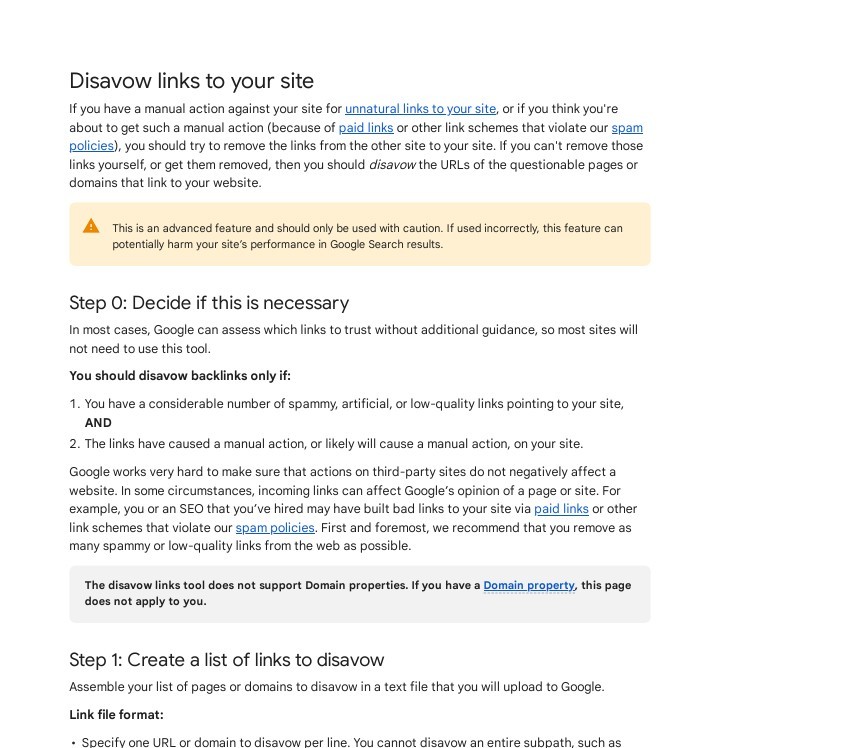
When you upload a disavow file in Google Search Console, you ask Google to ignore the listed URLs or domains when it judges your site. The links stay live on the web, and they still show in your Links report. Google’s help page is blunt about the limits: this is an advanced feature, and used incorrectly it can potentially harm your site’s performance in search results. That warning matters because disavowing is not reversible in a simple sense. You can change or remove the file later, but Google must recrawl and reprocess the linking pages before anything changes, which takes weeks. Think of it as a last resort, not routine maintenance.
Step 1: Check whether you need to disavow at all
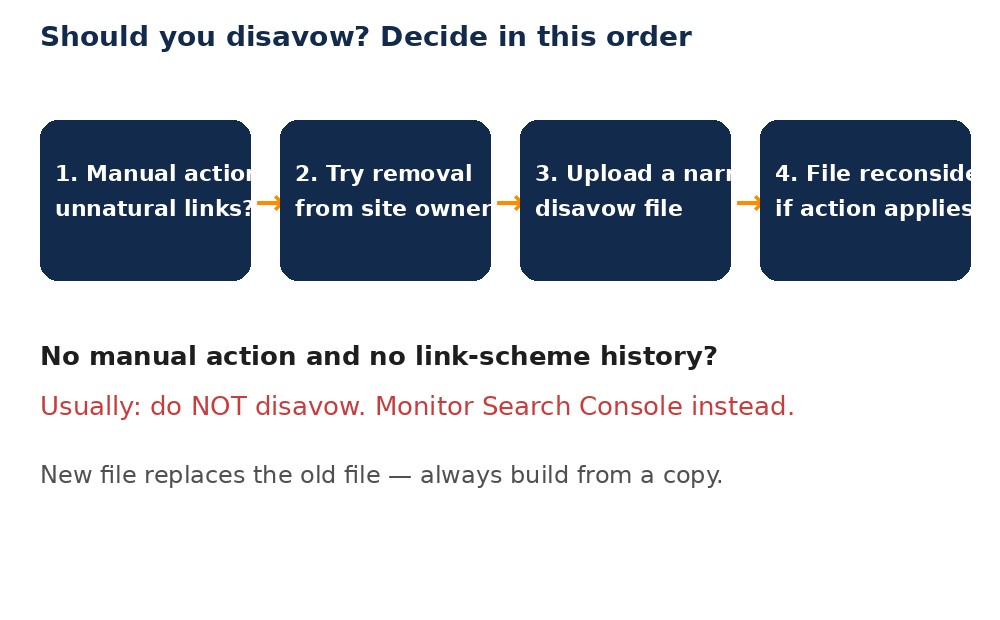
Google sets two conditions, and both should apply. First, you have a considerable number of spammy, artificial, or low-quality links pointing to your site. Second, those links have caused a manual action, or are likely to cause one. In most cases, Google says it can assess which links to trust without extra guidance, so most sites will not need this tool. Start in Search Console, under Security and Manual Actions, then Manual Actions. If you see “Unnatural links to your site”, you have a clear reason to act. If you see no manual action, pause. A sudden wave of odd links, a low score in a third-party tool, or a ranking drop on its own is not enough on its own to justify a disavow file. Google’s SpamBrain system now neutralises much unnatural link spam automatically, and its December 2022 link spam update was built to do exactly that. If you are unsure, checking with an experienced SEO before uploading is cheaper than undoing a broad disavow later.
Step 2: Find the links worth reviewing
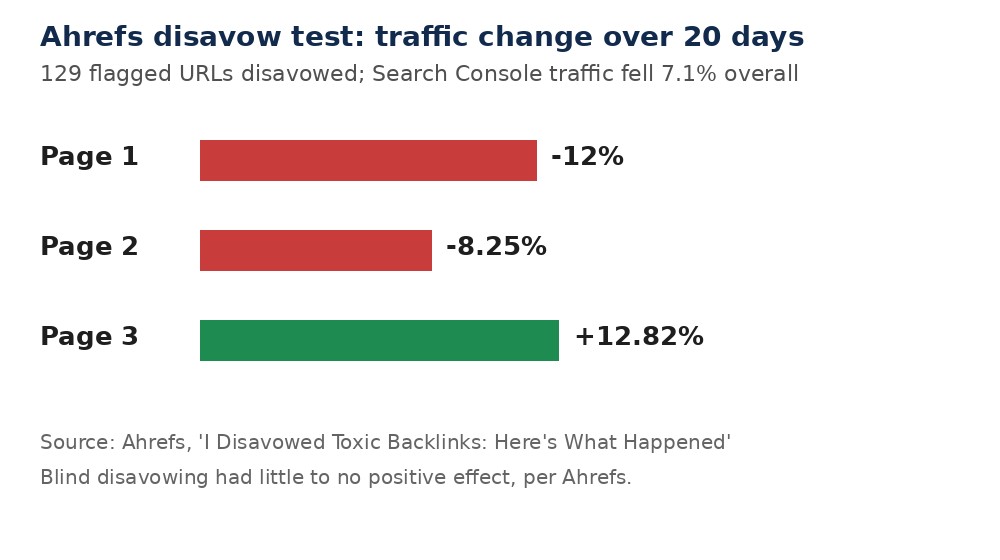
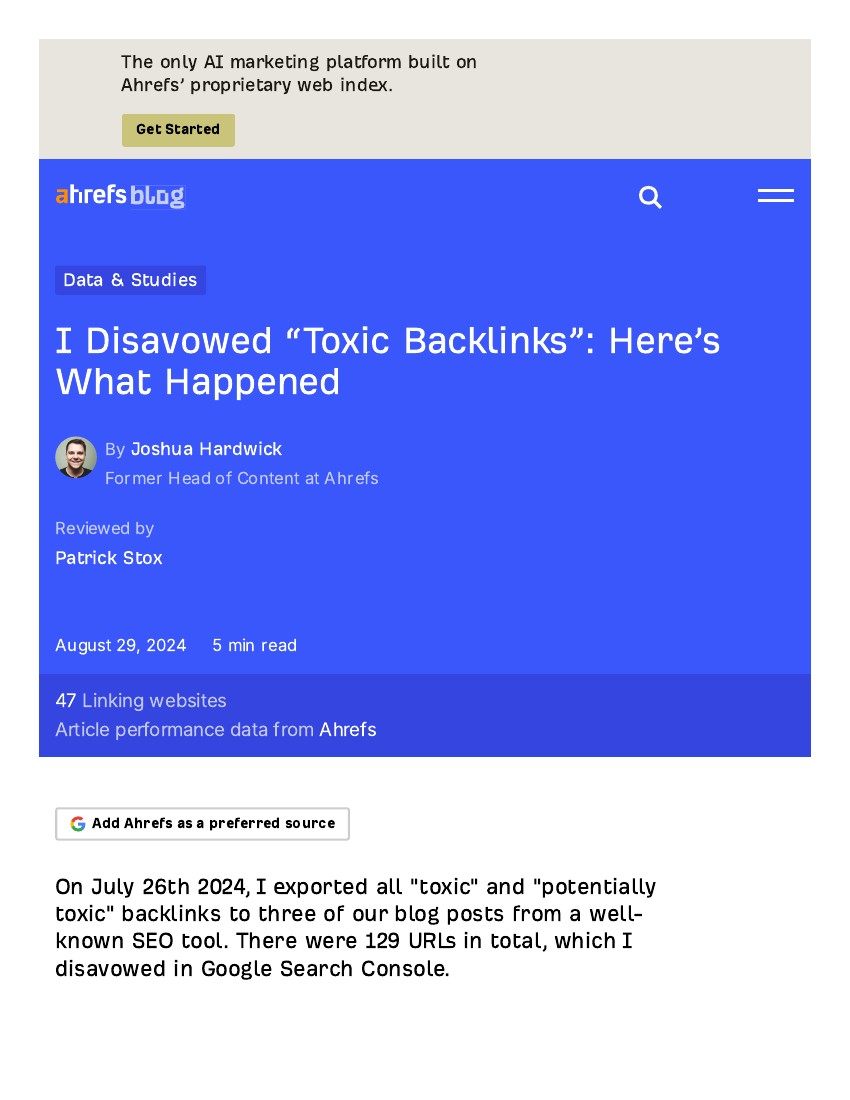
Open the Links report in Search Console and export your external links. Sort by linking domain, not by single URL, because one spammy domain often links to you from dozens of pages. Look for patterns rather than judging one link at a time: sites in a language your audience does not use, pages with no connection to your topic, sitewide footer links, and domains that appeared in a sudden burst. Third-party tools such as Ahrefs can add context, but treat their “toxic” labels as a starting point, not a verdict. Ahrefs ran a public test on this exact question: it disavowed 129 URLs flagged as toxic or potentially toxic pointing to three of its own blog posts. Over the next 20 days, traffic reported by Search Console fell by 7.1%, and the overall conclusion was that blindly disavowing tool-flagged links had little to no positive effect. That is why manual review matters. Visit the linking page where you can, check whether the link looks placed to manipulate rankings, and keep notes on what you found. A link from a small, genuine site in your niche is not a problem just because a tool scored it low. Table — What the Ahrefs test found: URLs disavowed in the test: 129. Search Console traffic change over 20 days: Down 7.1%. Page 1 traffic change: Down 12%. Page 2 traffic change: Down 8.25%. Page 3 traffic change: Up 12.82%. Overall conclusion: Little to no positive effect from blind disavowing.
Step 3: Try removal before you disavow
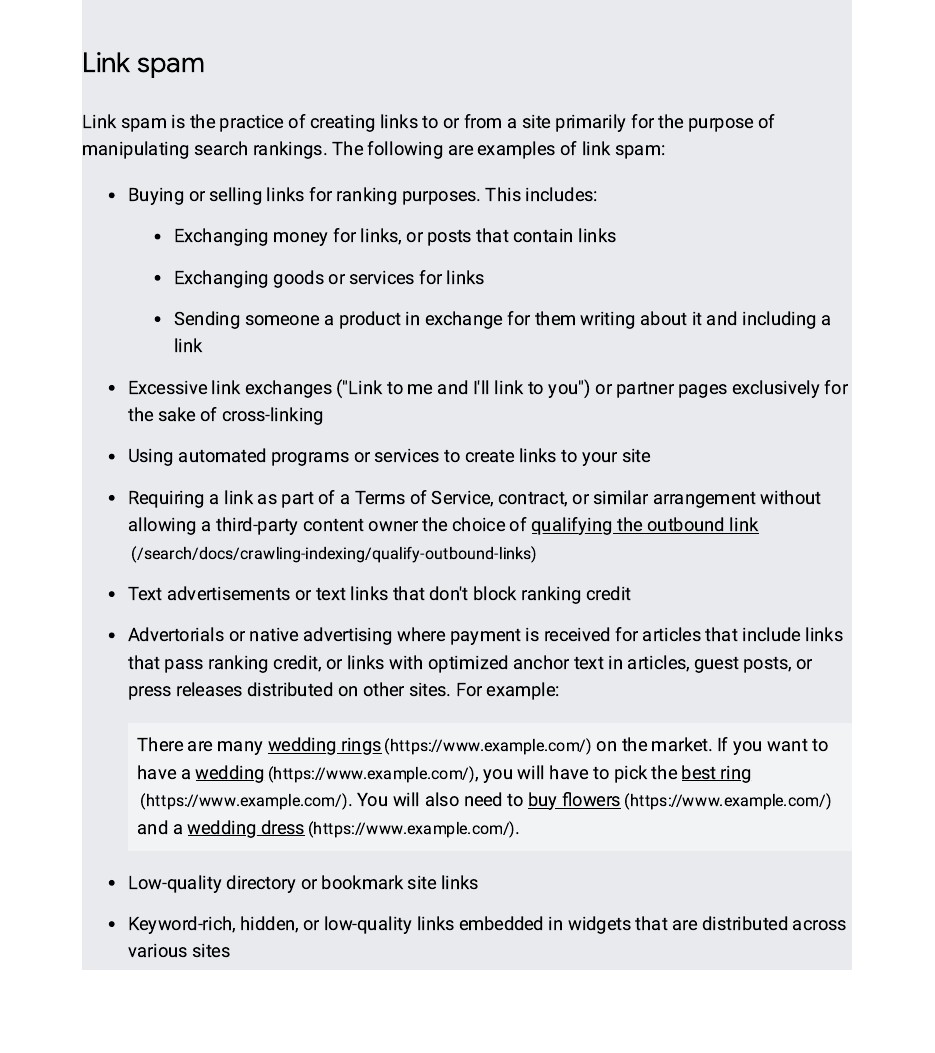
Google expects you to try to get bad links removed first. Contact the site owner, explain the link, and ask for it to be removed or given a nofollow or sponsored attribute where appropriate. Keep a record of each request: the date, the contact used, and the reply or lack of one. For a manual action, this record supports your reconsideration request later, because it shows you tried the direct route first. Some owners never reply, and some sites are plainly automated. That is normal, and it is exactly the situation the disavow tool exists for. Do not pay a site to remove a link if the demand looks like extortion, and do not waste weeks chasing every single low-value link. Focus removal efforts on the domains that clearly fit the pattern: paid link networks, private blog networks, and sites built only to sell links. When removal fails or is not practical, move those entries to your disavow list, and leave the rest alone.
Step 4: Build the disavow file correctly
A disavow file is a plain text file, saved with a .txt ending, encoded in UTF-8 or 7-bit ASCII. Put one entry on each line. To disavow a whole domain, write domain: followed by the domain, for example domain:spam-example.com. To disavow one page, write its full URL. You cannot disavow part of a site path, such as example.com/blog/, so choose between the single URL and the whole domain. Google’s file limits are strict, and they are worth knowing before you start. Table — Disavow file rules: Maximum lines, including blank and comment lines: 100,000. Maximum file size: 2 MB. Maximum URL length: 2,048 characters. Disavow scope: One URL or one domain per line. Domain properties: Not supported; use a URL-prefix property. Add comments with a # at the start of a line to note why a group of links is listed. Comments are ignored by Google, but they help you, or a future SEO, understand the file in six months’ time. Keep the file narrow. Disavowing at domain level is powerful: it ignores every link from that domain. Use it only when you are confident the whole domain is a problem, not when one page on a large site looks odd.
Step 5: Upload the file in Search Console
You must be a property owner to upload, and the tool does not support Domain properties, so use a URL-prefix property. Open the Disavow links tool, select your property, and upload the file. One important detail: uploading a new list replaces the existing list for that property. It does not add to it. If you already have a disavow file and you upload a fresh one that omits old entries, those old entries stop being disavowed. Always download or keep a copy of the current file before you replace it, and build the new version from the old one. After upload, wait. Google needs to recrawl and reprocess the linking pages, which can take a few weeks. Do not upload a new version every day, and do not judge the result from a single week’s rankings. Watch the Manual Actions report and your Search Console performance data over several weeks instead.
Step 6: If you have a manual action, file a reconsideration request
Disavowing alone does not clear a manual action. After you have removed what you can and disavowed the rest, go back to the Manual Actions report and submit a reconsideration request. Explain what caused the problem, what you removed, what you disavowed, and what you have changed so it does not happen again. Be honest about past link building. Reviewers see the pattern in your link profile, so a vague request that blames others rarely works. If the request is refused, read the reply, fix the gaps it names, and try again. Each round should show real progress, not just a new file.
Mistakes that cause the most damage
The most common mistake is disavowing good links. That includes links from genuine sites that a tool flagged, links on pages that no longer exist, and links you disavowed because a competitor pointed spam at you. Google already discounts most negative SEO spam on its own, so a panic disavow after a spam wave often hurts more than the spam did. The second mistake is disavowing at domain level too broadly, for example listing a whole large platform because one user profile linked to you. The third is treating the tool as a ranking fix. If your rankings fell for content or relevance reasons, a disavow file will not restore them, and it may remove link value you still needed. Good link building avoids this whole problem. Earning links through useful content, genuine outreach, and real relationships is slower, but it never needs a cleanup file. If you want that kind of profile, our manual link building services focus on outreach to real sites, with no private blog networks and no paid link schemes.
FAQ
How long does it take for a disavow file to work?
Google says processing can take a few weeks, because it must recrawl and reprocess the linking pages before the disavowed links stop counting. Do not expect a change in days, and do not keep re-uploading the file. Watch Search Console over several weeks, and judge manual action cases by the reconsideration reply, not by daily ranking moves.
Can I disavow links on Bing as well?
No. Bing removed its disavow links feature and API in October 2023, saying its systems can ignore or discount unnatural links on their own. If you are cleaning up for Bing, focus on removing bad links at the source and building genuine ones. A Google disavow file has no effect on Bing’s results.
Should I buy backlinks and then disavow them later?
No, and that plan is risky. Buying links for ranking purposes breaks Google’s spam policies, and a disavow file is not a safety net that makes a paid scheme safe. It can also fail to undo the damage if a manual action follows. Build links honestly instead, and save disavowing for genuine cleanup after a manual action or a clear link-scheme problem.
Does disavowing remove a link from the internet?
No. The link stays live on the linking site and still appears in your Search Console Links report. Disavowing only asks Google to ignore it when judging your site. If you want a link gone from the web, you must ask the site owner to remove it. That is why removal comes before disavowing in Google’s own process.
What happens if I disavow the wrong links?
You can lose ranking value from links that were helping you, and recovery takes time because Google must recrawl the linking pages after you correct the file. If you catch the error, restore the correct version of the file promptly, keeping any genuinely bad entries in place. Then wait several weeks and watch Search Console, rather than making further rushed changes.
Do I need to disavow links if I have no manual action?
Usually not. Google says most sites will not need the tool, and its systems already discount much low-quality link spam automatically. If you have no manual action and no history of link schemes, monitor your Links report and your performance instead. Act only if a considerable number of artificial links appears and a manual action looks likely.

Abdullah Zulfiqar is Co-founder and Client Success Manager at RankWithLinks, an SEO agency helping businesses grow online. He specializes in client relations and SEO strategy, driving measurable results and maximizing ROI through effective link-building and digital marketing solutions.