
Internal link building is the practice of adding links between the pages of your own website. A link from your homepage to a service page, a link from one blog post to a related guide, a link in your menu to a contact page — all of these are internal links. They cost nothing, need no one’s permission, and are one of the few parts of SEO you fully control.
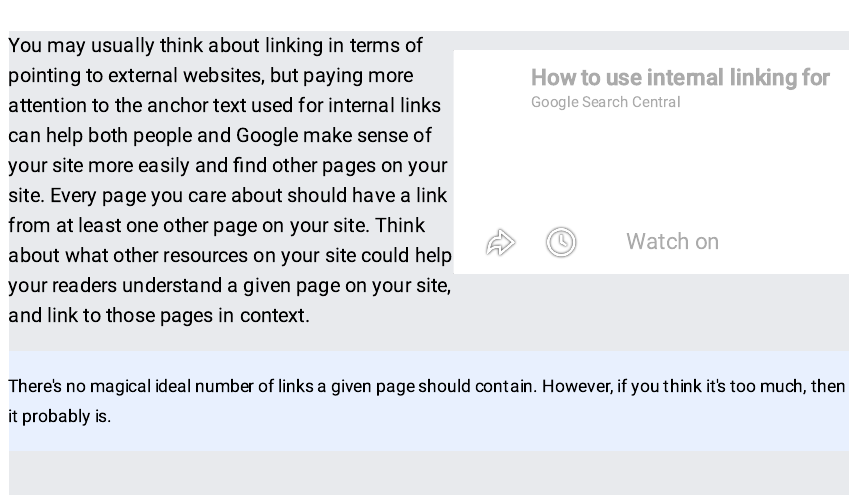
Google’s own guidance is blunt: “Every page you care about should have a link from at least one other page on your site.” Yet most small sites treat internal links as an afterthought. Pages get published, never linked to, and quietly sit where neither visitors nor Google can easily reach them. This guide shows you how to fix that.
What is internal link building?
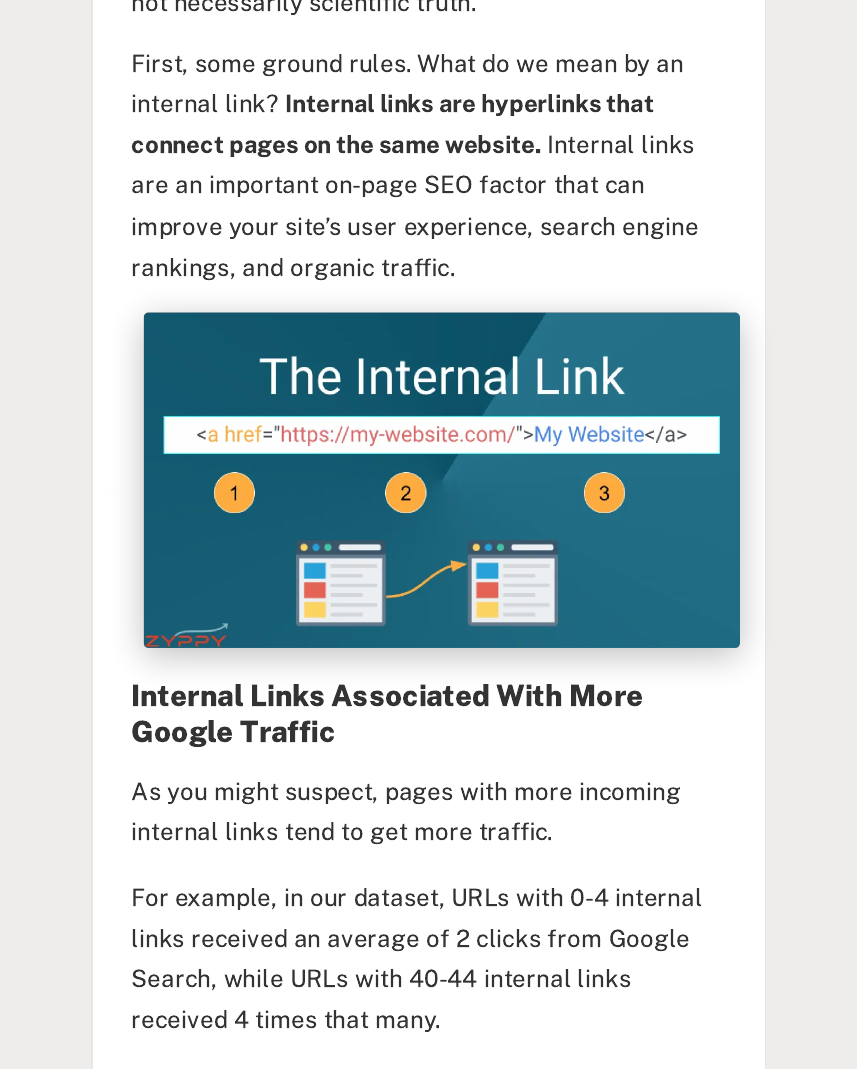
Internal link building means deliberately connecting the pages of your website with links that help readers and search engines move around. It is different from external link building, where other websites link to you. Internal links are the roads inside your own site; external links are the roads leading in from elsewhere.
Every internal link has two jobs. It helps a person move to a page that is relevant to what they are reading. And it tells Google that the linked page exists, what it is about, and how important it is relative to the rest of your site. A page with no internal links pointing to it is called an orphan page — the most common internal linking problem on small sites.
Why internal links matter for SEO
Internal links matter because they are how Google discovers and understands your site. Google’s link best practices page states that Google “uses links as a signal when determining the relevancy of pages and to find new pages to crawl.” When a page has no links pointing to it, Google may find it late, crawl it rarely, or never index it at all. Real studies show how much this costs.
| Finding | Source |
|---|---|
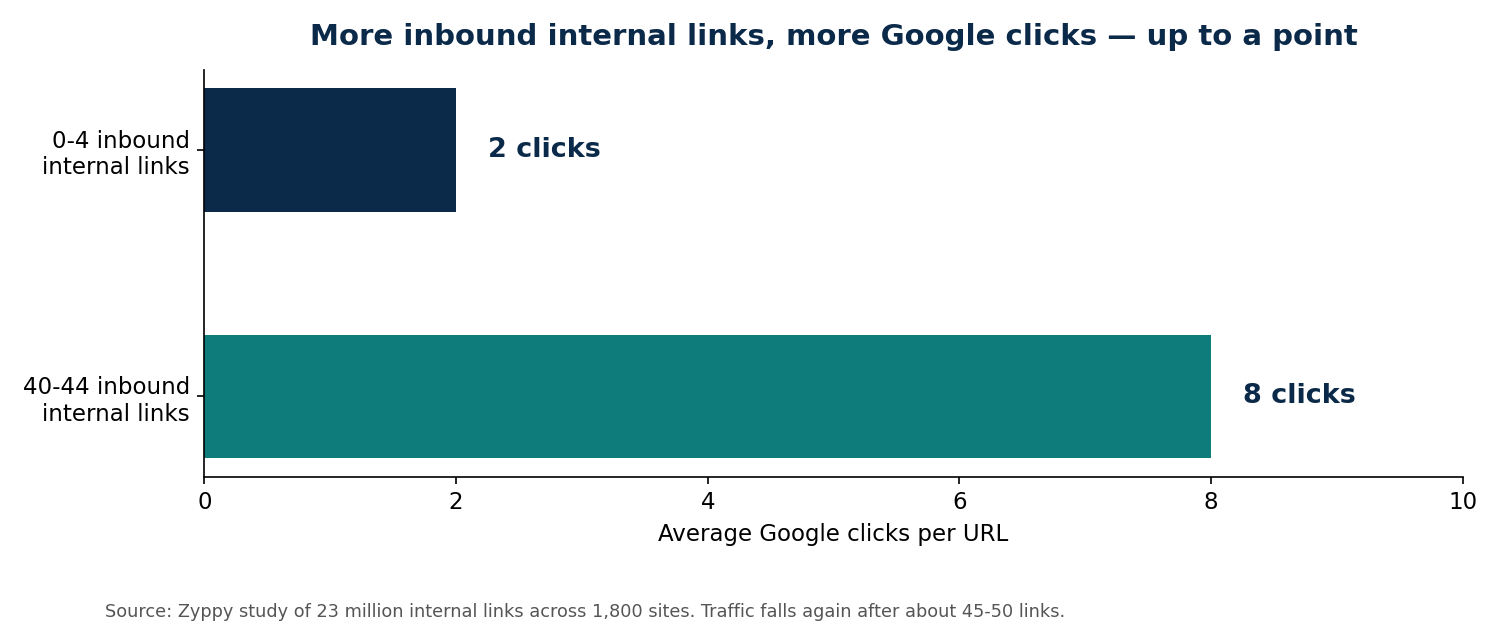
| Pages with 0–4 inbound internal links averaged 2 clicks from Google; pages with 40–44 averaged about four times as many | Zyppy study of 23 million internal links across 1,800 sites |
| 66.2% of websites have pages with only one dofollow internal link; 62.7% link internally to pages that redirect | Ahrefs Site Audit study of 1,002,165 domains |
| About 15% of Wikipedia’s articles (8.8 million) are orphans; adding links to them measurably increased their pageviews | University study of Wikipedia, published on arXiv |
| Adding roughly 12 internal links per page across thousands of pages measured a 7% uplift in organic traffic | SearchPilot test, reported by Garrett Digital |
John Mueller, Google’s Senior Search Analyst, has put it plainly: “Internal linking is super critical for SEO. It’s one of the biggest things you can do on a website to guide Google and visitors to the pages that you think are important.”
How internal links pass value
Every page on your site carries some authority, built up from the external links pointing to it and from its own history. Internal links pass some of that authority from one page to another. A link from your homepage, usually your strongest page, carries more weight than a link buried on a rarely visited blog post.
Anchor text — the clickable words of the link — is the other half of the value. It tells Google what the linked page is about. The Zyppy study found that pages with at least one exact-match internal anchor had about five times more search traffic than pages with none. That does not mean stuffing your keyword into every link. It means writing anchor text that honestly describes the destination, such as “local SEO services” instead of “click here”.
There is a limit. The same study found traffic rose as links were added, but after about 45 to 50 inbound internal links per page, traffic started to fall again. Most of those extra links were sitewide navigation links with identical anchor text. They added count, not meaning. Google’s guidance agrees: there is no ideal number of links, but “if you think it’s too much, then it probably is.”
Step 1: Map your site like a pyramid
Before you add a single link, sketch your site as a pyramid. The homepage sits at the top. Below it are your main category or service pages. Below those are your blog posts and detail pages. Every page should sit no more than three clicks from the homepage.
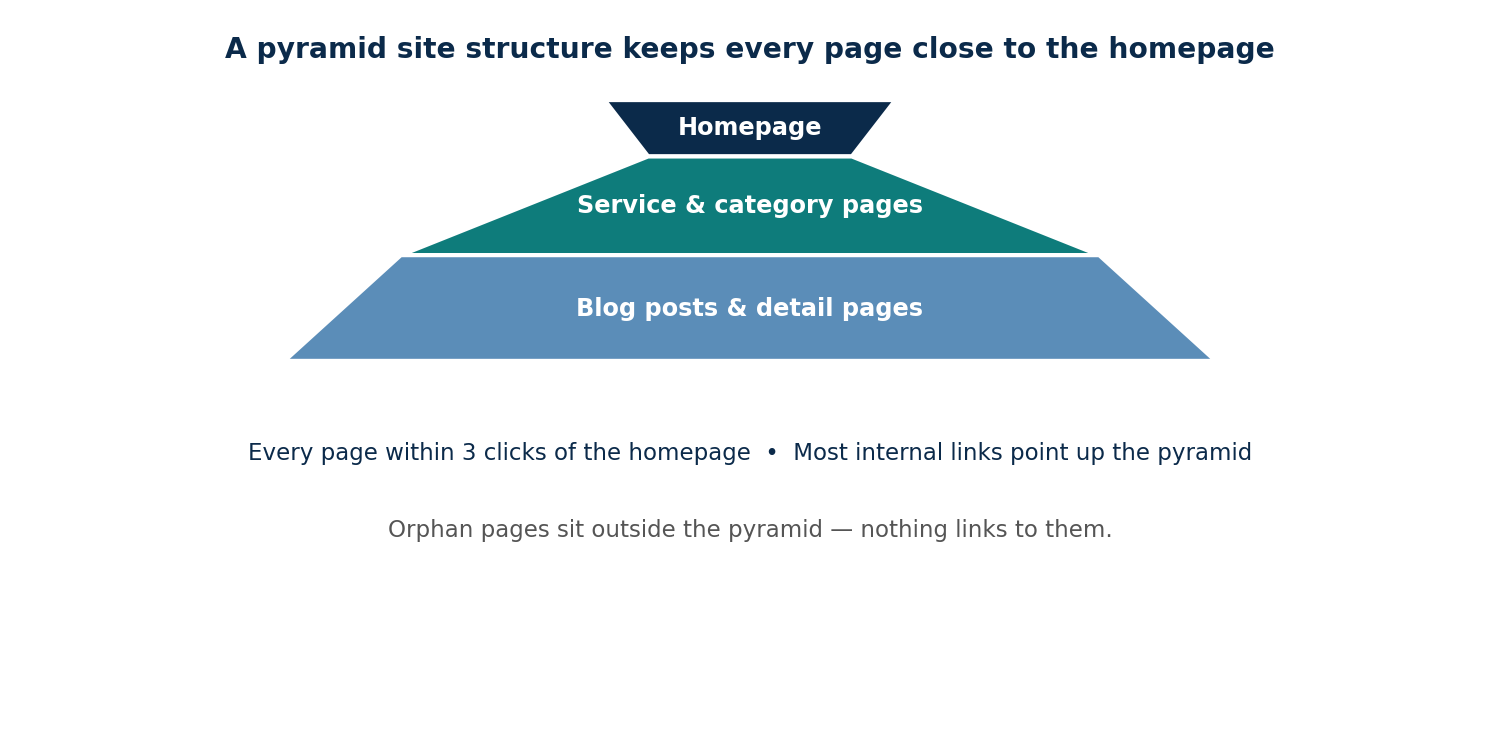
This simple drawing shows you which pages are buried too deep, and which pages deserve the most internal links — the ones near the top. If a service page sits four or five clicks down, no amount of clever anchor text will fix it. Move it up, or link to it from a page closer to the top.
Step 2: Find orphan pages and weak pages
An orphan page is a page nothing on your site links to. You cannot find orphans by browsing your site, because no path leads to them. You need lists to compare.
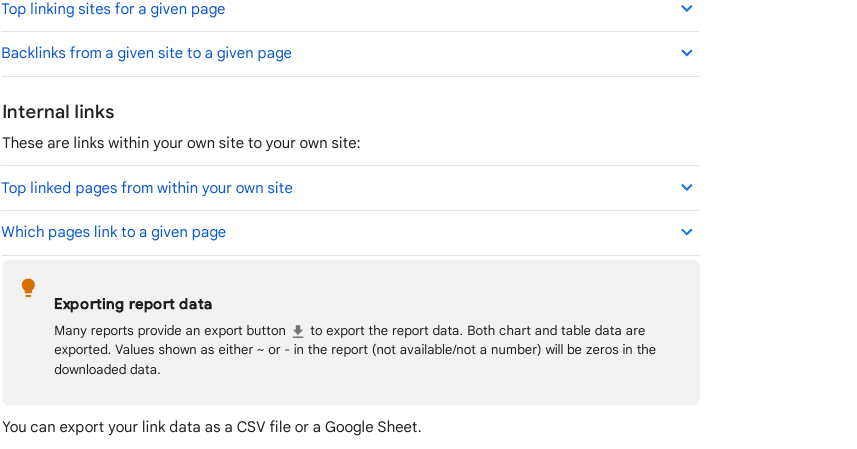
The free way is Google Search Console. Open the Links report, then look at Internal links and the Top linked pages table. Select a page to see which of your pages link to it. Pages that are missing, or near the bottom with one link, are your candidates. Google warns the report shows a sample of links, not every link, so treat a missing page as a prompt to check, not as proof.
For a fuller picture, run a crawl with a tool such as Screaming Frog SEO Spider, free for up to 500 URLs. Connect it to Search Console and Google Analytics, add your sitemap, run the crawl, then run Crawl Analysis and open Reports, then Orphan Pages. The export lists every URL found in your sitemap or in Search Console that the crawl never reached through a link.
Step 3: Add links where they help the reader
Start with the pages that matter most: your service pages, your best guides, and any page that already gets search impressions but sits at position 5 to 20. Then add links from related pages that already get traffic.
A good internal link meets three tests. It is relevant: the linked page genuinely helps someone reading the current page. It is placed in the body text, where a reader sees it in context, not hidden in a footer. And it uses anchor text that describes the destination. Three to five contextual links per article is a sensible starting point — Ahrefs recommends exactly that range.
Work through your site in small batches. Pick five target pages, find three to four good source pages for each, and add the links. Internal link building is a habit, not a one-off project: every new article should link out to two or three older pages, and older pages should link forward to it where it fits.
Step 4: Write anchor text that describes the page
Anchor text is the handful of words a reader clicks. Good anchor text works on its own, out of context. Read only the linked words and ask: would a stranger know what page this leads to?
Use varied, natural wording. If ten pages all link to your pricing page with the exact words “SEO prices”, that pattern looks engineered. Mix it up: “our prices”, “what link building costs”, “pricing for small businesses”. Keep the exact-match version for the one or two links where it reads naturally, and let the rest vary. Avoid generic anchors such as “click here” or “read more” — they tell Google nothing about the destination.
Step 5: Audit your links every few months
Internal linking drifts. Pages get deleted, URLs change, and new content goes live without links. Re-check every three to six months: re-run the Search Console Links report, re-crawl the site, and compare the sitemap against the crawl.
Fix the simple things first: links pointing to pages that now redirect, links to deleted pages, and pages that still have only one inbound link. Then look for new opportunities. A page that has started ranking on page two is often one or two good internal links away from page one.
Mistakes to avoid
Linking every page to every other page is the most common mistake. If everything links to everything, your site has no structure, and Google cannot tell which pages matter. John Mueller has warned about exactly this: with complete internal linking across every page, “there’s no real structure there”, which makes it harder for search engines to understand each page.
Other mistakes: using nofollow on your own internal links, which blocks the flow of value for no reason; hiding links in JavaScript or buttons Google cannot follow as plain links; and adding links only in sidebars and footers, which carry far less meaning than links inside the body text. Finally, never buy links as a shortcut — a manual outreach service that earns links from real sites, such as our link building services, is the honest route.
FAQ
How many internal links should a page have?
There is no official number. Google says there is no ideal count, and if it feels like too many, it probably is. As a working guide, aim for 3 to 5 contextual links per article, or about one link every 200 to 300 words. The Zyppy study found traffic rose up to around 40 to 44 inbound links per page, then fell again, so more is not always better.
What is an orphan page in SEO?
An orphan page is a page on your website that no other page on your site links to. Visitors cannot click their way to it, and Google may find it late or not at all. Find orphans by comparing your sitemap against a crawl of your site, or by checking the Internal links table in Google Search Console’s Links report.
Do internal links help SEO rankings?
Yes. Internal links help Google discover pages, understand what they are about, and pass authority between them. Zyppy found pages with 40 to 44 inbound internal links averaged about four times the Google clicks of pages with 0 to 4. The effect is real, but it supports good content — it does not replace it.
Should internal links be dofollow?
Yes. Internal links should be ordinary dofollow links so value can pass between your pages. Use nofollow only for links you do not trust, which should never be the case for your own pages. A nofollow internal link wastes the authority that page could have passed on.
Can too many internal links hurt SEO?
Yes, past a point. Linking every page to every other page destroys your site structure, and Google has said this makes it harder to understand what each page is about. Very high link counts also dilute the value each link passes. Keep links relevant, vary the anchor text, and place them where they genuinely help the reader.

Abdullah Zulfiqar is Co-founder and Client Success Manager at RankWithLinks, an SEO agency helping businesses grow online. He specializes in client relations and SEO strategy, driving measurable results and maximizing ROI through effective link-building and digital marketing solutions.