Ranking in your home market is one challenge. Ranking in five more, each with its own language, search habits, and competitors, is a different job altogether. These international SEO strategies cover the work that actually moves rankings across borders: choosing markets from real data, setting up your site structure, getting hreflang right, researching keywords in each language, localising properly, earning local links, and measuring each market on its own.
Why international SEO is worth the work
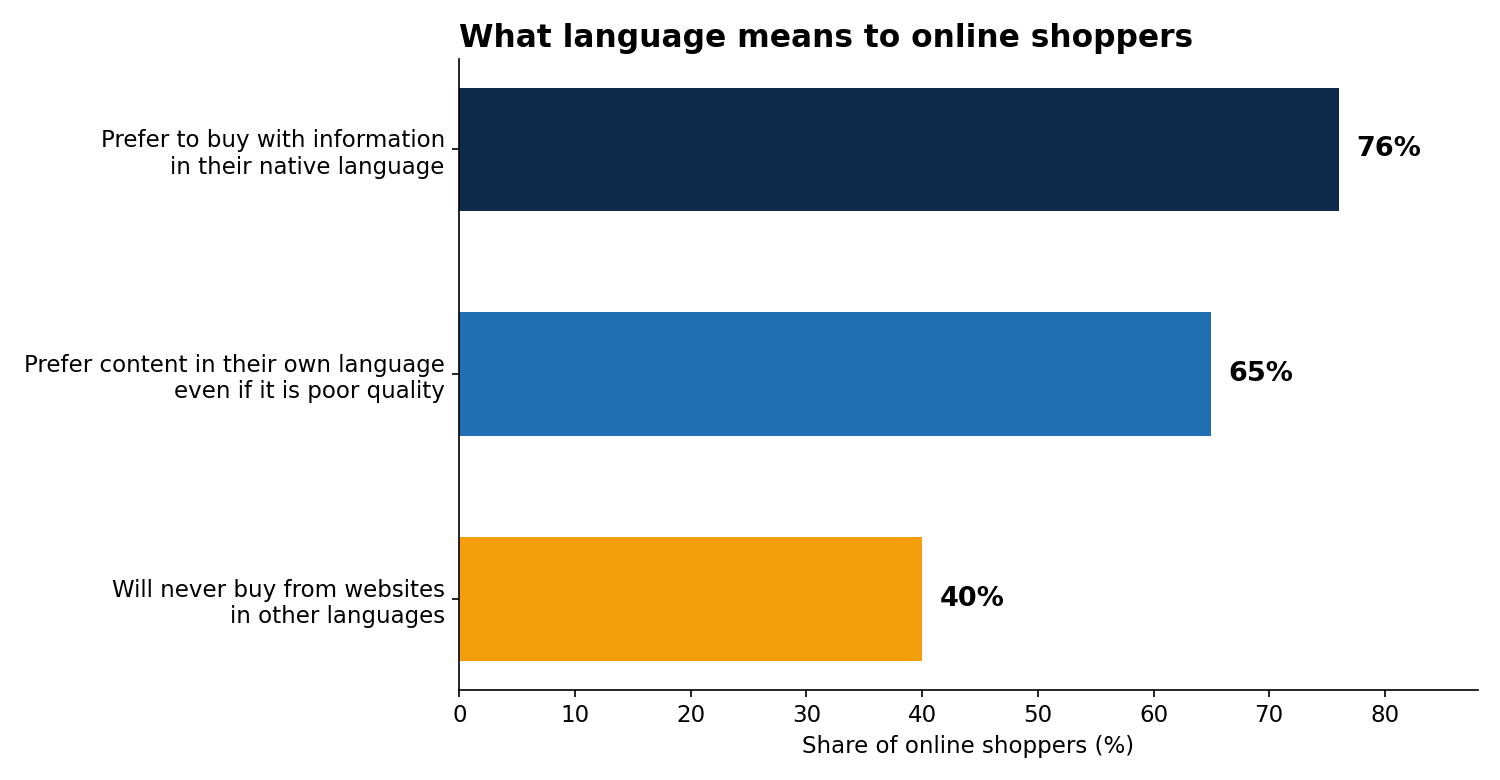
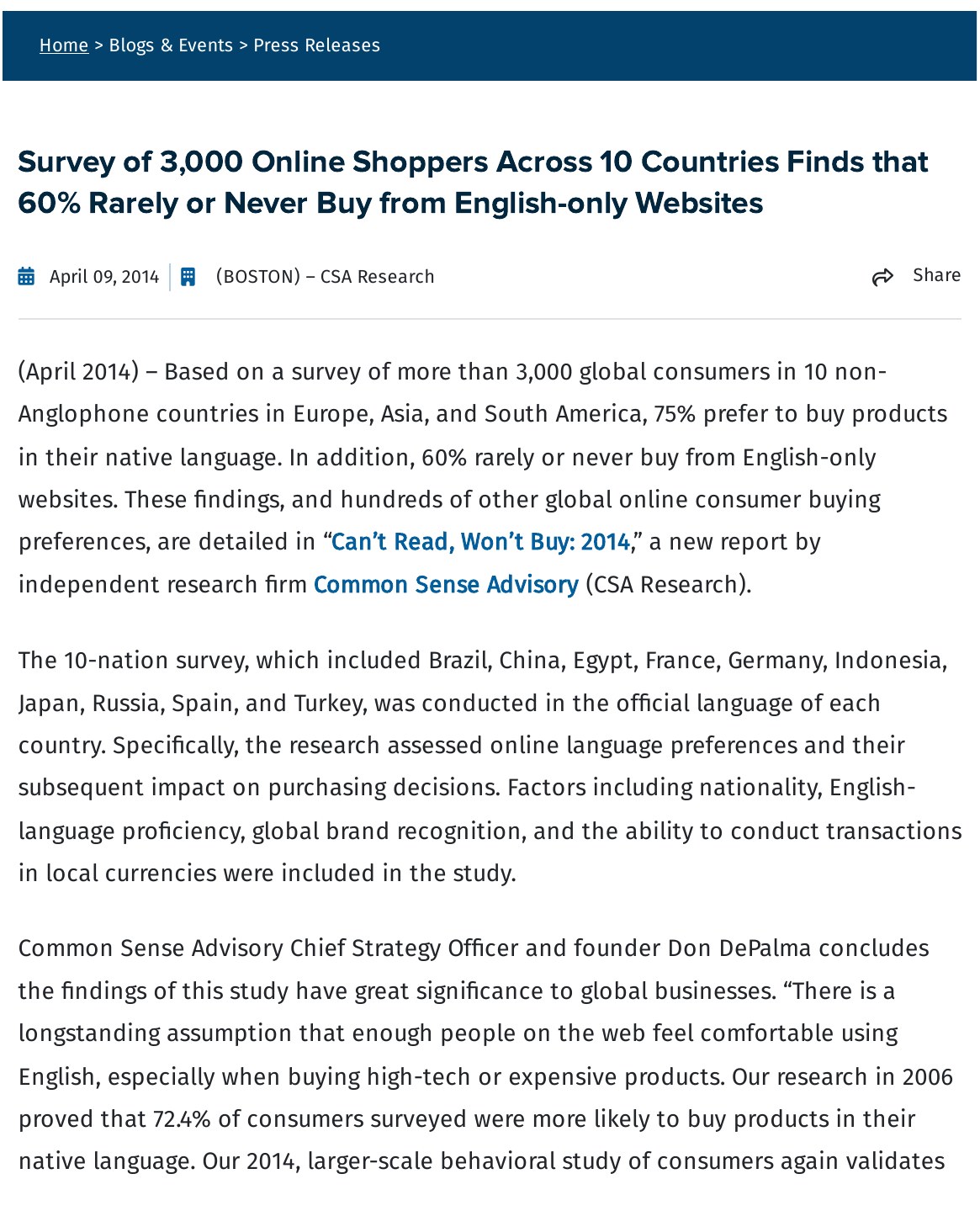
The case for going multilingual starts with your buyers. In CSA Research’s 2020 “Can’t Read, Won’t Buy” survey of 8,709 online shoppers across 29 countries, 76% said they prefer to buy products with information in their native language, and 40% said they will never buy from websites in other languages. A further 65% prefer content in their own language even if the quality is poor. An earlier CSA survey from 2014 found that 60% of shoppers rarely or never buy from English-only websites.
The supply of content makes the gap worse. Statista reports that, as of October 2025, English is used by 49.2% of all websites, with Spanish at around 6% and German at 5.9%. Yet English speakers are only about a quarter of the world’s 5.52 billion internet users. Most of the web’s content is written for a minority of its readers. A site that serves each market in its own language is competing where most rivals have not bothered to show up.
Strategy 1: Choose your markets from your own data
Start with the countries that already find you. In Google Search Console, filter the Performance report by country and look for places where you get impressions but few clicks, or clicks but no sales. Those are markets asking for a version of your site in their language. Your analytics will show the same pattern: sessions from a country, on English pages, with high bounce rates and short visits.
Rank the candidates by three things: search demand for your topic in that language, how strong the local competition is, and whether you can serve customers there — payment, shipping, support, and legal rules. Two or three markets done well beat ten done badly.
Strategy 2: Pick one URL structure and stick to it
Every language or country version of your site needs its own address, and there are three ways to build it. The choice affects how much work each new market takes and how clearly Google can tell the versions apart.
| Structure | Example | Best for |
|---|---|---|
| Country domain (ccTLD) | example.de | A business with a real local presence and budget per market |
| Subdomain | de.example.com | Separate hosting or teams per market |
| Subfolder | example.com/de/ | Most small and mid-size sites; easiest to manage and build authority in one place |
For most sites, subfolders are the sensible default. All versions share the domain’s existing authority, one hosting setup covers every market, and adding a language is a new folder rather than a new property. Country domains send the clearest signal about where a version belongs, but each one starts from zero authority and needs its own link building. Subdomains sit in between and are the hardest to justify: they split authority without the clear local signal of a country domain. Whichever you choose, use it for every market and do not mix structures.
Strategy 3: Audit hreflang like a graph, not a checklist
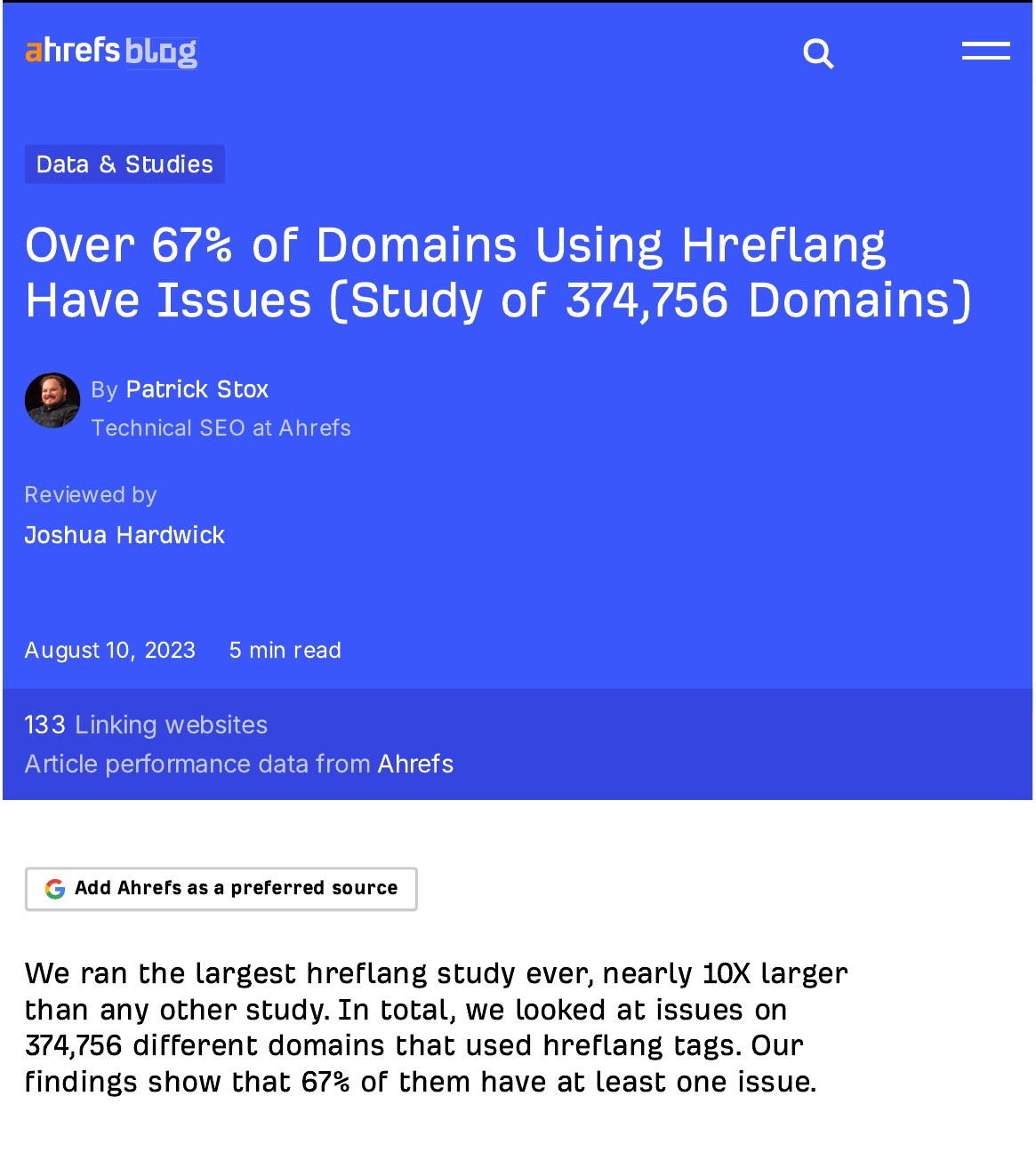
Hreflang tags tell Google which version of a page belongs to which language and country. They are also the part of international SEO most sites get wrong. In Ahrefs’ study of 374,756 domains using hreflang, published in August 2023, 67% had at least one problem.
| Hreflang problem | Share of domains affected |
|---|---|
| Pages missing x-default | 56.3% |
| Pages missing a self-referencing tag | 18.0% |
| Tags pointing to redirected or broken pages | 16.9% |
| Pages missing a return tag | 15.3% |
| Tags pointing to non-canonical URLs | 8.0% |
| Incorrect hreflang values | 4.6% |
The most useful way to think about hreflang is as a graph: every page in a group must point to every other page in the group, and every page must point back. If your English page points to your Spanish page but the Spanish page does not point back, Google may ignore the whole set. The same happens when a tag points to a page that redirects, returns an error, or is not the canonical version.
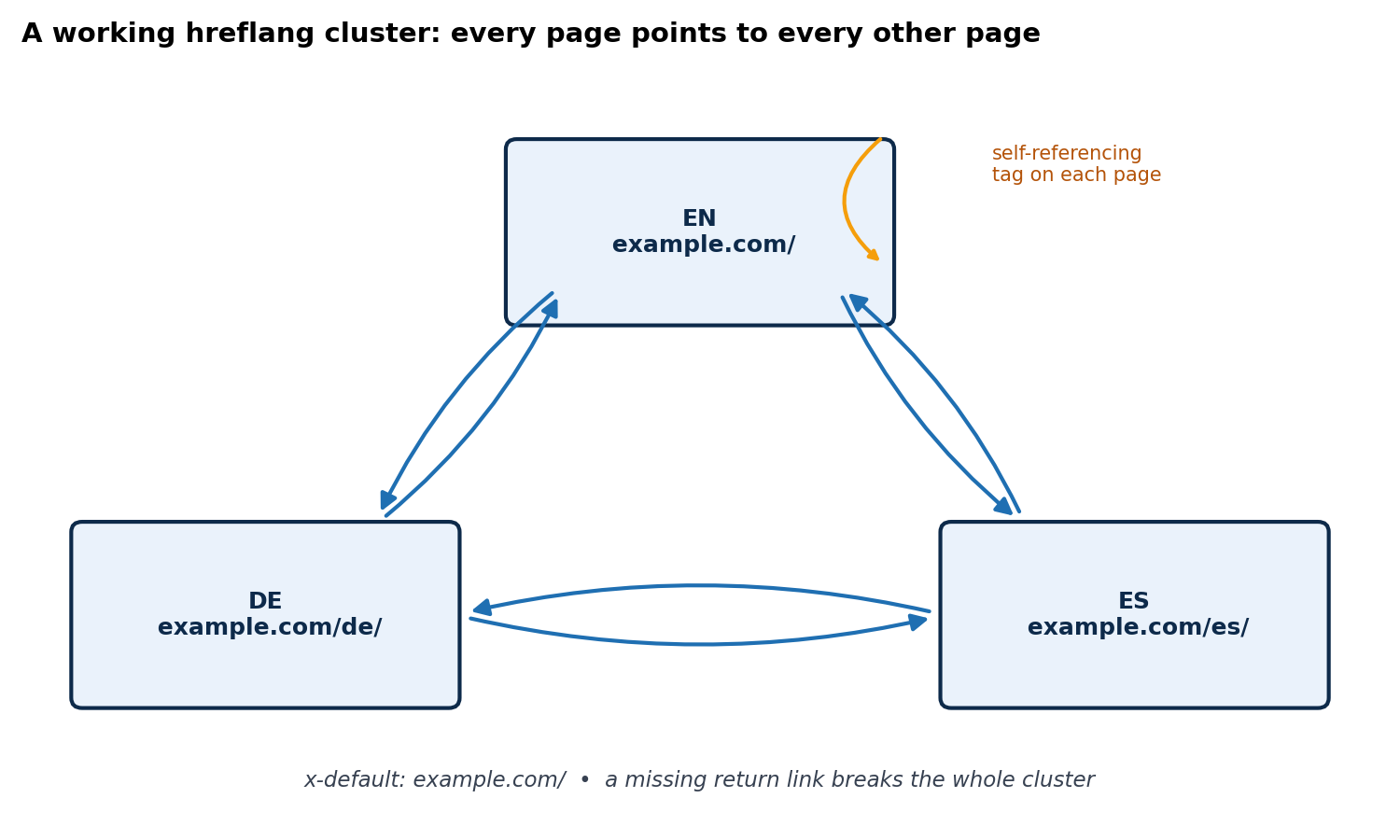
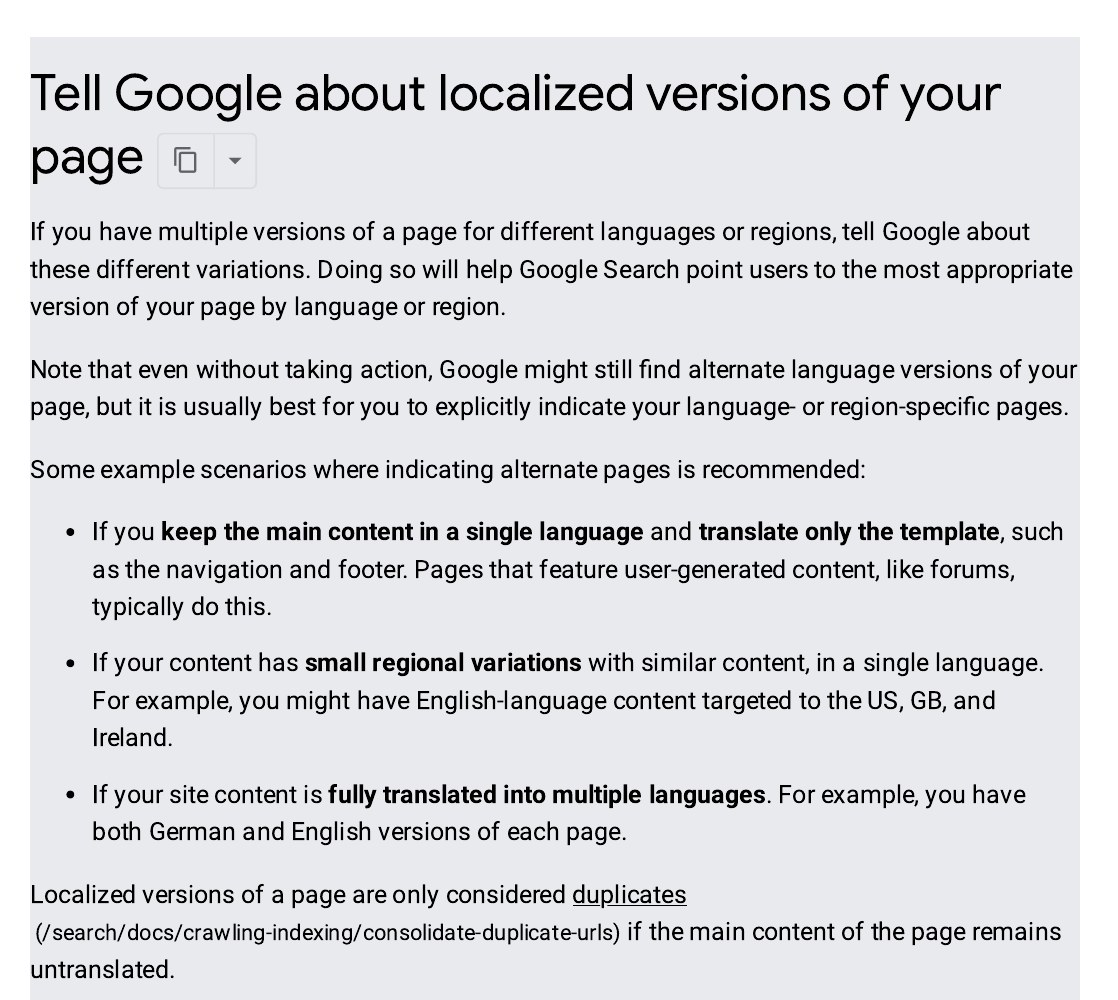
Google’s own documentation sets out the rules: use the correct two-letter language and country codes, include a self-referencing tag on every page, and add an x-default version for visitors whose language you do not cover. Note that “en-UK” is not a valid code — the country code for the United Kingdom is GB, so the correct value is “en-GB”. Check your setup with a crawler such as Screaming Frog or Ahrefs Site Audit, which can test whole clusters at once. Google Search Console no longer has an International Targeting report — it was removed in September 2022 — so a crawl is now the reliable way to check.
Strategy 4: Research keywords in each language from scratch
Never translate your English keywords and assume the job is done. People search differently in each language: different words for the same thing, different levels of formality, and different questions entirely. A translated keyword list is a guess; a researched one is a plan.
For each market, run keyword research in that language with a tool that has local data, such as Ahrefs, Semrush, or Google Keyword Planner set to the right country and language. Look at what local competitors rank for, and read the search results yourself to see what kind of page Google rewards there — a guide, a product page, a comparison, or a local directory. Check search volume separately for each market: a term that is worth chasing in Germany may barely exist in France. Keep a separate keyword map per market so no two language versions end up competing for the same English term.
Strategy 5: Localise the whole page, not just the words
Translation changes the language. Localisation changes everything else a visitor needs to trust the page: prices in the local currency, dates and measurements in the local format, local payment methods, local contact details, and examples that fit the market. A German visitor who sees dollar prices and US phone formats will leave, however good the translation is.
Use a native speaker or a translator who knows the subject, not a machine translation pasted straight onto the page. Google does not penalise translated content on its own, but thin, awkward machine translation that reads badly will not rank and will not convert. Check images too: photos, screenshots, and diagrams should match the market, and any text inside an image needs translating as well.
Strategy 6: Earn links and trust signals in each market
Links from sites in the market you are targeting carry more weight there than links from your home country. A German page with links from German sites will rank in Germany far more readily than the same page with only English links. Work with a multilingual SEO agency or build the relationships yourself: guest posts on local industry blogs, listings in local directories, mentions in local press, and partnerships with businesses in the market.
Local trust signals matter alongside links. A local address or phone number, reviews from customers in that country, and a Google Business Profile for each physical location all tell both Google and visitors that the business is real in that market. Keep business details identical everywhere they appear, because mismatches weaken the signal.
Strategy 7: Measure each market on its own
One blended report hides what is happening in each country. Set up reporting per market: a separate Search Console property or a country filter for each version, an analytics segment per language or subfolder, and rank tracking set to the right search engine and location. Track the same things you track at home — impressions, clicks, average position, and conversions — but read them market by market.
Review monthly. A market that gains impressions but not clicks usually has a title or snippet problem in that language. A market with clicks but no sales usually has a localisation problem: currency, payment, or trust. A market that never appears at all usually has a technical problem: hreflang, indexing, or the wrong version being served.
Frequently asked questions
What is the difference between international SEO and local SEO?
Local SEO helps a business show up for searches in one place, such as a city or region, often through a Google Business Profile and local listings. International SEO helps a website rank in other countries and languages, using hreflang, localised content, and links from each market. A business can need both: local SEO for each city it serves, and international SEO to reach each country.
Do I need a separate domain for each country?
No. Most sites do well with subfolders, such as example.com/de/ for Germany, because all versions share the domain’s authority and one setup covers every market. A separate country domain is worth it only when you have a real local operation and the budget to build authority for each domain from scratch.
Does Google penalise translated content?
No, Google does not penalise translated content on its own. What it does penalise, in effect, is poor content: machine translation that reads badly, pages that add nothing for the reader, and versions that duplicate each other without real localisation. A careful human translation, adapted to the market, is treated like any other good page.
How long does international SEO take to show results?
Expect three to six months before a new language version gains steady traffic, and longer in competitive markets or with a new country domain. Hreflang fixes can show effects faster, within weeks, because Google re-reads the tags on its next crawl. New markets need time for links and local signals to build, so plan for at least two quarters.
Should I use hreflang if my site is only in English but serves several countries?
Yes, if the pages differ by country — different prices, currencies, shipping, or contact details — hreflang with country codes such as en-GB, en-US, and en-AU tells Google which version belongs to which audience. If every country sees the exact same English page, there is nothing to tag, and one page is enough.

Abdullah Zulfiqar is Co-founder and Client Success Manager at RankWithLinks, an SEO agency helping businesses grow online. He specializes in client relations and SEO strategy, driving measurable results and maximizing ROI through effective link-building and digital marketing solutions.