
This local SEO guide walks through the steps a small business needs to show up when nearby customers search on Google. Local SEO is the work of making your business visible in the map pack and in local results for searches made near you, or searches that name your town or city. The customer is close by, the need is often urgent, and the business that shows up first usually gets the call.
What Is Local SEO?
Local SEO is search engine optimisation for businesses that serve customers in a specific area. A plumber in Leeds, a dentist in Bristol, a solicitor in Manchester — all of them need to be found by people searching in their area.
When someone searches “plumber near me” or “dentist in Bristol”, Google shows a map with three businesses at the top, known as the local pack or map pack, followed by local organic results. Your job is to be one of those three. Local SEO has three parts: your Google Business Profile, which feeds the map; your website, which needs pages that match local searches; and your reputation across the web — reviews, citations and links from other local websites.
Why Local SEO Matters: The Numbers
Local search is where a large share of buying decisions start.
| What the research found | Figure | Source |
|---|---|---|
| Share of Google searches with local intent | 46% | Google, 2018 |
| People who search for something nearby on a smartphone and visit a related business within 24 hours | 76% | Google consumer research |
| Searches for something nearby that end in a purchase | 28% | Google consumer research |
| Consumers who read reviews for local businesses | 97% | BrightLocal, 2026 |
| Local business searches that start on a mobile phone | 73% | BrightLocal |
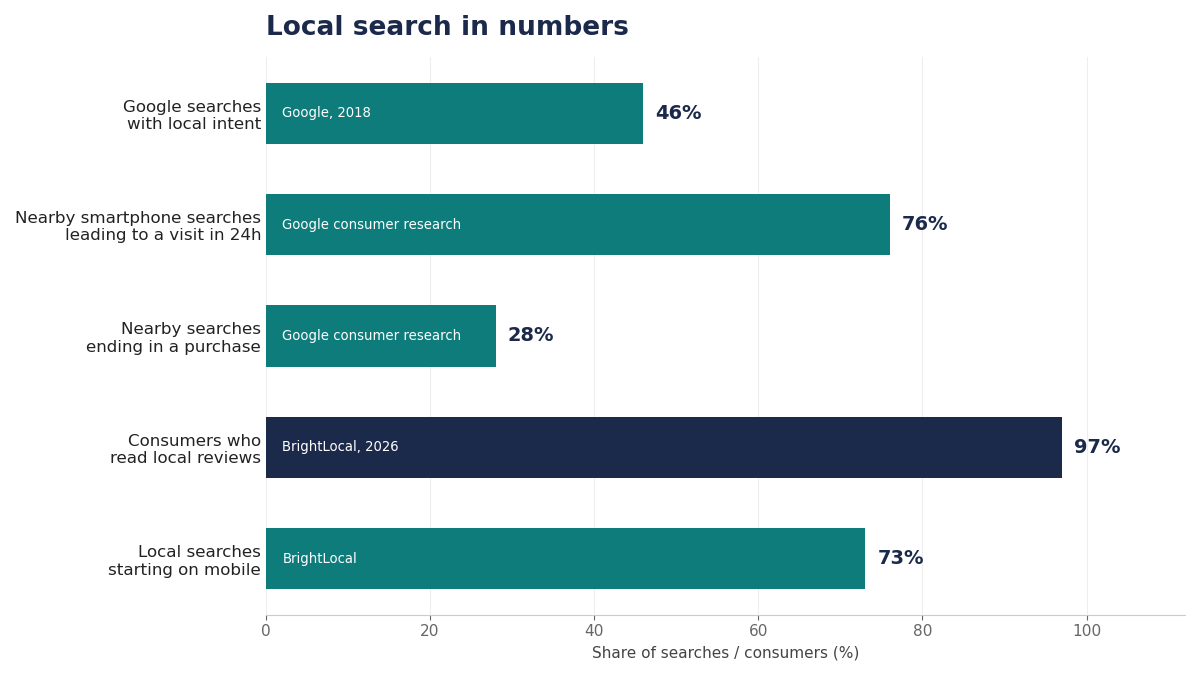
Almost half of all Google searches — 46% — carry local intent, according to Google. Of the people who search for something nearby on a phone, 76% visit a related business within a day, and 28% of those searches end in a purchase. Local searchers are not browsing. They are deciding.
Reviews decide who gets picked. BrightLocal’s Local Consumer Review Survey 2026, based on 1,002 US adults, found that 97% of consumers read reviews for local businesses and 41% always read them. The bar is also rising: 31% of consumers will now only use a business rated 4.5 stars or higher, up from 17% a year earlier.
How Google Ranks Local Businesses
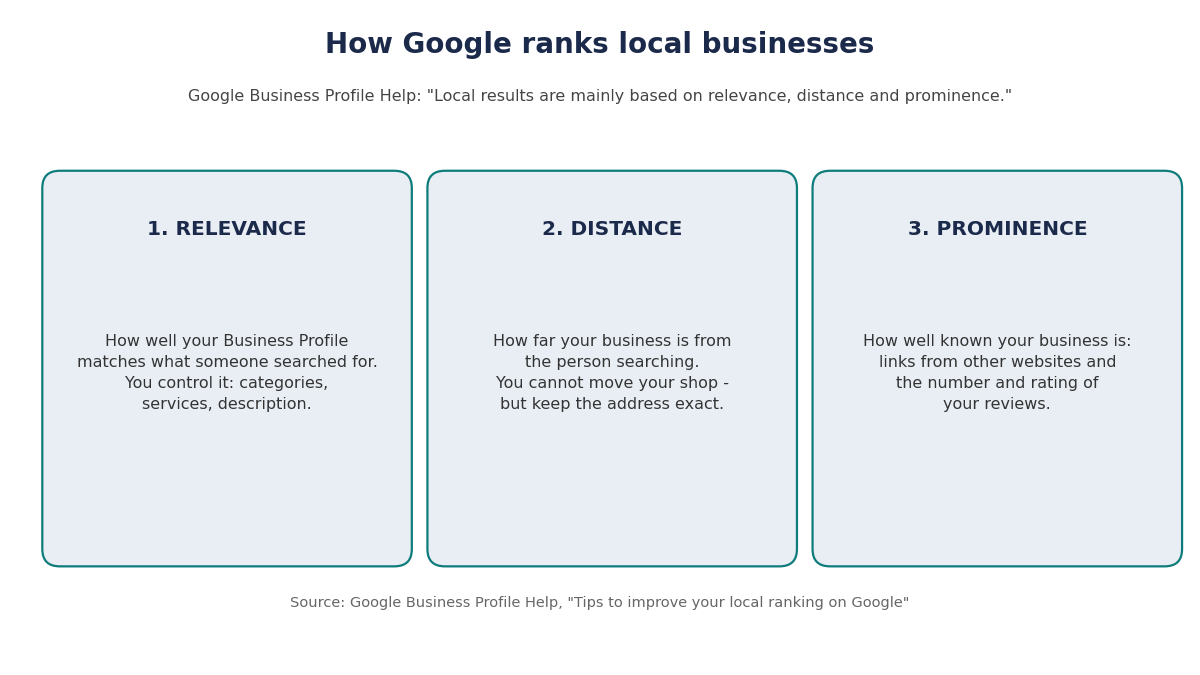
Google is unusually open about how local ranking works. Its help page, “Tips to improve your local ranking on Google”, says local results are mainly based on three factors: relevance, distance and prominence. Relevance is how well your Business Profile matches what someone searched for. Distance is how far your business is from the person searching. Prominence is how well known your business is — Google says it is based on information such as how many websites link to your business and how many reviews you have.
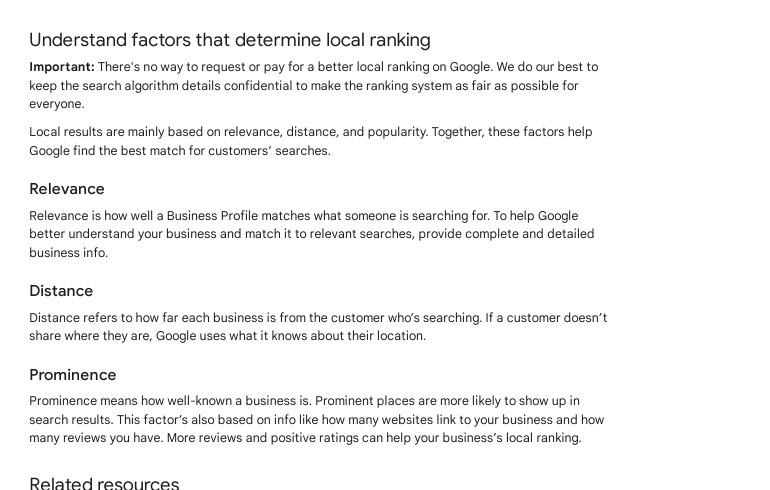
Google adds one blunt line on the same page: “There is no way to request or pay for a better local ranking on Google.” Ads buy a labelled spot above the results. The free map ranking has to be earned, and the six steps below are how you earn it.
Step 1 – Claim and Complete Your Google Business Profile
Your Google Business Profile is the single most important asset in local SEO. It is what appears in the map pack, and it is free.
Claim the profile at business.google.com and verify the business — usually by postcard, phone or video. Until verification is complete, the profile cannot appear properly in results, so do this first. Then fill in every field: the exact business name, the real address, the phone number, the website, opening hours and the primary category that best describes what you do, plus any extra categories that fit. Add a short description, list your services, and upload real photos of the premises, the team and the work. Check the profile every week — hours change, and customers ask questions that deserve an answer.
Step 2 – Win Reviews and Reply to Every One
Reviews feed prominence, and they decide the click. A business with 40 recent reviews at 4.8 stars will beat a business with 3 reviews at 5 stars, because customers trust volume and freshness as much as the score.
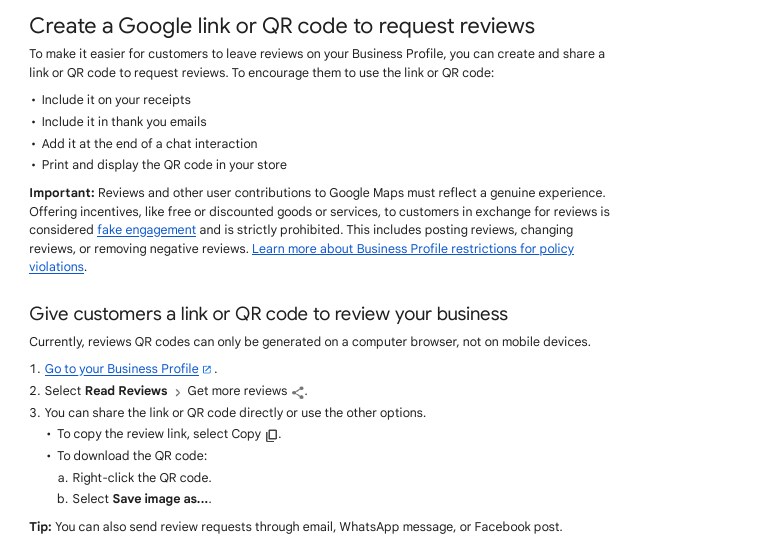
Ask every happy customer for a review, and make it easy. Google lets you share a short review link or a QR code that takes the customer straight to the review form. Put the link in a follow-up email or text after the job is done, and ask soon after the work is finished, while the customer is still pleased with it.
Reply to every review, good and bad. A short thank-you shows future customers that you pay attention. A calm, polite reply to a bad review — apologise, explain what happened, offer to put it right — shows the same thing. Never pay for reviews, and never write fake ones. Google blocked or removed more than 292 million policy-breaking reviews from Maps in 2025.
Step 3 – Keep Your Name, Address and Phone Number Consistent
A citation is any mention of your business name, address and phone number — together known as NAP — on another website. Directories, review sites, trade bodies, the local newspaper and your suppliers’ pages all count.
Google checks these mentions against your Business Profile. If your name is “Smith Plumbing Ltd” on Google but “Smiths Plumbing” on Yell, and your old phone number still shows on two directories, Google has less confidence that the details are right. That uncertainty costs rankings.
Search for your business name and your old phone numbers, and list every place the details are wrong. Correct the big ones first: Yell, Yelp, Thomson Local, Bing Places, Apple Maps, Facebook and your trade body. Use the same details everywhere, exactly as they appear on your Google Business Profile, and repeat the check every few months.
Step 4 – Build Local Pages on Your Website
Your website needs pages that match what local customers actually search for. One page per service, and one page per area you serve, is the structure that works for most small businesses.
A plumber who works across Leeds should have a page for “emergency plumber in Leeds”, one for “boiler repair in Leeds”, and separate pages for nearby towns served, such as “plumber in Harrogate”. Each page should be written for a real customer in that place: what the service costs, how fast you can get there, and genuine local detail, such as the areas covered. Do not copy the same page and swap the town name — Google reads that as thin content.
Put the business name, address and phone number in the footer, and a map with driving directions on the contact page. The site must load fast and work well on a phone, because 73% of local business searches start on a mobile phone, according to BrightLocal.
Step 5 – Earn Backlinks from Local Websites
Prominence, Google’s third ranking factor, is partly built on links. A link from a local newspaper, a trade body, a supplier, a local charity you sponsor or a community site tells Google your business is known in its area.
Local links come from doing things worth linking to. Sponsor a youth team and ask for a link from the club site. Write a short guide for a local newspaper’s website. Join your chamber of commerce and get listed in its directory. Ask suppliers to list you as a stockist or partner, with a link.
These links are usually easy to earn and hard for a competitor in another town to copy, which is exactly what makes them valuable. A handful of real local links beats dozens of low-quality directory links. If you want help with this part, our local SEO services cover manual outreach to local and niche websites, with no paid links and no private blog networks.
Step 6 – Track Your Local Rankings and Fix What Slips
Local rankings move street by street, because distance is part of the ranking. A business can rank first for someone searching two streets away and fifth for someone searching two miles away. Tracking one national ranking tells you almost nothing.
Check your position once a week from a few different spots in your area. Google Business Profile Insights shows how many people found you in Search and in Maps, how many called, and how many asked for directions. Google Search Console shows which local queries bring clicks to your site. Watch for drops after you change hours, move premises or get a run of bad reviews — those are the usual causes, and each has a clear fix. Local SEO is a routine, not a one-off project: keep the profile fresh, keep asking for reviews, and keep citations clean.
Common Local SEO Mistakes to Avoid
Keyword-stuffing the business name. Adding extra words to the profile name breaks Google’s guidelines and can get the listing suspended. Use the real trading name.
Chasing blog traffic instead of the map pack. A blog post that ranks nationally will not bring a customer through your door. Put the effort into the profile and the service pages first.
Buying reviews or citations. Paid reviews get removed, and paid links break Google’s spam policies. Both are easy to spot and expensive to recover from.
One copied page for every town. Copying the same page with a different town name is thin content. Write each local page for that place, or do not write it at all.
Letting the profile go stale. Wrong hours, old photos and unanswered questions tell Google and customers that the business is not paying attention. Check the profile weekly.
Frequently Asked Questions
What is local SEO?
Local SEO is the work of making a business visible in Google’s local results and the map pack when nearby customers search for what it offers. It covers the Google Business Profile, local pages on the website, reviews, citations and links from local websites. The goal is to be found by people who are close by and ready to buy, rather than by searchers across the country.
How long does local SEO take to work?
Most businesses see movement in 4 to 12 weeks if the profile is complete, reviews are coming in and citations are clean. Competitive markets and new businesses take longer, because prominence has to be built from nothing. The map pack can shift quickly when a profile is fixed, but holding a top-three spot needs steady work every month.
Is a Google Business Profile free?
Yes. Creating and managing a Google Business Profile costs nothing. Verification is free too, usually by postcard, phone or video. Google never charges for the profile or for appearing in local results, and its help page states plainly that there is no way to pay for a better local ranking.
How many reviews does a local business need?
There is no fixed number, but more recent reviews beat a small number of old ones. BrightLocal’s 2026 survey found 97% of consumers read reviews, and 31% will only use a business rated 4.5 stars or higher. Aim for a steady flow of new reviews every month, and reply to all of them, rather than chasing one big burst.
Do I need a website for local SEO?
Yes. Google uses your website to confirm what your business does and where it serves, and customers use it to check prices, services and contact details before they call. A business with no website can still appear in the map pack, but it ranks weaker and converts worse than a competitor with clear local pages.
What is the difference between local SEO and normal SEO?
Normal SEO aims to rank pages for anyone, anywhere. Local SEO aims to rank a business for people in a specific area, and it leans on signals normal SEO barely uses: the Google Business Profile, the map pack, reviews, citations and distance from the searcher. A national blog strategy and a local SEO strategy are different jobs with different measures of success.

Abdullah Zulfiqar is Co-founder and Client Success Manager at RankWithLinks, an SEO agency helping businesses grow online. He specializes in client relations and SEO strategy, driving measurable results and maximizing ROI through effective link-building and digital marketing solutions.