
Introduction: The Google SEO PDF Everyone Is Looking For — And the One Nobody Talks About
Every week, thousands of people search for “Google SEO PDF.” Most of them are looking for the same thing — a simple, downloadable document from Google that explains how to rank their website.
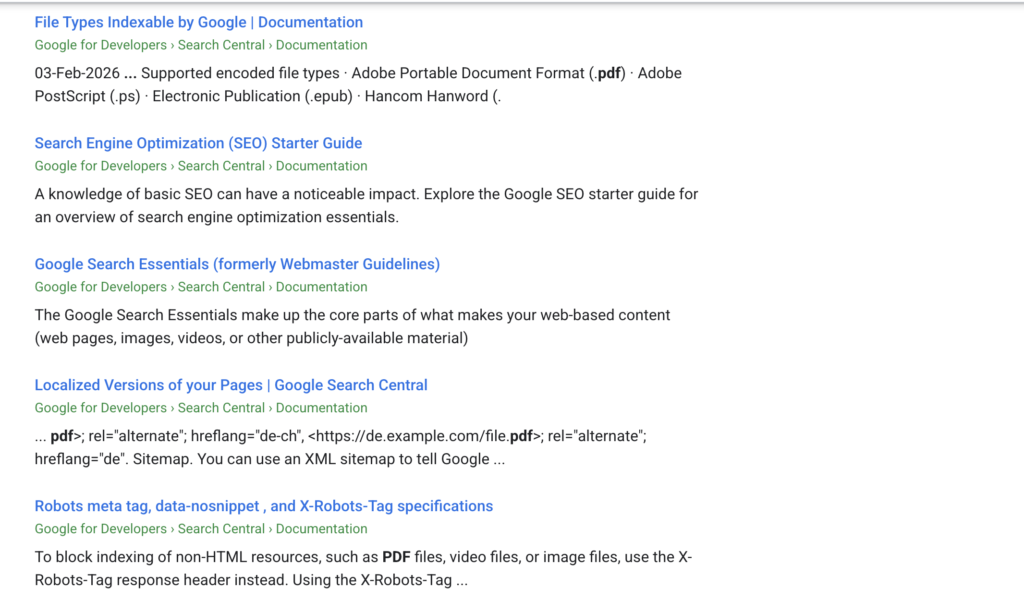
Here is the honest answer: the PDF most people are looking for no longer officially exists. Google retired its original SEO Starter Guide PDF years ago and replaced it with a web-based documentation system that is updated regularly.
But here is what almost nobody talks about: Google still publishes a PDF that is ten times more valuable than the old starter guide ever was. It is 170+ pages long, updated multiple times per year, and contains the most detailed explanation of how Google evaluates content quality that has ever been made public.
Most SEO professionals have never read it completely. Most website owners have never heard of it.
This guide tells you exactly what Google SEO PDFs exist, where to find them, what is inside each one, and — most importantly — how to use them to actually improve your rankings.
Key Takeaways
- The original Google SEO Starter Guide PDF has been retired — it now exists as a web-based guide only
- Google’s Search Quality Rater Guidelines is a 170+ page PDF still actively published and updated by Google
- You can save any Google documentation page as a PDF using your browser in under 60 seconds
- The Quality Rater Guidelines PDF contains Google’s most detailed explanation of E-E-A-T
- KD for “google seo pdf” is only 2 — but traffic potential is 608,000 monthly visitors
- Reading Google’s own documents beats any third-party SEO course or blog
What Is the Google SEO PDF — Complete History
To understand what exists today, it helps to know where the Google SEO PDF came from.
2008 — The Original PDF Launches
Google published its first SEO Starter Guide as a downloadable PDF in November 2008. It was 22 pages long, written in plain English, and designed specifically for website owners who knew nothing about search engine optimization. It covered basics like title tags, meta descriptions, URL structure, and site navigation.
At the time it was revolutionary — a major search engine explaining exactly what it wanted from websites. SEO professionals treated it as an official rulebook.
2010-2017 — PDF Gets Expanded
Over the following years Google expanded the PDF to 32 pages, then to 40 pages. It was translated into more than 40 languages and became one of the most widely shared SEO documents in the world.
2017 — Migration to Web Format
Google began migrating the SEO Starter Guide from PDF format to web-based HTML documentation hosted on developers.google.com/search. The reasoning was simple — a web-based guide could be updated continuously rather than requiring a full PDF revision every time something changed.
2024 — Complete Refresh
Google significantly refreshed the web-based SEO Starter Guide in early 2024, simplifying the language, updating examples for modern search, and restructuring it specifically for complete beginners. This is the current official version.
The original PDF is no longer officially available from Google. Copies circulating online are archived versions — outdated and not maintained.
The Google PDF That Still Exists — And Why It Matters More
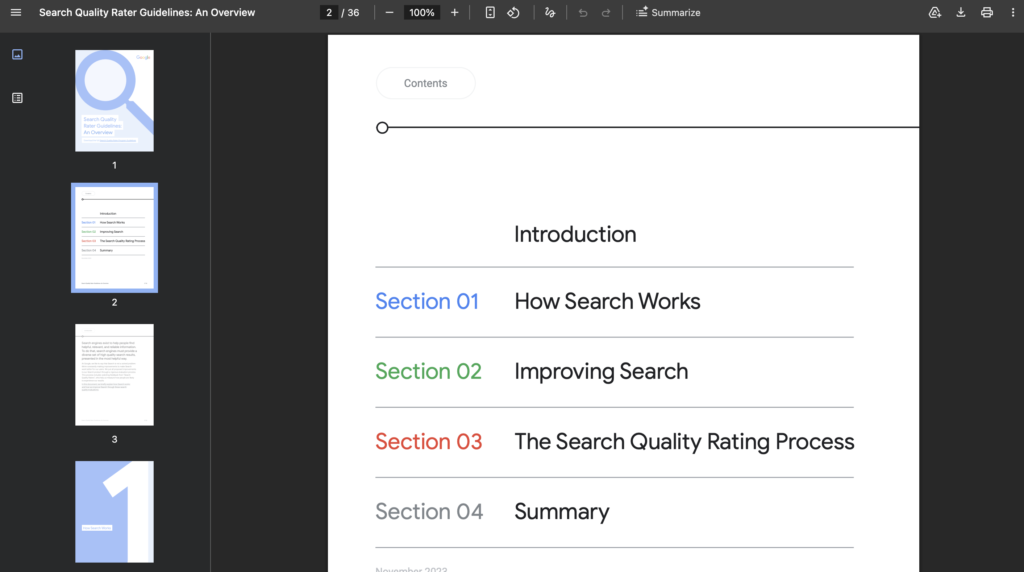
While the SEO Starter Guide PDF is gone, Google still actively publishes one of the most important documents in all of SEO as a downloadable PDF.
Google Search Quality Rater Guidelines
This document is used by Google’s army of human quality raters — real people hired to evaluate search results and provide feedback that helps Google train and refine its ranking algorithms. It is updated multiple times per year and represents Google’s most detailed, honest explanation of what it considers high-quality versus low-quality content.
Where to download it:
developers.google.com/search/docs/essentials/quality-rater-guidelinesWhat is inside:
The current version runs to 172 pages and covers:
- How to evaluate the quality of any webpage
- The complete E-E-A-T framework (Experience, Expertise, Authoritativeness, Trustworthiness) with dozens of real examples
- What constitutes a “beneficial purpose” for a webpage
- How to identify lowest quality pages, harmful pages, and spam
- How different types of queries (informational, transactional, navigational) should be evaluated
- How to assess the reputation of websites and content creators
- Special considerations for YMYL (Your Money or Your Life) topics — health, finance, legal, safety
Why every SEO professional should read it:
This document does not tell you how to manipulate rankings. It tells you exactly how Google thinks about content quality — from the perspective of the people whose feedback directly influences the algorithm. Reading it is like being given the grading rubric before an exam.
How to Save Any Google SEO Documentation as PDF
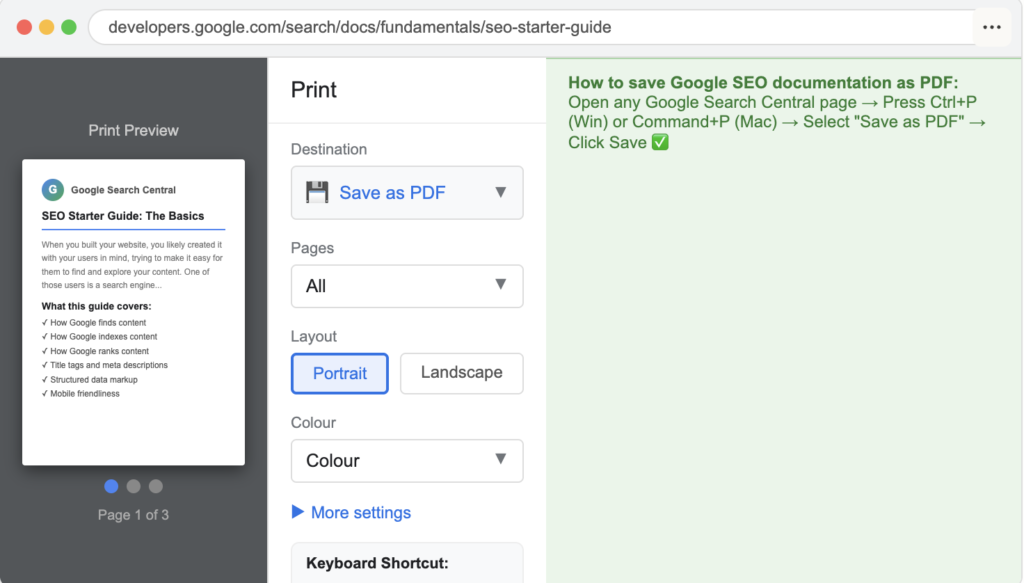
If you want offline access to Google’s web-based SEO documentation, creating a PDF takes less than 60 seconds in any browser.
Method 1 — Chrome (Windows)
Step 1: Open any Google Search Central page in Chrome Step 2: Press Ctrl + P Step 3: In the Destination dropdown, select “Save as PDF” Step 4: Click Save Step 5: Choose your save location and filename
Method 2 — Chrome (Mac)
Step 1: Open any Google Search Central page in Chrome Step 2: Press Command + P Step 3: In the bottom left, click the PDF dropdown Step 4: Select “Save as PDF” Step 5: Click Save
Method 3 — Any Browser
Every modern browser supports print-to-PDF functionality. Firefox, Edge, Safari, and Opera all have equivalent options in their print dialogs.
Pro Tip: When saving documentation as PDF, use descriptive filenames that include the date — for example “google-seo-starter-guide-june-2026.pdf” — so you can track which version you have and when to update it.
Complete List of Google SEO PDFs and Documents
Here is every official Google SEO resource, whether PDF or web-based, that matters for your SEO strategy in 2026:
Downloadable PDFs from Google:
Search Quality Rater Guidelines — 172 pages — Updated multiple times per year — The most important document on this list
Web-Based Guides (Saveable as PDF):
SEO Starter Guide — Beginner level — covers crawling, indexing, ranking basics, title tags, meta descriptions, structured data
Search Essentials — All levels — Google’s requirements for appearing in search, spam policies, key best practices
How Google Search Works — Intermediate — technical explanation of crawling, indexing, and ranking process
Core Web Vitals Documentation — Intermediate — LCP, INP, CLS explained with targets and measurement tools
Structured Data Documentation — Advanced — complete reference for schema markup implementation
Search Central Blog — All levels — algorithm updates, policy changes, new features announced here first
Comparison Table: Google SEO PDF vs Web Documentation
| Resource | Format | Pages | Updated | Best For | Download |
|---|---|---|---|---|---|
| Quality Rater Guidelines | 172 | 3-4x/year | Content strategy, E-E-A-T | Direct download | |
| SEO Starter Guide | Web/PDF* | ~20 | Ongoing | Complete beginners | Save via browser |
| Search Essentials | Web/PDF* | ~15 | Ongoing | Requirements & policies | Save via browser |
| How Search Works | Web/PDF* | ~12 | Ongoing | Technical understanding | Save via browser |
| Core Web Vitals Docs | Web/PDF* | ~18 | Ongoing | Page speed optimization | Save via browser |
| Structured Data Docs | Web/PDF* | 50+ | Ongoing | Schema implementation | Save via browser |
*Save as PDF using browser print function
What the Quality Rater Guidelines PDF Actually Says — Key Sections Explained
Most people who know about this PDF have never read past the first few pages. Here is what the most important sections actually contain:
Section 3 — Understanding E-E-A-T
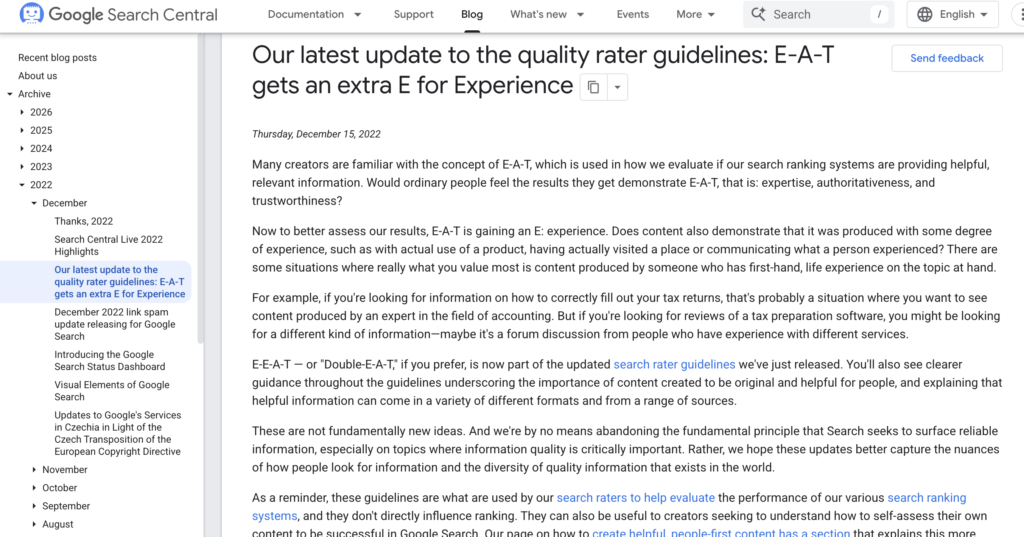
This is the section that every content creator needs to read. Google’s quality raters are instructed to evaluate every page against four criteria:
Experience — The rater looks for evidence that the content creator has genuine, first-hand experience with the topic. For a product review, this means looking for specific details that only someone who used the product would know. For a travel guide, it means looking for personal observations and specific details rather than generic descriptions.
Expertise — The rater evaluates whether the creator has formal or demonstrated knowledge. For medical content, they look for medical credentials. For financial content, they look for financial qualifications. For technical content, they evaluate the accuracy and depth of the information itself as evidence of expertise.
Authoritativeness — The rater considers how the website and creator are regarded by others in the same field. This is evaluated through the reputation signals Google can observe — who links to this site, who cites this creator, what do reviews say.
Trustworthiness — Described in the guidelines as the most important of the four components. Raters check for: accurate contact information, transparent authorship, clear editorial standards, secure connection (HTTPS), honest product or service representations, and accurate factual claims.
Section 4 — High Quality Pages
This section lists what Google’s raters consider the characteristics of a high-quality page:
A satisfying amount of high-quality main content — the page actually answers the user’s question completely. A clearly beneficial purpose — the page exists to genuinely help users, not to generate ad revenue or manipulate rankings. Positive reputation for the website and content creator. A high level of E-E-A-T appropriate to the topic.
Section 6 — Low Quality Pages
Equally important — this section describes what Google’s raters flag as low quality. Understanding what to avoid is as valuable as knowing what to pursue:
An inadequate level of E-E-A-T for the topic. A misleading page title that does not reflect the actual content. Ads or supplementary content that distract from or obscure the main content. A mismatch between what the page promises and what it delivers. Copied or scraped content from other sources. Pages with no clear beneficial purpose.
Section 7 — Lowest Quality Pages
Pages that raters classify as lowest quality include those that could directly harm users, pages with no beneficial purpose, pages with the lowest possible E-E-A-T, spam pages, and pages designed to deceive users about their nature or content.
How to Use Google’s SEO PDF to Improve Your Rankings — Practical Steps
Reading Google’s documentation is only useful if you apply it. Here is a practical framework for turning the Quality Rater Guidelines into actionable improvements:
Step 1: Audit your existing content against E-E-A-T
Go through your top 10 pages by traffic and ask honestly: Does each page demonstrate genuine experience with the topic? Does it show expertise? Does it have trust signals like author information, accurate data, and external citations? If the answer is no to any of these, that page needs improvement.
Step 2: Add genuine experience signals
For every piece of content you publish, include at least one element that demonstrates first-hand experience — a personal case study, a specific example from your own work, original data you have collected, or a genuine opinion based on direct involvement with the topic.
Step 3: Fix low E-E-A-T pages before creating new content
If you have pages that fail the quality rater evaluation — thin content, no author information, no original insight — fixing those pages will improve your overall site quality signal faster than publishing new content. Google evaluates your site holistically, not just page by page.
Step 4: Review your YMYL content especially carefully
If your site covers health, finance, legal, or safety topics — what Google calls Your Money or Your Life content — the E-E-A-T bar is significantly higher. These pages need to be written or reviewed by qualified professionals, with credentials clearly displayed.
Step 5: Check your trust signals
Go through your website and verify: Is there a clear About page? Is authorship information present on all content pages? Is contact information accurate and easy to find? Is the site secure (HTTPS)? Are all factual claims accurate and cited where appropriate?
Common Mistakes People Make With Google’s SEO PDF
Mistake 1: Using old archived PDF versions
Archived copies of the original Google SEO Starter Guide PDF are still widely shared online. These predate E-E-A-T, Core Web Vitals, the Helpful Content System, mobile-first indexing, and AI Overviews. Following outdated guidance can actively hurt your SEO rather than help it.
Mistake 2: Reading the Quality Rater Guidelines as a ranking factor list
The guidelines do not describe ranking factors — they describe how human raters evaluate quality. The distinction matters. You cannot game quality rater evaluations by checking boxes. The only way to score well is to actually build a high-quality, trustworthy website with genuinely helpful content.
Mistake 3: Downloading the PDF once and never updating it
The Quality Rater Guidelines are updated three to four times per year. A copy downloaded in 2024 is already potentially outdated in 2026. Set a calendar reminder every three months to check for a new version.
Mistake 4: Focusing only on the PDF and ignoring web documentation
The downloadable PDF covers content quality evaluation. The web-based documentation covers technical requirements, structured data, Core Web Vitals, and crawling and indexing. You need both — the PDF for content strategy and the web documentation for technical implementation.
Mistake 5: Sharing the PDF with clients without context
Some agency owners share the Quality Rater Guidelines with clients to explain why their content needs improving. Without proper context, 172 pages of dense Google documentation typically confuses rather than convinces. Always summarize the key relevant sections rather than dumping the full document.
Expert Tips for Getting Maximum Value From Google’s SEO PDF
Tip 1: Read Section 3 (E-E-A-T) and Section 6 (Low Quality Pages) first
If you only read two sections of the Quality Rater Guidelines, make it these two. Section 3 tells you what excellent looks like. Section 6 tells you what to avoid. Everything else in the document builds on these foundations.
Tip 2: Use the guidelines as a content brief template
Before writing any new piece of content, run through the E-E-A-T checklist from the guidelines: How will this page demonstrate experience? What expertise signals will it include? How will it build authoritativeness? What trust elements will it contain? Answering these questions before writing produces consistently better content than any keyword-focused brief.
Tip 3: Cross-reference the PDF with your Google Search Console data
When pages are underperforming in GSC — low CTR, declining impressions, dropping rankings — evaluate them against the Quality Rater Guidelines criteria. Often the issue is not technical but qualitative — a page that would receive a low quality rating from a human rater.
Tip 4: Save dated copies of each PDF version
Each time Google updates the Quality Rater Guidelines, save a copy with the date in the filename. Over time, comparing versions reveals how Google’s thinking about content quality is evolving — valuable intelligence for any serious SEO practitioner.
Tip 5: Combine the PDF with Google Search Central Blog updates
The PDF tells you the evaluation framework. The Search Central Blog tells you when and how that framework is applied through algorithm updates. Reading both together gives you a complete picture of both what Google values and when it is actively prioritizing certain signals in rankings.
FAQ
Q: Is there an official Google SEO PDF I can download for free?
A: Yes — Google’s Search Quality Rater Guidelines is a free, official PDF available directly from Google Search Central at developers.google.com/search/docs/essentials/quality-rater-guidelines. The original Google SEO Starter Guide PDF has been retired and replaced with a web-based guide, but you can save that as a PDF using your browser’s print function.
Q: How many pages is the Google SEO PDF?
A: The Google Search Quality Rater Guidelines PDF is currently 172 pages. The original SEO Starter Guide PDF was 40 pages before it was retired. The web-based SEO Starter Guide, if saved as a PDF, is approximately 20-25 pages depending on browser settings.
Q: How often does Google update its SEO PDF?
A: The Search Quality Rater Guidelines PDF is updated approximately three to four times per year. Google announces major updates on the Search Central Blog. Always check for the latest version before referencing it in your work.
Q: What is the most important thing in Google’s SEO PDF?
A: The E-E-A-T framework — Experience, Expertise, Authoritativeness, and Trustworthiness — is the central evaluation framework in the Quality Rater Guidelines. Google describes Trustworthiness as the most important component. Understanding and applying E-E-A-T is the single most impactful thing you can take from reading Google’s official PDF.
Q: Can I use the Google SEO PDF for my clients?
A: Yes — the Google Search Quality Rater Guidelines is a publicly available document that Google intends for broad use. You can reference it in client reports, use it as a basis for content audits, and cite specific sections when explaining content quality recommendations. Always reference the specific version and date.
Q: Is the Google SEO PDF enough to rank my website?
A: The PDF provides the evaluation framework Google uses for content quality, but ranking a website requires a complete strategy — technical SEO, keyword research, link building, and consistent content production. Think of the PDF as the quality standard to meet, not a complete SEO strategy in itself.
Conclusion: Stop Searching for the Old PDF — Download the Right One
The Google SEO PDF most people are searching for — the simple beginner’s guide — no longer exists as a PDF. It has been replaced with something better: a continuously updated web resource that stays current with every algorithm change.
But the PDF that does exist — the 172-page Search Quality Rater Guidelines — is more valuable than the old starter guide ever was. It is the closest thing to reading Google’s mind about what makes content worth ranking.
Download it today. Read Section 3 on E-E-A-T. Read Section 6 on low quality pages. Then audit your most important pages against those standards.
That is not a complicated SEO strategy. But it is the strategy that is directly aligned with how Google actually evaluates your website — and that alignment is worth more than any collection of tactics or tricks.

Fazilat zulfiqar is an SEO specialist at RankWithLinks, focused on improving search rankings through smart link building and optimization.He helps businesses grow organic traffic and build strong online authority.