Introduction: Why Spreadsheets Still Matter for Small Businesses
In 2026, spreadsheets remain one of the most powerful and practical tools for small business owners. Whether you are tracking inventory, managing budgets, analyzing sales data, or organizing employee schedules, a good spreadsheet application handles it all without requiring expensive enterprise software.
The good news is that you do not need to spend a single dollar to access professional-grade spreadsheet tools. The market in 2026 offers several outstanding free options that rival paid software in features, reliability, and ease of use. This guide covers the best free spreadsheet software for small businesses, breaking down what each one offers, who it is best for, and how to choose the right one for your specific needs.
What to Look for in Free Spreadsheet Software for Small Business
Before diving into the list, it helps to understand what actually matters when choosing spreadsheet software for a small business environment.
Collaboration Features: Small teams often need to work on the same files simultaneously. Cloud-based tools with real-time collaboration save time and prevent version confusion.
Formula and Function Support: Whether you need basic SUM functions or advanced pivot tables, your spreadsheet software should support the formulas your business workflows depend on.
Integration Capabilities: The best tools connect with accounting software, CRMs, email platforms, and other business applications you already use.
Data Limits and Storage: Free plans often come with storage or row limits. Make sure the tool can handle your data volume without forcing an upgrade.
Security and Privacy: Business data is sensitive. Look for tools that offer access controls, encryption, and reliable backup systems.
Ease of Use: Your team should be able to pick it up quickly. A clean interface reduces training time and errors.
With these criteria in mind, here are the best free spreadsheet software options for small businesses in 2026.
1. Google Sheets — Best Overall Free Spreadsheet for Small Business
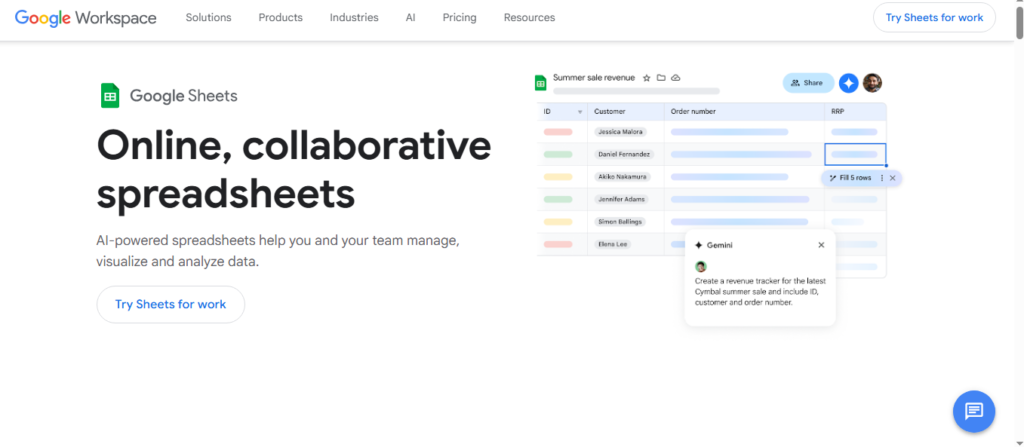
Google Sheets continues to dominate as the top free spreadsheet tool for small businesses in 2026. It is entirely browser-based, requires no installation, and offers a generous free tier through Google Workspace that covers most small business needs with ease.
Key Features
Google Sheets supports hundreds of built-in functions, including financial formulas, statistical analysis tools, and data lookup functions. It handles pivot tables, conditional formatting, and chart creation with a clean, intuitive interface that most users can master quickly.
Real-time collaboration is where Google Sheets truly shines. Multiple team members can edit the same document simultaneously, with changes appearing instantly for all users. Comments, suggestions, and version history make it easy to track changes and revert to earlier versions when needed.
The Explore feature powered by Google’s AI assistant allows users to ask natural language questions about their data and receive instant answers, visualizations, and formula suggestions. This is particularly useful for small business owners who are not spreadsheet experts.
Integration and Automation
Google Sheets integrates natively with the entire Google Workspace ecosystem, including Google Forms for data collection, Google Drive for storage, and Google Data Studio for advanced reporting. Through Google Apps Script, users can automate repetitive tasks without advanced programming knowledge.
Third-party integrations with tools like Zapier, Salesforce, QuickBooks, and Slack are also widely available, making Google Sheets a flexible hub for small business data workflows.
What Is Free
The personal Google account tier is completely free and includes 15 GB of shared storage across Google Drive, Gmail, and Google Photos. For most small businesses with fewer than five team members, this is sufficient. Google Workspace Business Starter plans are available for paid upgrades, but the free tier handles most spreadsheet tasks without limitations.
Who It Is Best For
Google Sheets is ideal for startups, freelancers, remote teams, and any small business that prioritizes real-time collaboration and cloud accessibility. It is also an excellent choice for businesses already using other Google tools.
2. Microsoft Excel Online — Best for Compatibility and Familiarity
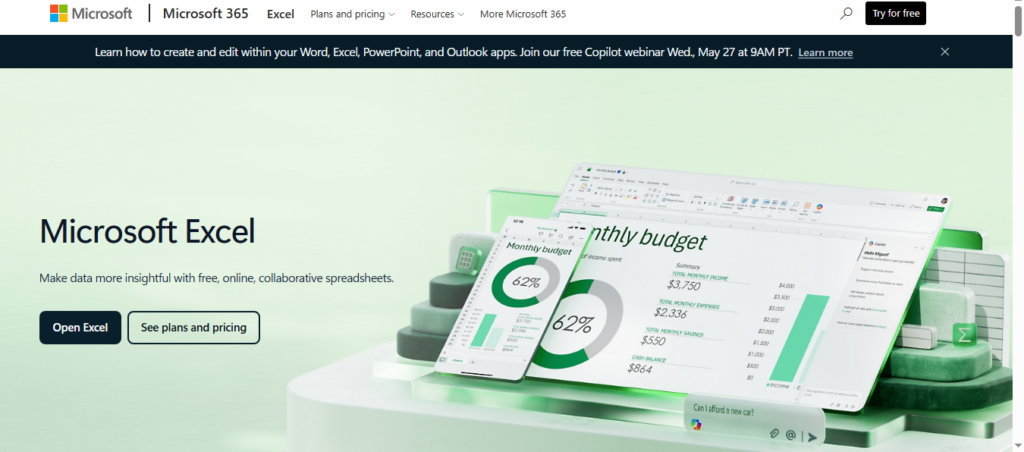
Microsoft Excel has been the global standard for spreadsheet software for decades, and its free online version brings that power to small businesses at no cost. Excel Online is available through a free Microsoft account and runs entirely in the browser without requiring a desktop installation.
Key Features
Excel Online supports a wide range of Excel-native functions and formulas, making it highly compatible with spreadsheet files created in the desktop version. If your business regularly exchanges files with clients, accountants, or suppliers who use Microsoft Excel, this compatibility removes friction entirely.
The interface mirrors the desktop application closely, which means any employee familiar with Excel can start using it immediately. Features include basic pivot tables, chart creation, conditional formatting, data validation, and standard financial and mathematical functions.
Limitations Compared to Desktop Excel
Excel Online does not offer the full feature set of the paid desktop version. Advanced features like Power Query, Power Pivot, complex macro execution, and certain data analysis tools are either limited or unavailable in the free browser version. For most small business tasks, however, these limitations are rarely a constraint.
Integration and Storage
Files are stored on OneDrive, Microsoft’s cloud storage service, which provides 5 GB of free storage with a Microsoft account. Excel Online integrates with Microsoft Teams for collaboration and supports sharing and co-authoring features similar to Google Sheets.
Who It Is Best For
Excel Online is best for small businesses that work frequently with external partners who use Microsoft Office, businesses transitioning from desktop Excel to a cloud environment, and teams that need strong file format compatibility with the broader business world.
3. LibreOffice Calc — Best Free Desktop Spreadsheet Software
For small businesses that prefer working offline or have concerns about storing sensitive data in the cloud, LibreOffice Calc is the strongest free desktop spreadsheet application available in 2026.
Key Features
LibreOffice Calc is an open-source application that offers a comprehensive set of spreadsheet features comparable to Microsoft Excel. It supports complex formulas, macros, pivot tables, advanced charting tools, data sorting and filtering, and database functions. The application handles large datasets efficiently and supports files in multiple formats, including the native ODS format, XLSX, CSV, and older XLS formats.
One of its most significant advantages is that it runs entirely on your local machine. There is no internet connection required, no cloud dependency, and no subscription fees. All your data stays on your own hardware.
Macro and Scripting Support
LibreOffice Calc supports Basic macros, allowing advanced users to automate repetitive tasks and build custom business tools. While the macro language differs from Microsoft’s VBA, many VBA macros can be adapted to run in LibreOffice with modest modifications.
Compatibility Considerations
LibreOffice Calc reads and writes Microsoft Excel formats well, though occasional formatting inconsistencies may occur with complex spreadsheets. For internal business use, this is rarely a problem. Collaboration requires sharing files manually or through a shared network drive, as there is no built-in cloud co-authoring feature.
Who It Is Best For
LibreOffice Calc is ideal for small businesses handling sensitive financial or client data, businesses with limited or unreliable internet access, and business owners who prefer open-source software with no vendor lock-in. It is also a strong choice for businesses operating in industries with strict data privacy requirements.
4. Zoho Sheet — Best Free Spreadsheet with Built-In Business Tools
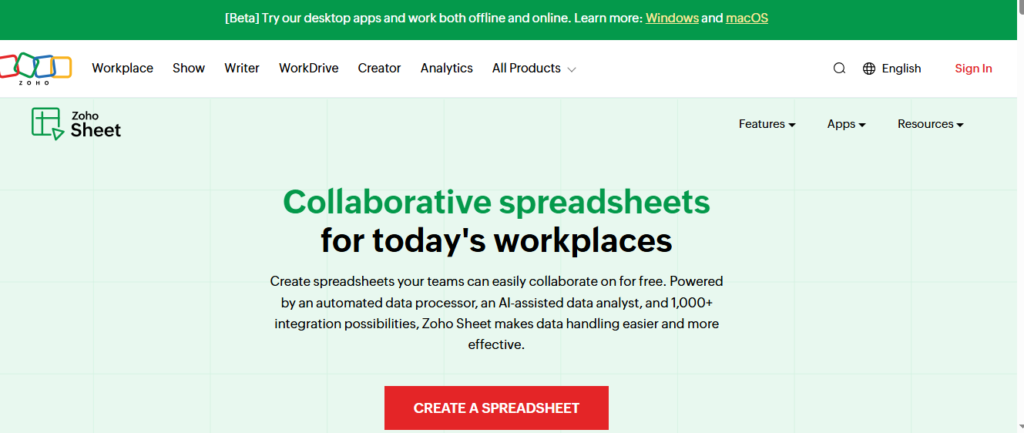
Zoho Sheet is a cloud-based spreadsheet application that is part of the broader Zoho ecosystem, which includes a CRM, accounting software, project management tools, and more. For small businesses already using or considering Zoho’s suite of products, Zoho Sheet offers a compelling free tier with impressive capabilities.
Key Features
Zoho Sheet supports over 350 functions, including financial, statistical, and text manipulation formulas. It offers real-time collaboration, version history, conditional formatting, pivot tables, and advanced charting. The interface is clean and modern, with a relatively short learning curve for users familiar with other spreadsheet tools.
A standout feature is Zoho Sheet’s data cleaning tools, which help identify and correct duplicate entries, inconsistent formatting, and missing values. For small businesses managing customer lists, product catalogs, or sales records, this functionality saves significant manual effort.
Artificial Intelligence Integration
Zoho Sheet includes Zia, Zoho’s built-in AI assistant, which can analyze spreadsheet data and generate automatic insights, trend summaries, and visualizations. This makes it easier for non-technical business owners to extract meaningful information from their data without building complex formulas or charts manually.
Integration with Zoho Ecosystem
The deepest advantage of Zoho Sheet comes from its native integration with other Zoho applications. Data from Zoho CRM, Zoho Books, Zoho Inventory, and other tools can be pulled directly into spreadsheets for analysis. This creates a powerful, interconnected business intelligence environment at no cost for small businesses on the free plan.
What Is Free
The Zoho Sheet free plan supports up to five users and includes core spreadsheet features, collaboration tools, and basic integration. It is more generous than many comparable free tiers, especially for very small teams.
Who It Is Best For
Zoho Sheet is best for small businesses that are already part of the Zoho ecosystem or that are looking for a complete, integrated suite of free business tools under one platform.
5. Airtable Free Plan — Best for Database-Style Spreadsheet Management
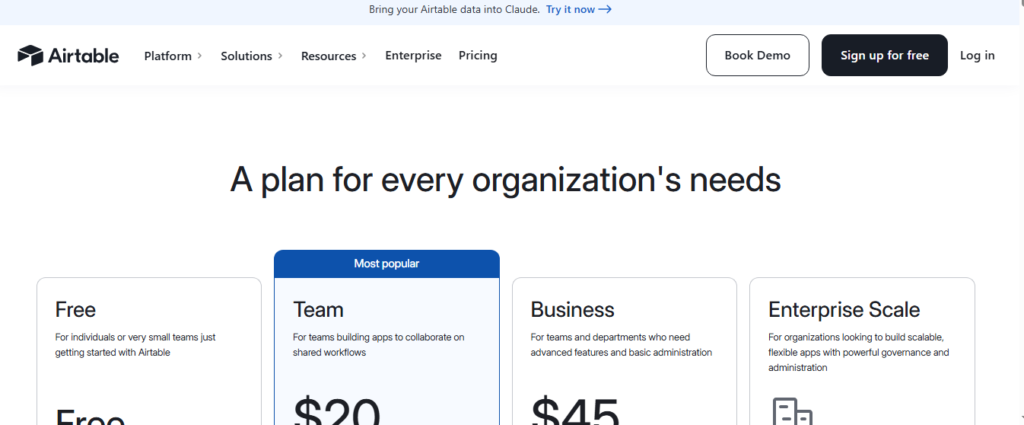
Airtable sits at the intersection of spreadsheets and relational databases, offering a unique approach to organizing business data. While it does not function like a traditional spreadsheet in every way, it is powerful for small businesses that need to manage structured data with relationships between different categories of information.
Key Features
Airtable’s free plan allows users to create bases, which are essentially databases organized in a spreadsheet-style grid view. Each base can contain multiple tables with customizable fields including text, numbers, dates, checkboxes, dropdowns, file attachments, and linked records.
Beyond the grid view, Airtable offers alternative ways to visualize data including calendar view, gallery view, Kanban board, and form view. This flexibility makes it suitable for project management, inventory tracking, client management, event planning, and editorial calendars.
Collaboration and Sharing
Airtable supports real-time collaboration and offers granular sharing permissions. You can share specific views of a base with external partners without giving them access to your full dataset. This is particularly useful for sharing reports with clients or coordinating with freelancers.
Limitations of the Free Plan
The free plan in 2026 limits bases to 1,000 records per base and 1 GB of attachment storage. For small businesses with modest data volumes, these limits are often sufficient. Businesses with growing data needs will eventually need to consider a paid plan.
Who It Is Best For
Airtable is best for small businesses managing complex, relational data sets such as agencies managing multiple client projects, product businesses tracking inventory across multiple categories, or any team that needs more structure than a traditional spreadsheet but less complexity than a full database system.
6. ONLYOFFICE Spreadsheet Editor — Best for Open-Source Cloud Collaboration
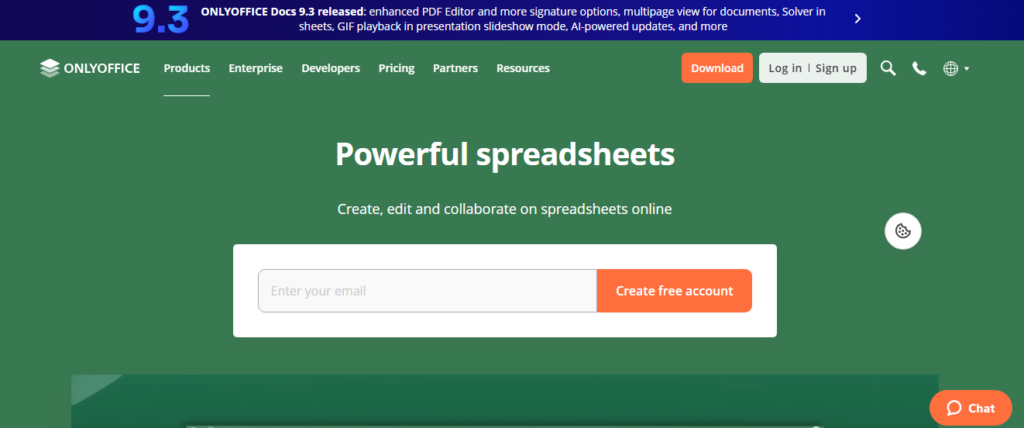
ONLYOFFICE offers a free, open-source office suite with a strong spreadsheet editor that closely mimics the Microsoft Excel interface. In 2026, it remains a popular choice for small businesses seeking cloud collaboration with high Excel compatibility and the flexibility of open-source software.
Key Features
ONLYOFFICE Spreadsheet Editor supports all standard spreadsheet functions, pivot tables, conditional formatting, charts, and data validation. Its interface is designed to look and feel like Microsoft Excel, making it easy for teams already familiar with that environment to adapt quickly.
The platform supports collaborative editing with real-time changes, tracked revisions, and commenting features. Files are saved in DOCX, XLSX, and other Microsoft Office formats natively, ensuring compatibility when sharing documents externally.
Deployment Options
One of ONLYOFFICE’s unique advantages is its deployment flexibility. Small businesses can use the cloud-hosted version through ONLYOFFICE Personal or integrate it into their own self-hosted server environment for complete data control. The self-hosted community edition is free for small teams, making it attractive for businesses with specific data sovereignty requirements.
Who It Is Best For
ONLYOFFICE is best for small businesses with IT capabilities that want self-hosted control over their data, teams that need strong Microsoft Office file compatibility, and organizations looking for an open-source alternative to Google Workspace without sacrificing collaborative features.
Comparison Summary: Best Free Spreadsheet Software for Small Business 2026
To help you make a quick decision, here is a direct comparison of the top options based on key factors.
Google Sheets delivers the best overall value with excellent collaboration, broad integrations, AI-powered features, and a completely free tier that suits most small businesses. It wins on accessibility and ease of use.
Microsoft Excel Online leads on file compatibility and familiarity, making it the safest choice for businesses working within the Microsoft ecosystem or exchanging files with external partners.
LibreOffice Calc is the top offline solution, offering full-featured desktop spreadsheet power with no internet dependency and no cloud risks.
Zoho Sheet offers the best integration with a broader suite of business tools, particularly for businesses already using or planning to adopt Zoho’s CRM, accounting, or project management applications.
Airtable provides the most powerful database-style data management on a free tier, suited to businesses with structured, relational data needs beyond simple row-and-column calculations.
ONLYOFFICE gives the most control over deployment and data hosting, ideal for privacy-conscious businesses with technical resources.
How to Choose the Right Free Spreadsheet Software for Your Small Business
The right choice depends on your specific business needs, team size, and workflow preferences. Here are practical guidelines to help narrow down your decision.
If your team works remotely or across multiple locations, prioritize a cloud-based tool with real-time collaboration. Google Sheets or Zoho Sheet will serve you best.
If you frequently exchange files with clients or accountants who use Microsoft Office, choose Excel Online or ONLYOFFICE to avoid compatibility headaches.
If data privacy and offline access are top priorities, LibreOffice Calc or a self-hosted ONLYOFFICE installation are the most secure options.
If you manage complex projects, client rosters, or multi-category inventories, Airtable’s database-style approach will give you more flexibility than a traditional spreadsheet.
If you are building a complete free business software stack, Zoho Sheet fits naturally within the broader Zoho ecosystem, giving you CRM, accounting, and project management tools that connect directly to your spreadsheets.
Tips for Getting the Most Out of Free Spreadsheet Software
Choosing the right tool is only the first step. Here are practical tips to maximize value from whichever free spreadsheet software you select.
Standardize templates early. Create consistent templates for recurring tasks like monthly budgets, invoice tracking, or inventory counts. This saves time and reduces errors across your team.
Use data validation to prevent errors. Most spreadsheet tools allow you to restrict input in cells to specific formats, ranges, or dropdown options. Setting these rules up front prevents costly data entry mistakes.
Learn pivot tables. Pivot tables are one of the most powerful features in any spreadsheet tool. They allow you to summarize, group, and analyze large datasets in seconds. Investing a few hours in learning pivot tables will pay dividends throughout your business life.
Automate with scripts or integrations. Google Apps Script, LibreOffice macros, and third-party tools like Zapier allow you to automate repetitive data tasks. Even simple automations like sending an email when a budget threshold is reached can save meaningful time each month.
Back up your data regularly. Even cloud-based tools can experience data loss due to accidental deletion or account issues. Export copies of your most important spreadsheets to local storage or a secondary cloud service on a regular schedule.
Keep spreadsheets simple and readable. Overcomplicated spreadsheets with too many nested formulas and conditional rules become fragile and difficult to maintain. Prioritize clarity over cleverness, especially in shared documents where other team members need to understand the logic.
Frequently Asked Questions About Free Spreadsheet Software for Small Business
Is Google Sheets really free for small businesses?
Yes. Google Sheets is completely free for anyone with a Google account. The free tier includes 15 GB of shared storage and full access to Sheets’ features. For most small businesses, this is more than adequate without any payment.
Can free spreadsheet software handle business accounting?
Free spreadsheet software can handle many accounting tasks including budget tracking, expense recording, invoice management, and basic financial reporting. However, for complex accounting needs such as payroll, tax filing, or multi-currency transactions, dedicated accounting software is a better long-term solution.
Is Microsoft Excel free in 2026?
The full desktop version of Microsoft Excel requires a Microsoft 365 subscription. However, Excel Online, the browser-based version, is available for free with a Microsoft account and handles most common spreadsheet tasks without charge.
What is the best free spreadsheet software for inventory management?
Google Sheets and Airtable are both excellent for inventory management. Google Sheets offers more formula-based flexibility, while Airtable provides better structure for managing product categories, supplier information, and stock levels with relational data fields.
Can multiple people edit a free spreadsheet at the same time?
Yes. Google Sheets, Zoho Sheet, Excel Online, and ONLYOFFICE all support real-time multi-user editing on their free plans. LibreOffice Calc does not offer native cloud collaboration but can be used with a shared network drive for team access.
Final Thoughts: The Best Free Spreadsheet Software for Small Business in 2026
The free spreadsheet tools available to small businesses in 2026 are genuinely impressive. Google Sheets remains the best all-around choice for most businesses, offering unmatched collaboration, a powerful feature set, and seamless integration with other tools at absolutely no cost. Microsoft Excel Online is the natural choice for businesses deeply embedded in the Microsoft ecosystem. LibreOffice Calc stands alone as the best offline option for privacy-conscious businesses.
For businesses seeking more than a traditional spreadsheet, Zoho Sheet and Airtable open the door to richer data management and business tool integration without any upfront investment. ONLYOFFICE rounds out the list as the best open-source option for teams that want cloud collaboration with control over their own infrastructure.
No matter which tool you choose, the key is to use it consistently, structure your data carefully from the start, and invest a little time in learning its more powerful features. The right spreadsheet setup can serve as the operational backbone of your small business, helping you make better decisions, stay organized, and grow with confidence throughout 2026 and beyond.

Usman Hakim is an SEO specialist at RankWithLinks, focusing on link building and organic growth. He helps brands improve search rankings through white-hat strategies, including guest posting and authority backlinks.
Usman Hakim
Usman Hakim is an SEO specialist at RankWithLinks, focusing on link building and organic growth. He helps brands improve search rankings through white-hat strategies, including guest posting and authority backlinks.
