
Introduction
If you run a small plumbing business, most of your customers live near you. When a pipe bursts or a boiler stops working, they search on a phone, pick one of the first few businesses they see, and call. That is why this step by step guide to get local citations for a small plumbing business matters: citations help Google and customers trust that your business is real, in the right place, and easy to contact.
A local citation is any mention of your business name, address and phone number — usually called NAP — on another website. It can be a full listing with a link, or just your details on a directory, review site or trade site, with no link at all. Both types count. The work is not hard, but it has to be exact. One old phone number or a different spelling of your business name on five sites can confuse customers and search engines alike.
This guide walks through the process in order: fix your details first, claim the main map listings, add the core directories, add plumbing and trade sites, then check and maintain what you built.
What local citations do for a plumbing business
Citations do three jobs. First, they confirm your business exists. When the same name, address and phone number appear on trusted sites, Google has more confidence in your listing. Second, they give customers another way to find you. Not everyone starts on Google; some start on Yelp, Bing Maps, Apple Maps, or a trade directory. Third, they protect you when details change. If you move premises or change numbers, a clean set of listings makes the update far simpler.
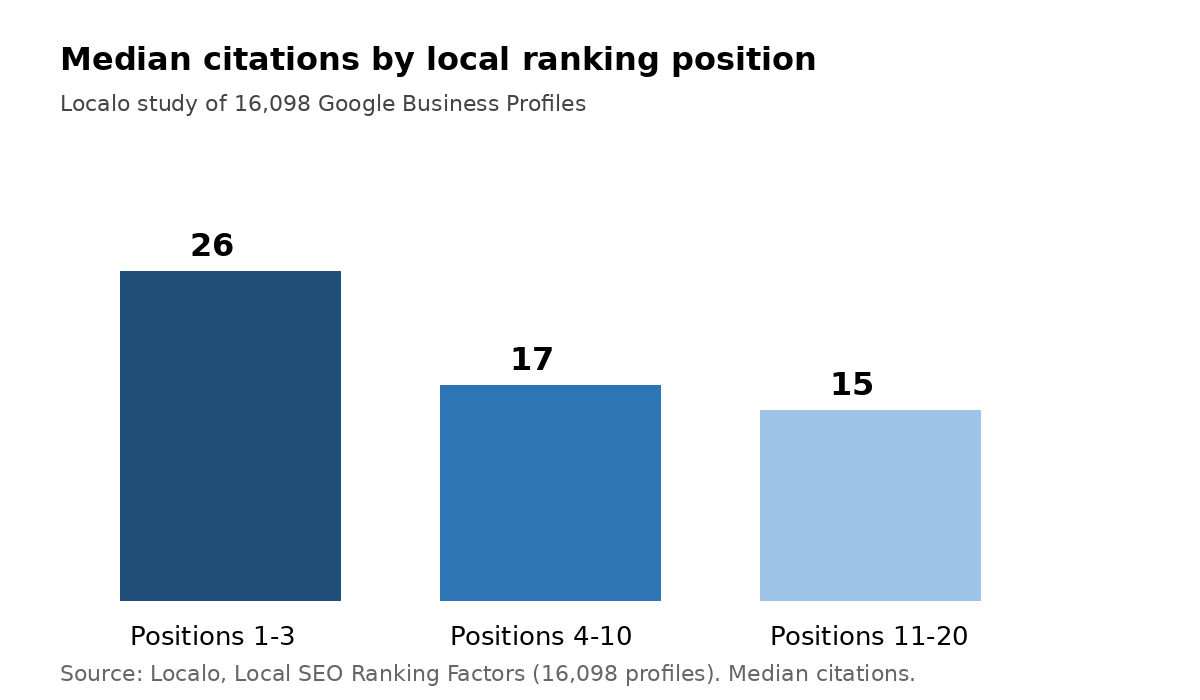
The evidence is modest, not magic. BrightLocal studied 122,125 local businesses across 26 industries and found that businesses ranked first in Google local results had an average of 86 citations, while those ranked tenth had an average of 75. A more recent study by Localo, covering 16,098 Google Business Profiles, found a median of 26 citations for profiles ranked in positions 1–3, compared with 17 for positions 4–10 and 15 for positions 11–20. In other words, a solid base of correct listings helps, but building hundreds of low-quality listings is not the goal.
Local search itself is where the work pays off. Google has reported that 46% of searches have local intent, and Think with Google research cited by BizIQ found that 76% of people who run a “near me” search on a mobile phone visit a business within 24 hours. For a plumber, that visit is often a phone call, not a shop visit — so the number on the listing must be right.
| Fact | What it means for a plumber |
|---|---|
| Businesses ranked No. 1 locally averaged 86 citations; No. 10 averaged 75 (BrightLocal, 122,125 businesses) | A steady base of listings supports top rankings; it does not replace reviews or a complete profile |
| Median citations: 26 for positions 1–3, 17 for positions 4–10, 15 for positions 11–20 (Localo, 16,098 profiles) | Aim for roughly 20–30 good listings first, then check accuracy before adding more |
| 80% of consumers lose trust if they see incorrect or inconsistent contact details (BrightLocal Local Citations Trust Report, 1,025 US consumers) | One wrong number can cost a job, even if your ranking is fine |
| 76% of “near me” mobile searches lead to a visit within 24 hours (Think with Google, via BizIQ) | Local listings must be correct at the moment of need, not “nearly” correct |
Step 1: Decide on one exact version of your NAP
Before you submit anything, write down one master version of your details and use it everywhere, character for character.
- Business name: use your registered or trading name exactly as it appears on your website and Google Business Profile. Do not add extra keywords such as “Emergency Plumber” to the name field unless that is your real trading name.
- Address: decide how to write it. If you work from home and do not want customers visiting, you can still list a service area and hide your street address on Google and Yelp, but the town, postcode and service area must still be clear.
- Phone number: pick one main number — ideally the one you answer during working hours — and use it on every listing.
- Website: use one version, with or without “www”, consistently.
Save this master version in a simple document or spreadsheet. Every later step in this guide should be checked against it. If you later change your number, this sheet becomes your update list.
Step 2: Claim and complete your Google Business Profile
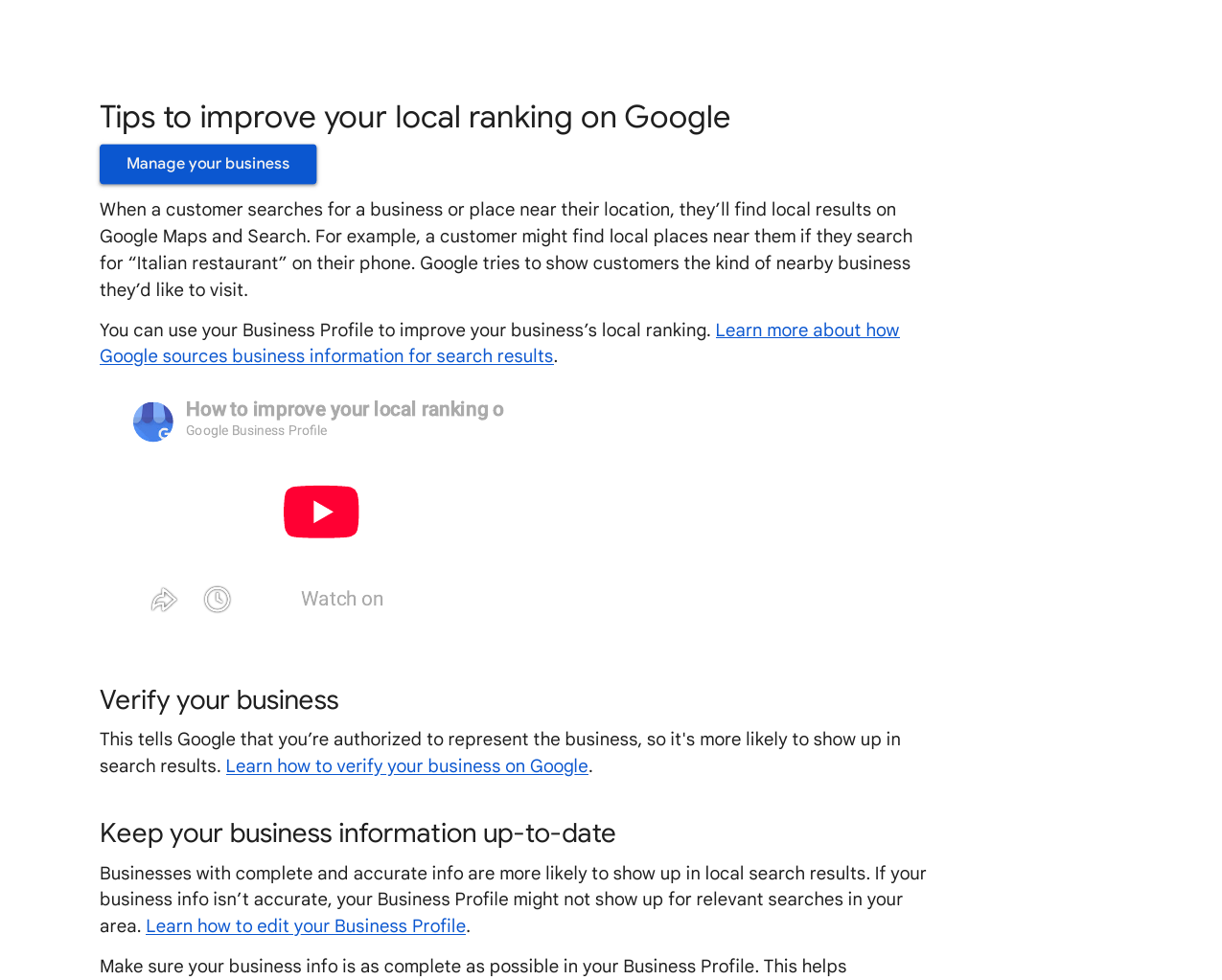
Start with Google, because it feeds the map results most customers see. Google’s own help page explains that local results are based mainly on relevance, distance and prominence, and that complete, accurate business information helps a profile match relevant searches.
Claim your profile if it already exists, or create it if it does not. Then check each field against your master NAP sheet: name, category, service area, hours, phone number and website. Choose “Plumber” as your primary category, and add only genuine extra services you actually offer, such as drain cleaning or boiler repair.
Add photos of real work, your van and your team, and write a plain description of the services you cover. Do not stuff the description with town names repeated over and over. Once the profile is live, ask happy customers for Google reviews in the normal way — reviews are a separate signal, but a profile with no reviews and thin details looks weak next to a competitor with both.
Step 3: Add Bing Places, Apple Maps and Yelp
These three cover the other maps and search tools customers use. Do them in this order, and keep the details identical to Google.
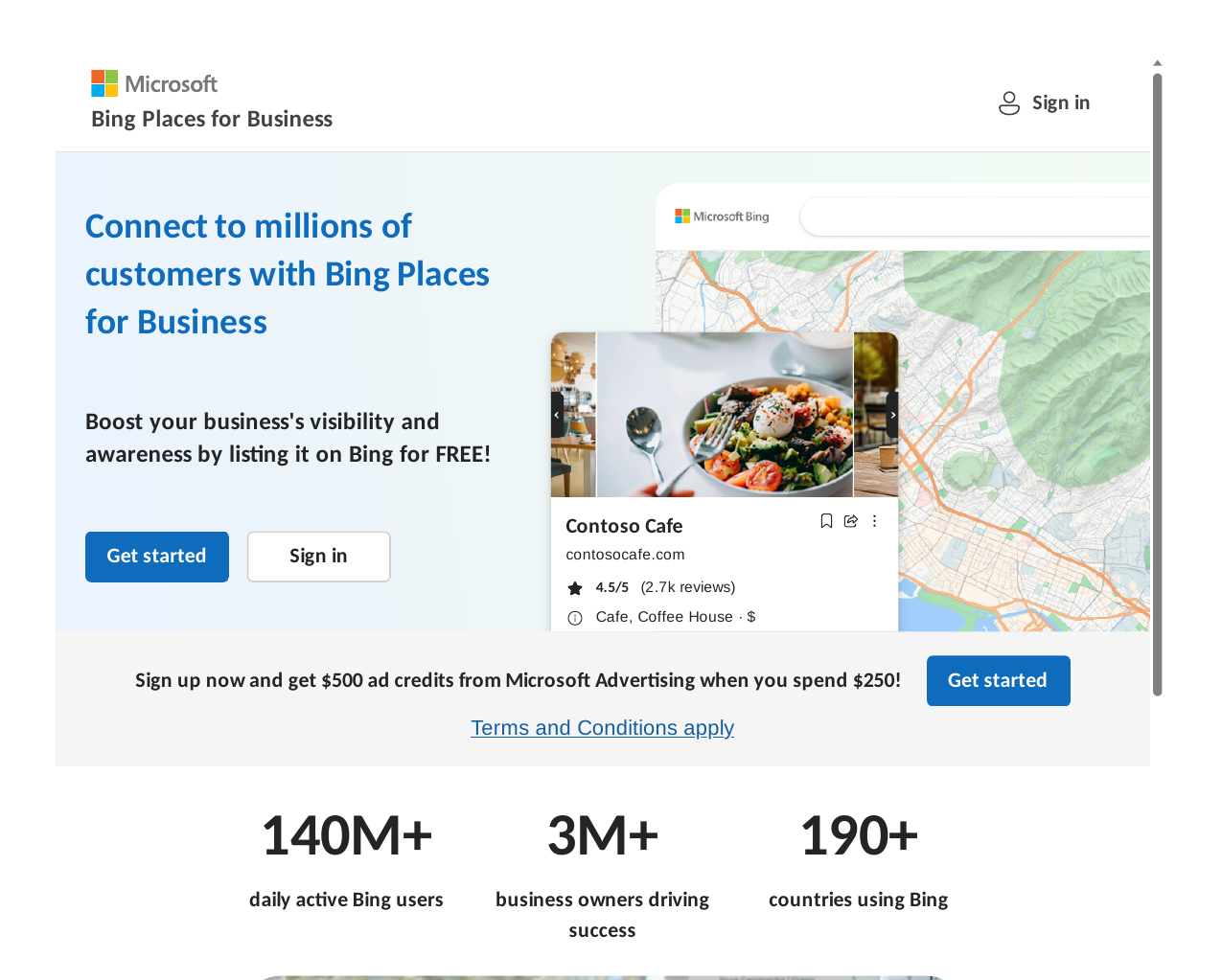
Bing Places for Business now sits at bing.com/forbusiness. If you already have a Google Business Profile, Bing lets you import details from it, which cuts down on typing errors and keeps the two listings in step. Check the imported details before you submit, and verify the listing by the method Bing offers.
Apple Business Connect is the free tool for Apple Maps. Sign in with a company-controlled Apple ID, search for your business, claim the place card if it already exists, or add a new location if it does not. Check the map pin carefully: drag it to your real entrance or service base, because an auto-generated pin can sit on the wrong street.
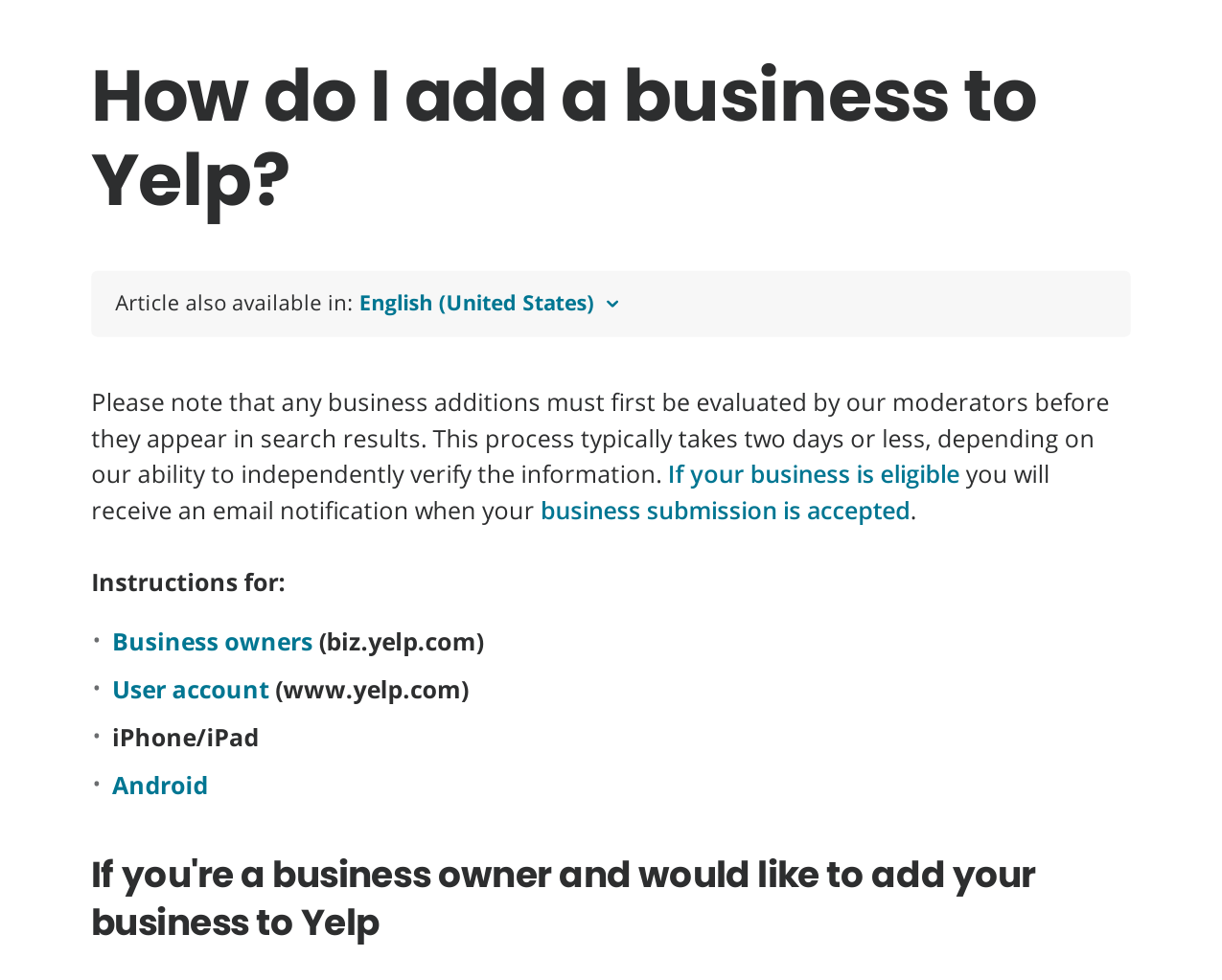
Yelp works differently. Yelp’s own support page says to search first to make sure your business is not already listed, then add it only if it is missing, confirming the email address you provide to complete the submission. New listings are checked by Yelp moderators and typically take two days or less to appear. Note one Yelp rule that catches many owners out: Yelp tells businesses not to ask customers for reviews, which is the opposite of the approach on Google. On Yelp, keep the listing accurate and complete, and let reviews arrive on their own.
Step 4: Build the core directories next
After the map listings, add the general directories that most local businesses use. Work through a short list, not a list of hundreds:
- Facebook business page, with the same name, phone number and website.
- Yell, Yellow Pages and ThomsonLocal-style directories relevant to your country.
- Your local chamber of commerce or business directory, if you are a member.
- Data aggregators where available in your country, such as Data Axle or Neustar Localeze in the US, which feed details to many smaller directories.
For each one, search first. If a listing already exists, claim and correct it rather than creating a second one. Duplicates are one of the most common citation problems, and they split reviews and confuse customers. If a directory asks for a description, write one or two plain sentences about your plumbing services and service area. Do not copy the exact same long paragraph to every site; vary it slightly while keeping the name, address and phone number identical.
Step 5: Add plumbing and trade directories
General directories confirm you exist. Trade directories confirm what you do. For a plumber, these are often the listings a customer trusts most, because they are specific to the trade.
Look for reputable trade sites in your country — for example, Checkatrade or TrustATrader in the UK, or the Better Business Bureau and trade associations in the US — and only join those you can keep up to date. Check whether membership requires checks, insurance details or customer reviews, and do not claim a badge or accreditation you do not hold.
Also add any local trade or council-approved trader schemes you genuinely belong to, and supplier or manufacturer installer lists if you are an approved installer for a boiler brand. Each of these is a citation, and because it is trade-specific, it is more relevant than a generic directory.
Keep the list short and honest. Five accurate trade listings beat fifty thin listings on sites no customer in your town has ever heard of.
Step 6: Check for duplicates and wrong details
Once the first batch is live, run a check. Search your business name plus your town, and your old phone number if you have ever changed it. Look for:
- Duplicate listings on the same site.
- Old addresses after a move.
- Old phone numbers still showing on directories you forgot about.
- A different spelling of your business name, such as “Ltd” on one site and no “Ltd” on another.
Fix duplicates by claiming them and asking the directory to merge or remove the extra listing. Fix wrong details at the source where possible: correcting a data aggregator record can flow through to smaller directories, while fixing only one small directory leaves the wrong record feeding new sites.
BrightLocal’s trust research gives a clear reason to do this check: 80% of consumers said they lose trust in a local business if they see incorrect or inconsistent contact details, and 68% said they would stop using a business if they found incorrect information in online directories. Accuracy is not just an SEO task; it is customer service.
Step 7: Track everything in one spreadsheet
Citations are easy to build and easy to forget. Make a simple tracker with these columns: directory name, listing URL, date submitted, status (submitted, live, needs correction), login used, and notes. Add a column for the exact name, address and phone number shown, so a future check is a quick comparison, not a fresh investigation.
Review the tracker every three months, and immediately after any change to your name, address, phone number or hours. When you change a detail, work through the tracker from the top: Google first, then Bing, Apple and Yelp, then core directories, then trade sites. Update your website at the same time, so the details on your own site match the details on your listings — that match is itself a ranking factor in expert surveys of local search.
Common mistakes to avoid
- Creating a second listing instead of claiming the one that already exists.
- Using a tracking phone number on some sites and your real number on others, so the listings no longer match.
- Adding keyword-stuffed business names that do not match your real trading name.
- Paying for hundreds of citations on low-quality sites and never checking whether they went live.
- Forgetting the listing after it goes live. Hours change, service areas change, and numbers change — listings need the same updates.
If you only have a few hours, do Steps 1 to 3 properly and add five to ten core directories. That gives you the 20–30 listing base that top-three profiles typically show, without the mess of a rushed bulk submission.
How RankWithLinks can help
Building citations takes time, and the checking matters as much as the submitting. If you would rather hand the work to a team that does it by hand, our local SEO services cover local listings, on-page local optimisation and manual outreach, with no automated bulk submissions and no private blog networks. The aim is the same as this guide: correct details, in the right places, kept up to date.
Frequently asked questions
How many local citations does a small plumbing business need?
There is no fixed number that guarantees a ranking, and more is not always better. Localo’s study of 16,098 profiles found a median of 26 citations for profiles in positions 1–3, so a base of roughly 20–30 accurate listings is a sensible first target. Build that base well, check it for duplicates and errors, and only then consider adding more niche or local sites.
Are local citations the same as backlinks?
No, although they can overlap. A citation is a mention of your name, address and phone number, with or without a link. A backlink is a link from another site to yours. Some citations include a link and therefore also act as a backlink, but many do not, and they still help confirm your business details. Treat citations as a local trust signal, not as a link-building shortcut.
Do I need a shop address to get local citations?
Not necessarily. Many plumbers work from home or from a van and serve a set area rather than receiving customers at a premises. Google, Yelp and other platforms let service-area businesses hide a home street address while still showing service areas and a phone number. What matters is that the details you do show are consistent, and that customers can reach you.
How long do local citations take to affect rankings?
There is no set timetable, and citations alone rarely cause a sudden jump. Directories can take days or weeks to approve and publish a listing, and Google needs time to find and compare the new details. Treat citations as foundation work over four to eight weeks, alongside a complete Google Business Profile, genuine reviews and a clear service-area page on your own website.
Should I pay for a citation building service?
A service can save time if it submits listings by hand, checks them, and gives you a tracker you can keep. Be wary of any service that promises hundreds of citations in a day, cannot show you the live listing URLs, or uses different phone numbers across sites. Ask what is included, how duplicates are handled, and whether you keep the logins and the list.
What should I do if a directory shows the wrong phone number?
Claim the listing first, then correct the number to match your master NAP sheet. If you cannot claim it, use the directory’s correction or “suggest an edit” option, and keep a note in your tracker with the date you reported it. Check again after two weeks. If the wrong number came from a data aggregator, correcting that source record is often the fix that stops the error reappearing elsewhere.
Sources: BrightLocal SEO Citations Study via MediaPost (https://www.mediapost.com/publications/article/323723/top-ranking-google-local-search-results-rely-on-bu.html?edition=); Localo Local SEO Ranking Factors (https://Localo.com/blog/top-local-seo-ranking-factors); BrightLocal Local SEO Statistics (https://www.brightlocal.com/resources/local-seo-statistics/); Google Business Profile Help, Tips to improve your local ranking (https://support.google.com/business/answer/7091?hl=en); Yelp support, How do I add a business to Yelp? (https://biz.yelp.com/support-center/Yelp_Business_Page/Getting_Started/How-do-I-add-a-business-to-Yelp/en-US); BizIQ Local Search Statistics (https://biziq.com/blog/local-search-statistics/).

Abdullah Zulfiqar is Co-founder and Client Success Manager at RankWithLinks, an SEO agency helping businesses grow online. He specializes in client relations and SEO strategy, driving measurable results and maximizing ROI through effective link-building and digital marketing solutions.