

Introduction
Managing bugs, tasks, and feature requests efficiently is the backbone of every successful software development team. Whether you’re running a solo project or coordinating a team of 50 engineers, having the right issue tracker can mean the difference between chaotic sprints and clean, predictable releases.
GitHub is the world’s most popular code hosting platform, and issue tracking is deeply embedded in its ecosystem. But GitHub’s native issue tracker isn’t always enough. Teams often need more powerful workflows, better reporting, richer integrations, or a dedicated project management experience layered on top of their repositories.
In 2026, the market for GitHub-compatible issue tracking tools has matured significantly. AI-assisted triaging, smart sprint planning, and seamless GitHub sync have become standard expectations rather than premium features. This guide covers the best GitHub issue tracker software available right now, what makes each one stand out, and how to choose the right one for your team’s needs.
What Is a GitHub Issue Tracker?
A GitHub issue tracker is any tool that lets development teams log, organize, prioritize, and resolve software issues, bugs, and tasks while staying connected to a GitHub repository. Some tools are built directly into GitHub, while others are third-party platforms that integrate with GitHub through APIs, webhooks, or native sync.
The core functions of a good GitHub issue tracker include:
Creating and categorizing issues by type, severity, or sprint Assigning issues to team members with deadlines and priorities Linking issues to pull requests, commits, or branches Tracking issue status across workflows like backlog, in-progress, and closed Generating reports on team velocity, bug resolution rates, and cycle time Providing visibility for non-technical stakeholders without exposing raw code
In 2026, the best tools go beyond these basics and offer AI-powered suggestions, automated routing, and real-time dashboards that integrate directly with your GitHub workflow.
Why GitHub’s Native Issues Tool Sometimes Falls Short
GitHub Issues is a capable, free-to-use system that works well for small teams and open-source contributors. It supports labels, milestones, assignees, and project boards. GitHub Projects, its built-in kanban and table view tool, has improved significantly over the past few years.
However, many growing teams find GitHub’s native offering limiting in several areas:
Reporting and analytics are shallow compared to dedicated project management tools Dependency tracking between issues is limited There’s no native time tracking or workload management Sprint planning features are basic Custom workflows and automation require workarounds or GitHub Actions
For teams that need deeper visibility, stronger sprint discipline, or cross-platform project management, integrating a dedicated issue tracker becomes essential.
Best GitHub Issue Tracker Software in 2026
1. Linear

Linear has become one of the most beloved issue trackers in the developer community, and in 2026, it continues to set the standard for speed, simplicity, and GitHub integration.
Linear is built around the idea that issue tracking should feel fast and frictionless. Its keyboard-first interface, sub-100ms response times, and clean design make it a favorite among engineering teams who want to spend less time managing tools and more time writing code.
Key features for GitHub users include:
Bi-directional GitHub sync that automatically updates issue status when pull requests are merged Branch creation directly from Linear issues Automatic linking of commits and PRs to issues Cycle and sprint management with burndown charts GitHub Actions integration for custom automation
Linear’s AI features have also matured considerably. In 2026, it offers intelligent issue triage, duplicate detection, and automatic priority suggestions based on historical patterns.
Best for: Fast-moving engineering teams that value design, speed, and clean workflows.
2. Jira (by Atlassian)

Jira remains the industry-standard issue tracker for enterprise software teams, and its GitHub integration has only gotten stronger. While it carries a reputation for complexity, modern Jira is more configurable and accessible than earlier versions.
Jira’s GitHub integration allows teams to:
View GitHub commits, branches, and pull requests directly inside Jira issues Trigger Jira transitions automatically using GitHub branch names or commit messages Use Smart Commits to close or comment on Jira issues from Git commit messages Connect Jira Software with GitHub Actions for CI/CD pipeline visibility
For large organizations managing multiple teams, Jira’s advanced roadmaps, capacity planning, and portfolio-level tracking are hard to match. In 2026, Jira’s AI features include automated backlog prioritization, sprint health summaries, and natural language issue creation.
Best for: Enterprise teams, organizations with complex multi-team workflows, and companies already using the Atlassian suite.
3. Shortcut (formerly Clubhouse)

Shortcut occupies a sweet spot between Linear’s minimalism and Jira’s complexity. It is purpose-built for software development teams and offers a clean, intuitive interface with powerful organizational features.
Its GitHub integration supports:
Automatic story state transitions when PRs are opened, merged, or closed Linking branches and commits to Shortcut stories A native GitHub App for seamless connection without manual configuration
Shortcut organizes work using Stories, Epics, and Milestones, providing a natural hierarchy for development teams. Its reporting dashboards show velocity trends, cycle time, and cumulative flow diagrams without requiring extensive setup.
In 2026, Shortcut has added AI-assisted story writing, where the tool generates acceptance criteria and subtasks from a brief description, saving teams significant planning time.
Best for: Mid-sized product and engineering teams that want depth without enterprise complexity.
4. Asana

Asana is primarily a work management platform, but its GitHub integration makes it a compelling choice for teams that work across both technical and non-technical functions. Product managers, designers, QA engineers, and developers can all track work in one place while GitHub activity flows in automatically.
Asana’s GitHub integration enables:
Automatic task updates when pull requests are opened or merged Linking GitHub PRs to Asana tasks for full traceability Cross-functional project views that combine engineering issues with design, marketing, and launch tasks
In 2026, Asana’s AI capabilities are particularly strong. Its AI Studio feature allows teams to build custom automation workflows using natural language, reducing the manual overhead of issue routing and status updates.
Best for: Teams with significant cross-functional coordination needs, or organizations where non-developers need full project visibility.
5. ZenHub

ZenHub is unique because it lives entirely inside GitHub. Rather than redirecting you to an external platform, ZenHub enhances the GitHub interface itself with additional layers of project management functionality.
Features built on top of GitHub include:
Multi-repo boards that combine issues from multiple repositories into a single sprint view Epic tracking that groups related issues across repos Velocity and release reports built directly from GitHub data Dependency mapping between issues Automated sprint management
For teams that love GitHub and do not want to leave its interface, ZenHub offers the most native-feeling experience. Its deep GitHub embedding means there is no context switching, and all data lives exactly where your code does.
In 2026, ZenHub has integrated AI-powered sprint forecasting that predicts delivery dates based on historical team velocity and current workload.
Best for: GitHub-native teams that want powerful project management without leaving the GitHub interface.
6. Plane

Plane is an open-source project management and issue tracking tool that has gained significant momentum in 2026. It positions itself as a flexible, self-hostable alternative to Jira and Linear, with a strong GitHub integration story.
Its GitHub sync capabilities allow:
Two-way sync of GitHub issues with Plane issues Automatic importing of labels, assignees, and milestones from GitHub Webhook-based updates to keep both platforms in real time
Because Plane is open-source, teams can self-host it for complete data control, a major consideration for security-conscious organizations. The cloud version is competitively priced, and the self-hosted version is free for unlimited users.
In 2026, Plane’s module system and custom views have made it highly adaptable to different team structures and workflow styles.
Best for: Teams that want an open-source option, need self-hosting for compliance, or want a cost-effective Jira alternative.
7. ClickUp

ClickUp is one of the most feature-rich project management platforms available, and it offers a robust GitHub integration alongside a broad set of issue tracking capabilities. While it can feel overwhelming at first due to its sheer number of features, teams that invest in setting it up properly find it extremely powerful.
ClickUp’s GitHub features include:
Automatic status changes triggered by PR events Linking GitHub commits and pull requests to tasks GitHub Issues import to migrate existing issues into ClickUp Custom automation between GitHub webhooks and ClickUp workflows
In 2026, ClickUp Brain, its built-in AI assistant, can summarize issue threads, write task descriptions, generate sprint reports, and answer questions about project status using natural language.
Best for: Teams that want an all-in-one platform covering issue tracking, docs, goals, time tracking, and project management in one tool.
8. Notion + GitHub Integration
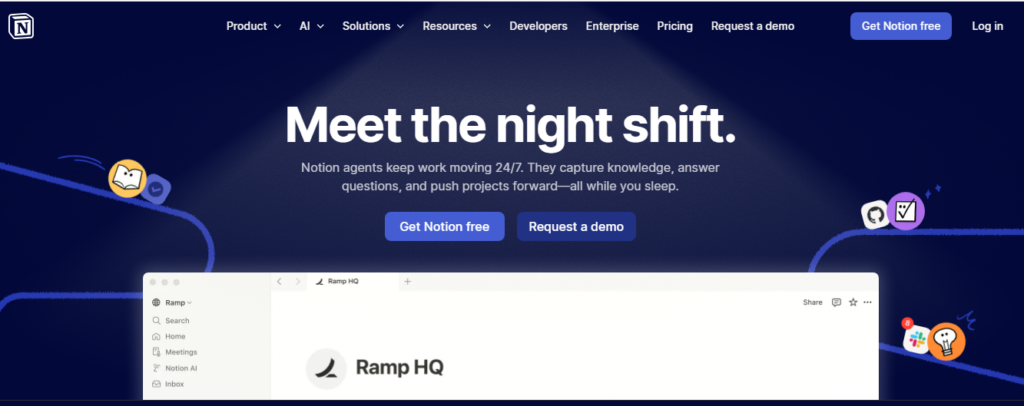
Notion is not a dedicated issue tracker, but in 2026 it has evolved into a capable lightweight option for smaller teams. Its GitHub integration, available through native connections and third-party tools like Zapier or Make, allows teams to log and track issues inside Notion databases.
Teams use Notion for GitHub issue tracking by:
Creating linked databases that mirror GitHub issue status Building custom dashboards that combine documentation, roadmaps, and issues Using Notion AI to summarize issue history and generate weekly standup reports
The limitation is that Notion lacks native bi-directional sync at the depth that dedicated tools offer. However, for early-stage startups or small teams that already live in Notion for documentation, it can serve as a practical and unified workspace.
Best for: Small teams or startups that prioritize documentation and want to avoid managing too many separate tools.
How to Choose the Right GitHub Issue Tracker
Selecting the best tool depends on several factors specific to your team and project.
Team size and structure: Solo developers and small teams have different needs than 50-person engineering organizations. Linear and Shortcut work beautifully at small to medium scale. Jira and ClickUp scale better for large, multi-team environments.
Technical vs. cross-functional teams: If your issue tracker needs to serve developers, designers, product managers, and marketers in a unified way, tools like Asana or ClickUp provide better cross-functional visibility than developer-focused options like Linear or ZenHub.
GitHub-first vs. multi-platform: If GitHub is your entire development home, ZenHub offers the deepest native integration. If you also use GitLab, Bitbucket, or other services, platforms like Linear, Jira, or Shortcut offer broader compatibility.
Open-source and self-hosting needs: For teams with strict data residency or compliance requirements, Plane is currently the strongest open-source, self-hostable choice.
Budget: ZenHub, Plane, and GitHub’s native tools offer strong free tiers. Linear, Shortcut, and Jira have competitive pricing but can add up for large teams.
AI and automation requirements: In 2026, nearly every major platform offers AI features, but quality varies. Jira, Linear, and ClickUp have the most mature AI-assisted workflows at this point.
Key Features to Look for in a GitHub Issue Tracker in 2026
Regardless of which tool you choose, the following features should be on your evaluation checklist:
Bi-directional GitHub sync: Changes made in GitHub should reflect in your tracker and vice versa without manual updates.
Pull request and branch linking: Every issue should be traceable to the code changes that resolved it.
Custom workflows: Your team’s process is unique. The tool should adapt to how you work, not force you into a rigid structure.
Sprint and cycle management: Whether you run Scrum, Kanban, or a hybrid, the tool should support your planning cadence.
Reporting and analytics: Velocity charts, cycle time metrics, and burndown charts give engineering managers the visibility they need to make good decisions.
AI-assisted triaging: Automatically categorizing, prioritizing, and routing incoming issues saves significant manual effort.
Integrations beyond GitHub: Slack notifications, CI/CD pipeline hooks, documentation tools, and customer support platforms are all part of the modern development workflow.
GitHub Issue Tracker Comparison at a Glance
Linear: Best for developer experience and speed. Strong GitHub sync. AI triage. Ideal for fast-moving teams.
Jira: Best for enterprise scale. Deep GitHub integration. Advanced roadmaps and reporting. Steeper learning curve.
Shortcut: Best balance of simplicity and power. Clean GitHub integration. Good for mid-sized teams.
Asana: Best for cross-functional teams. Strong automation via AI Studio. GitHub PR linking.
ZenHub: Best native GitHub experience. Lives inside GitHub. Multi-repo boards and dependency tracking.
Plane: Best open-source option. Self-hostable. Two-way GitHub sync. Free for self-hosted deployments.
ClickUp: Best all-in-one platform. Comprehensive features. AI assistant. GitHub automation.
Notion: Best lightweight option for small teams already using Notion for documentation.
Conclusion
In 2026, the best GitHub issue tracker software goes far beyond simple bug logging. The top platforms offer intelligent automation, deep GitHub integration, real-time collaboration, and AI-powered features that reduce manual overhead and help teams ship faster and more predictably.
For most engineering teams, Linear offers the best combination of speed, design, and GitHub-native functionality. For enterprise organizations with complex multi-team requirements, Jira remains the gold standard. Teams that want to stay entirely within GitHub should look at ZenHub, while those with strong open-source or self-hosting requirements will find Plane to be the most compelling alternative.
The right tool is the one that fits your team’s actual workflow, integrates seamlessly with your GitHub repositories, and gives everyone from individual contributors to engineering managers the visibility and clarity they need. Start with a free trial on two or three of the platforms listed above, evaluate the GitHub integration depth, and let your team’s feedback guide the final decision.

Usman Hakim is an SEO specialist at RankWithLinks, focusing on link building and organic growth. He helps brands improve search rankings through white-hat strategies, including guest posting and authority backlinks.