Best Browser-Based Data Loss Prevention Software in 2026: The Complete Guide
Introduction
The browser has quietly become the most dangerous perimeter in enterprise security. Not dangerous in the way firewalls once defined danger, with external attackers hammering at network boundaries, but dangerous because it is the primary interface through which employees do their most sensitive work, and the primary channel through which that sensitive work escapes organizational control.
In 2026, the average knowledge worker spends the overwhelming majority of their productive hours inside a browser tab. They draft contracts in Google Docs, manage customer pipelines in Salesforce, collaborate on product roadmaps in Notion, share designs in Figma, and increasingly, they think out loud inside generative AI tools that sit outside the corporate security perimeter entirely. Every one of these activities is a potential data loss event waiting to happen.
Browser-based data loss prevention software has emerged as the most direct and practical response to this reality. Rather than trying to intercept data after it has already left the browser, or monitoring network traffic at a perimeter that no longer meaningfully exists, browser-based DLP operates inside the browsing environment itself. It sees every upload, every paste, every form submission, every AI prompt, and every file transfer at the exact moment it happens, giving security teams the ability to enforce policy with full context and minimal disruption.
This comprehensive guide explores everything organizations need to understand about browser-based DLP in 2026, from how the technology works to which solutions are leading the market, how to evaluate them, and how to implement them in ways that actually protect data without grinding productivity to a halt.
What Is Browser-Based Data Loss Prevention Software?
Browser-based data loss prevention software is a cybersecurity technology category designed to monitor, classify, and prevent unauthorized movement of sensitive data through web browser interactions. It enforces data protection policies at the browser layer, covering actions such as file uploads, copy-paste operations, form submissions, web printing, screen captures, and interactions with SaaS applications and AI tools.
The defining characteristic of browser-based DLP is where it operates. Traditional DLP solutions work at the network perimeter, inspecting traffic as it crosses a firewall or proxy. Endpoint DLP agents sit on managed devices and watch the file system. Browser-based DLP goes further and deeper, sitting inside the browsing session itself, where it can understand not just what data is moving but what application it is moving through, who is doing it, what their role is, and whether the destination is an approved or unauthorized channel.
This contextual awareness is what separates modern browser-based DLP from earlier generations of data protection tools. A credit card number being pasted into a corporate payment processing application is entirely appropriate. The same credit card number being pasted into a personal Gmail draft or an AI chatbot is a policy violation. Only a solution operating at the browser layer, with full context about the application and the action, can reliably distinguish between the two.
The State of Browser-Based Data Security in 2026
To understand why browser-based DLP has become a top security priority in 2026, it helps to understand the landscape that made it necessary.
Generative AI Has Changed the Threat Surface Permanently
The mainstream adoption of generative AI tools represents the single largest shift in enterprise data risk since the move to cloud storage. Employees now routinely interact with AI assistants as part of their daily workflow, and the nature of that interaction requires them to provide context. That context is often sensitive.
A software engineer debugging a production issue pastes proprietary source code into an AI assistant. A financial analyst submits a draft earnings report for AI-assisted proofreading. A human resources manager asks an AI tool to rewrite a performance review, pasting in the original document with employee names and assessments. An executive uses an AI summarization tool on a confidential acquisition memo.
None of these people are acting maliciously. Most of them are doing exactly what their employers want them to do, working faster and more effectively with the tools available to them. But in each case, confidential organizational data is being submitted to an external service that may retain, train on, or expose it in ways the organization has not authorized.
Browser-based DLP is the only layer of the security stack positioned to see these interactions in real time and enforce policy before the data leaves organizational control.
The Managed Device Assumption No Longer Holds
Enterprise security was historically built on the assumption that work happens on managed devices. If you control the device, you can install endpoint agents, enforce operating system policies, and monitor file system activity. This assumption has been eroding for years, and in 2026 it is effectively gone for most organizations.
Contractors work from personal laptops. Remote employees use home computers. Bring-your-own-device programs are standard in most industries. Many organizations have extended work access to tablets and mobile devices that were never designed for enterprise endpoint management. In all of these scenarios, traditional endpoint DLP cannot be deployed, but browser-based DLP can, through an enterprise browser or browser extension that does not require full device control.
SaaS Sprawl Has Eliminated the Perimeter
The average enterprise in 2026 uses hundreds of SaaS applications. Data flows between these applications continuously, often without touching any infrastructure the organization directly controls. Network-layer DLP that inspects traffic at a corporate perimeter sees almost none of this activity, because the traffic never crosses a perimeter the organization owns.
Browser-based DLP sees all of it, because the browser is the common interface through which users interact with every one of these SaaS applications.
Regulatory Pressure Has Intensified Across Every Region
Data protection regulations have expanded and tightened significantly. GDPR enforcement has become more aggressive. The American Privacy Rights Act has introduced federal-level data protection obligations in the United States. Sector-specific frameworks in financial services, healthcare, and critical infrastructure have grown more prescriptive about technical controls. Cross-border data transfer rules have multiplied.
In this environment, being able to demonstrate that you have technical controls preventing unauthorized data movement is no longer optional for regulated organizations. Browser-based DLP provides both the enforcement mechanism and the audit trail that compliance programs require.
How Browser-Based DLP Works in 2026
The technology landscape for browser-based DLP has matured considerably. Organizations today can choose from several distinct architectural approaches, each with different tradeoffs.
Enterprise Browsers
The enterprise browser represents the most comprehensive approach to browser-based DLP. Rather than deploying controls on top of a standard consumer browser, the enterprise browser is purpose-built for organizational security. All DLP capabilities are native to the browser itself, not added as an afterthought through extensions or proxies.
Enterprise browsers give security teams extraordinary depth of control. They can govern clipboard behavior, file downloads, screen capture, printing, developer tools access, extension installation, and session recording at a granular level, all through a centralized management interface. Because the browser itself is the enforcement point, policies are reliable and cannot be easily circumvented by browser updates or extension conflicts.
The adoption of enterprise browsers has accelerated significantly since 2024, driven by organizations that have concluded that the security benefits outweigh the change management challenges of asking employees to switch browsers.
Browser Extensions
Extension-based DLP remains the most widely deployed approach because it is the least disruptive to existing workflows. Lightweight extensions deployed to standard Chrome or Edge installations can monitor browser events in real time, inspect content as it is entered or transferred, and enforce policies without requiring users to change how they work.
Modern extensions have become significantly more capable than their early predecessors. They can inspect clipboard contents, detect sensitive data patterns in form fields and text inputs, monitor file uploads, evaluate destinations against categorized blocklists and allowlists, and deliver inline coaching notifications directly within the browser window.
The primary limitation of extensions is that they depend on users running the managed browser with the extension installed. In unmanaged device environments, this cannot be fully guaranteed, though mobile device management and browser management platforms make enforcement more reliable.
Secure Web Gateway with Browser Isolation
Cloud-delivered Secure Web Gateway platforms with browser isolation capabilities offer a network-level approach to browser-based DLP. Web sessions are proxied through the gateway, where traffic can be inspected and policies enforced. Remote Browser Isolation goes further by executing the entire web session in an isolated cloud container and streaming only a visual rendering back to the user, ensuring that potentially harmful or sensitive content never reaches the endpoint at all.
This architecture is particularly powerful for protecting unmanaged devices and for applying consistent policies to all browser traffic regardless of which browser the user is running. The tradeoff is that proxy architectures can introduce latency and compatibility issues with some web applications, though cloud-delivered solutions have improved significantly on this front.
AI-Aware DLP Engines
A significant development in 2026 is the emergence of DLP engines specifically designed to understand and govern AI tool interactions. These engines go beyond simple pattern matching to understand the semantic content of what is being submitted to AI tools, classifying prompts and document inputs according to their sensitivity and enforcing policies based on content meaning rather than just keyword presence.
This semantic classification capability is critical because traditional content inspection approaches that rely on regular expressions and predefined patterns struggle to reliably classify the kind of free-form text that employees typically submit to AI tools. A new generation of classification engines using transformer-based language models is closing this gap.
Essential Features of Best-in-Class Browser-Based DLP Software
Evaluating browser-based DLP solutions requires a clear understanding of what separates adequate implementations from excellent ones. The following capabilities define the best solutions in the market today.
Semantic and Contextual Data Classification
Pattern-matching classification based on regular expressions can reliably detect structured sensitive data like credit card numbers, Social Security numbers, and email addresses. But much of what organizations need to protect is unstructured, context-dependent, and not detectable through patterns alone. The best browser-based DLP solutions use machine learning classification that understands content meaning, document context, and sensitivity signals that go beyond simple pattern recognition.
Real-Time Inline Policy Enforcement
Effective DLP must act in the moment. Logging a violation after it has occurred is useful for investigation but does not prevent the harm. Real-time enforcement that blocks or modifies a user action at the instant of risk, before data leaves the browser, is the standard that modern solutions should meet.
AI Tool Governance
Purpose-built controls for interactions with generative AI tools are now a mandatory feature for any enterprise DLP solution. This includes the ability to monitor what data is submitted to AI assistants, block submission of classified content, display coaching messages that explain why a submission was blocked, and maintain comprehensive logs of AI interactions for compliance and investigation.
Adaptive User Coaching
The most effective DLP programs do not just block violations. They use them as teachable moments. Inline coaching notifications that explain what was blocked, why the action violated policy, and what the appropriate alternative is have been shown to significantly reduce repeat violations and build genuine security awareness among employees. This behavioral dimension of DLP is often underweighted in evaluations but is critical to long-term program effectiveness.
Clipboard and Paste Control
Copy-paste remains one of the simplest and most common exfiltration techniques. Best-in-class solutions monitor clipboard contents across browser sessions, classify pasted content, and enforce policies on where sensitive content can be pasted, including blocking pastes into AI tools, personal email, and unauthorized web applications.
Granular File Upload and Download Controls
The ability to inspect files at the point of upload, classify their content, evaluate the destination, and enforce policy decisions in real time is fundamental. This should extend to inspection of file archives, support for custom-defined sensitive file types, and the ability to apply watermarking or metadata tagging to files that are permitted to move.
Screenshot and Screen Share Prevention
Remote and hybrid work environments have made visual data capture a significant leakage vector. The best browser-based DLP solutions can detect and restrict screenshot capture, screen recording, and screen sharing for sensitive applications or data categories, preventing data from being exfiltrated through visual channels that bypass content inspection.
Identity-Aware Policy Enforcement
Policies should be aware of who the user is, not just what they are doing. A data science team member legitimately accessing large datasets should be treated differently from an employee in an unrelated department accessing the same data. Identity integration with organizational directories enables role-based policy enforcement that dramatically reduces false positives and makes DLP programs more sustainable.
Comprehensive Audit Logging
Every relevant browser event should be captured with full context: user identity, timestamp, application, action type, data classification result, policy decision, and outcome. This log record is essential for incident investigation, regulatory audit, and continuous improvement of the DLP program.
Integration Ecosystem
Browser-based DLP should not operate in isolation. Integration with SIEM platforms, identity providers, CASB solutions, endpoint detection and response tools, and security orchestration platforms allows DLP events to feed into broader security operations workflows and enables coordinated response to complex incidents.
Best Browser-Based Data Loss Prevention Software in 2026
The following solutions represent the leading platforms in the browser-based DLP market based on capability depth, enterprise readiness, and real-world deployment effectiveness.
1. Microsoft Purview with Edge DLP Integration
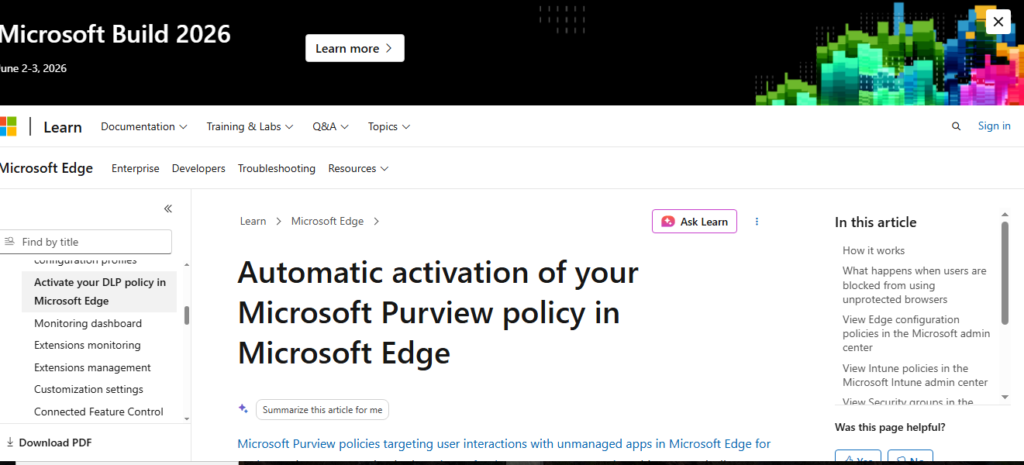
Microsoft Purview continues to be the dominant choice for organizations deeply invested in the Microsoft 365 ecosystem, and its browser-based DLP capabilities have matured into one of the most complete offerings available. Through the Microsoft Compliance Extension for Chrome and native integration with Edge, Purview applies unified sensitivity labels and DLP policies across desktop applications, email, SharePoint, Teams, and browser activity with a consistency that is extremely difficult to achieve with point solutions.
The 2026 iteration of Purview adds stronger AI tool governance, including the ability to monitor and block sensitive data submissions to a configurable list of AI services. Its strength is the policy consistency it delivers across the entire Microsoft stack, making it the natural default for Microsoft-centric organizations. The limitation is that its depth of browser-specific control is not as granular as purpose-built browser security platforms.
2. Palo Alto Networks Prisma Access Browser

Palo Alto Networks has invested heavily in its enterprise browser platform, and the 2026 version is one of the most capable browser-based DLP solutions in the market. Built on a hardened Chromium foundation, it delivers DLP as a native capability with no dependency on external extensions or proxies. Security teams get complete session visibility, deep content inspection, and seamless integration with the broader Palo Alto Networks security platform including Cortex XDR and XSOAR.
Prisma Access Browser is particularly strong in zero-trust deployments where controlling access to sensitive applications is as important as controlling data movement. Its adaptive access policies can evaluate device posture, user identity, and behavioral signals simultaneously to enforce nuanced decisions that balance security with productivity. It is best suited for larger enterprises with existing Palo Alto investments.
3. Menlo Security Secure Cloud Browser
Menlo Security’s Remote Browser Isolation architecture represents a fundamentally different approach to browser-based DLP. By executing web sessions in an isolated cloud environment and streaming only a secure rendering to the user, Menlo ensures that sensitive data can be controlled at the session level without any software installed on the endpoint. This makes it uniquely powerful for protecting unmanaged devices, contractor environments, and high-risk browsing scenarios.
In 2026, Menlo has significantly expanded its DLP capabilities within the isolation layer, including granular AI tool controls, read-only browsing modes for sensitive application categories, and clipboard isolation that prevents copy-paste between isolated sessions and the local device. For organizations whose primary challenge is unmanaged device risk or third-party access governance, Menlo is among the strongest options available.
4. LayerX Enterprise Browser Security
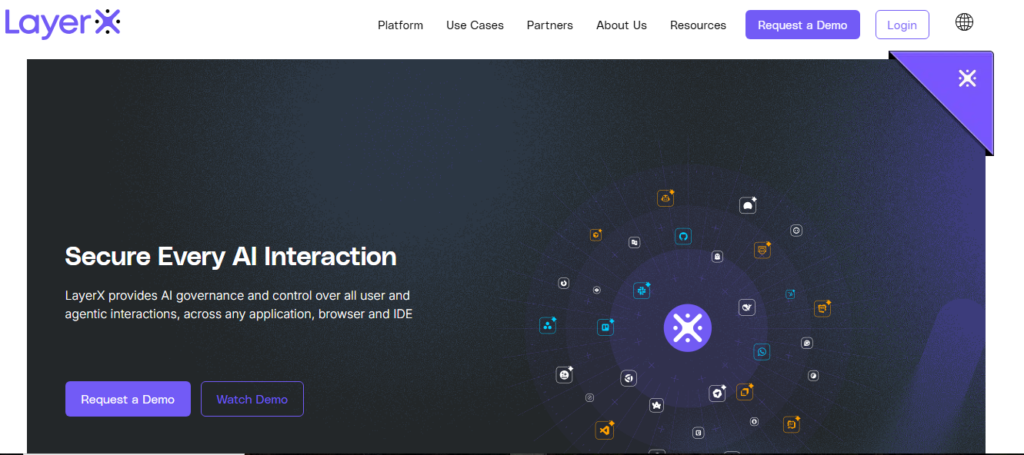
LayerX has positioned itself as the browser security platform for organizations that want deep protection without replacing their existing browsers. Deploying as a Chrome or Edge extension, LayerX provides session-level visibility and DLP enforcement including clipboard monitoring, upload controls, form field inspection, and AI tool governance through a lightweight agent that requires no proxy rerouting.
What distinguishes LayerX in 2026 is its user risk analytics capability, which aggregates browser activity patterns to identify users who represent elevated data loss risk based on behavioral signals over time, rather than evaluating each action in isolation. This risk scoring approach helps security teams prioritize their attention on the situations that actually matter. LayerX is well-regarded for its deployment simplicity and low false positive rate, making it popular with mid-market organizations that need strong protection without large security operations teams.
5. Forcepoint ONE Security Service Edge
Forcepoint’s ONE platform delivers browser-based DLP as part of an integrated Security Service Edge architecture that combines Secure Web Gateway, CASB, Zero Trust Network Access, and DLP in a single cloud-delivered stack. Its browser security capabilities include deep content inspection, behavioral risk scoring, and adaptive policy enforcement that responds to real-time risk signals rather than applying static rules.
Forcepoint’s particular strength is its behavior-based risk model, which evaluates user actions in context of historical patterns to identify anomalous activity that may indicate data exfiltration risk even when the specific content being transferred does not match a predefined sensitive data pattern. This approach is valuable for detecting sophisticated insider threats that are specifically designed to evade pattern-based detection. It is a strong choice for regulated industries and large enterprises with complex, heterogeneous environments.
6. Zscaler Internet Access with Browser Isolation
Zscaler’s cloud security platform has grown into one of the most widely deployed security architectures for large enterprises with globally distributed workforces. Its DLP capabilities operate inline on all web traffic routed through Zscaler’s cloud, providing consistent policy enforcement regardless of the user’s location, device, or network connection.
The Browser Isolation add-on extends this with the ability to isolate high-risk web sessions, preventing content from reaching endpoints while allowing users to interact with web applications in a controlled manner. In 2026, Zscaler has added stronger AI tool governance to its inline DLP engine, including the ability to inspect and classify prompts submitted to AI services in real time. For organizations already deploying Zscaler for network security and zero-trust access, the DLP capabilities represent a natural and cost-effective extension.
7. Night
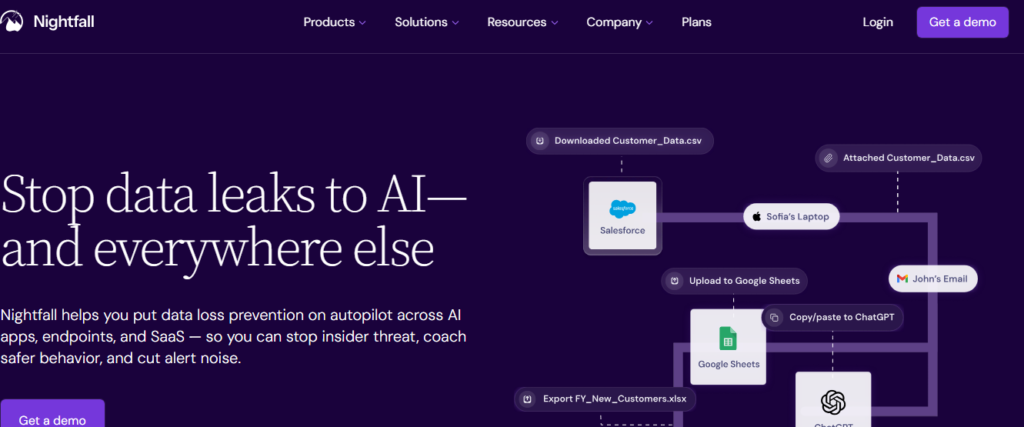
Nightfall has carved out a distinctive position in the DLP market by focusing specifically on sensitive data discovery and protection in cloud applications and AI tool interactions. Its machine learning-based classifiers are widely regarded as among the most accurate available for detecting nuanced sensitive content in unstructured text, outperforming traditional regular expression approaches significantly for categories like source code, financial projections, and health information.
In 2026, Nightfall’s browser-based capabilities have expanded to cover real-time monitoring of AI tool submissions, with the ability to block or redact sensitive content before it is sent to AI assistants. It integrates deeply with the SaaS application ecosystem including Slack, Google Workspace, GitHub, Confluence, Jira, and a growing catalog of platforms. For cloud-native organizations whose primary risk is sensitive data exposure through SaaS applications and AI tools, Nightfall delivers exceptional classification accuracy and a streamlined security operations experience.
8. Lookout Cloud Security Platform

Lookout has developed strong browser-based DLP capabilities that are particularly well-suited to mobile-first and hybrid work environments. Its platform spans mobile endpoint management and cloud application security, with browser-based DLP that extends consistently across desktop and mobile browsing sessions. For organizations with significant mobile workforces or BYOD programs that extend to smartphones and tablets, Lookout’s ability to apply consistent DLP policies across device form factors is a meaningful differentiator.
Browser-Based DLP vs. Traditional DLP: A 2026 Perspective
The comparison between browser-based and traditional DLP approaches has shifted significantly as cloud and SaaS adoption has matured. Understanding the tradeoffs helps organizations design the right overall DLP architecture.
Network-layer DLP, delivered through on-premises appliances or cloud-delivered SWG platforms, provides visibility into traffic patterns at scale and can apply consistent policies to all outbound traffic. Its weakness is context. At the network layer, it is difficult to understand what application generated a particular data transfer, what the user was trying to accomplish, and whether the action represents a genuine policy violation or a legitimate business activity. This leads to high false positive rates that burden security operations teams and frustrate users.
Endpoint DLP agents provide deep visibility into file system activity and application behavior on managed devices. They can enforce policies even when devices are offline and provide coverage for data movement that does not involve the network at all, such as copying files to USB drives. The limitation is that they require full device management, which is increasingly impractical in modern work environments.
Browser-based DLP operates at the intersection of context and coverage. It sees everything that happens in the browser, understands the application and action context, and can enforce policies with the nuance that reduces false positives. Its coverage extends to unmanaged devices in ways that endpoint agents cannot. In 2026, for most organizations, browser-based DLP has become the highest-priority layer in the DLP stack, with network and endpoint controls playing complementary roles.
Implementing Browser-Based DLP: A Practical 2026 Roadmap
Successful implementation of browser-based DLP requires careful planning, phased deployment, and ongoing refinement. Organizations that approach it as a technical deployment project rather than a program miss most of the value.
Phase One: Data Discovery and Risk Assessment
Before configuring a single policy, organizations should invest in understanding their actual data landscape. Where does sensitive data reside? How does it flow between applications and users? Which user populations handle the most sensitive data? Which SaaS applications and external destinations represent the highest risk? This foundation shapes everything that follows and prevents the common mistake of deploying policies based on assumptions that turn out to be wrong.
Phase Two: Policy Design
Policy design should start with the highest-risk scenarios identified in discovery, not with an attempt to cover everything simultaneously. Define policies for the five to ten data transfer scenarios that represent the most significant risk to your organization. Write policies with specificity: which data types, which users, which applications, which destinations, and which actions. Generic policies that block broad categories of activity will generate false positives that undermine trust in the program.
Phase Three: Monitoring-Only Deployment
Deploy the solution in monitoring mode before any active enforcement. Run monitoring-only policies for four to six weeks across representative user populations. Review the results carefully. Identify false positives, edge cases, and legitimate business workflows that your policies would block. Refine policy definitions before enforcement begins. This phase is not optional; skipping it is the single most common cause of DLP deployment failures.
Phase Four: Phased Enforcement Rollout
Begin enforcement with the user populations and policy categories that represent the clearest, highest-confidence cases. Establish feedback channels for users to report policy decisions they believe are incorrect. Track false positive rates and resolution times. Expand enforcement gradually as confidence in policy accuracy builds.
Phase Five: Continuous Improvement
Browser-based DLP is not a set-and-forget technology. New SaaS applications get adopted. New AI tools become popular. Threat patterns evolve. Regulatory requirements change. Effective DLP programs include quarterly policy reviews, continuous monitoring of false positive rates, and ongoing communication with business stakeholders about how DLP policies are affecting their work.
Common Mistakes to Avoid When Deploying Browser-Based DLP
Organizations that have deployed browser-based DLP at scale have learned the hard way which mistakes cost the most time and credibility. Understanding them in advance can prevent repeating them.
Building policies before completing discovery is the most common first mistake. Organizations assume they know where their sensitive data is and how it flows, then build policies based on those assumptions, only to discover significant gaps and false positives once deployment begins.
Over-blocking in the early stages destroys user trust and generates organizational resistance that can cripple the entire program. DLP policies that block too aggressively train employees to find workarounds rather than comply with policy, which is worse than having no policy at all.
Treating DLP as a technical project rather than a people program misses the behavioral dimension entirely. User communication, coaching notifications, and ongoing security awareness integration are not nice-to-haves. They are essential to whether the program actually reduces data loss or just generates a stream of alerts that nobody acts on.
Neglecting the AI tool governance dimension in 2026 is no longer defensible. Any DLP program that does not specifically address the risk of sensitive data being submitted to generative AI tools is leaving one of the most significant and rapidly growing exfiltration vectors entirely unaddressed.
Frequently Asked Questions
How is browser-based DLP different from a web filter or content filter?
Web filters control which websites users can access, typically based on URL categories and reputation. Browser-based DLP focuses on what data users transmit through the browser, regardless of which site they are visiting. A web filter might block access to a personal file-sharing site entirely. Browser-based DLP might allow access to that site but block uploads of files that contain sensitive content while permitting other interactions. The two capabilities are complementary but address different problems.
Can browser-based DLP see content in HTTPS sessions?
Solutions that operate at the browser layer, including enterprise browsers, browser extensions, and browser isolation platforms, can inspect all content before it is encrypted for transmission because they operate within the session itself, not by trying to decrypt network traffic. This gives them visibility into HTTPS sessions that network-layer solutions can only achieve through SSL inspection, which introduces its own complexity and limitations.
What happens when employees use personal browsers or browser profiles?
This depends on the deployment architecture. Enterprise browsers can be enforced as the mandatory work browser through device management policies. Extension-based solutions can be deployed and enforced through browser management platforms. Network-based approaches that route all traffic through a proxy are browser-agnostic. Most enterprise DLP programs use a combination of technical enforcement and policy to address the personal browser scenario.
How does browser-based DLP handle legitimate business activities that involve sensitive data?
This is exactly what contextual policy design addresses. Well-designed DLP policies define approved channels for sensitive data movement alongside the restrictions. An authorized data transfer from a corporate application to an approved partner portal should be permitted explicitly in policy. The goal is not to block all sensitive data movement but to prevent unauthorized movement while enabling necessary business activities to proceed.
Is browser-based DLP suitable for organizations with fewer than 500 employees?
Increasingly, yes. The SaaS delivery model has eliminated much of the infrastructure complexity that once made enterprise DLP impractical for smaller organizations. Extension-based solutions and cloud-delivered platforms can be deployed and managed without dedicated security engineering teams. For small and mid-sized organizations with significant regulatory obligations or valuable intellectual property, browser-based DLP delivers strong protection relative to its cost and operational requirements.
Conclusion
The browser is the workplace of 2026, and protecting it with the same seriousness that previous generations of security professionals applied to network perimeters and endpoint devices is no longer optional for any organization that handles data worth protecting.
Browser-based data loss prevention software has matured from a niche capability into a foundational security control. The best solutions available today combine deep content inspection, contextual policy enforcement, AI tool governance, and behavioral coaching into platforms that genuinely reduce data loss without making employees feel like suspects in their own workplace.
Choosing the right solution requires honest assessment of your environment: how your employees work, which devices they use, which SaaS applications they depend on, which regulatory frameworks you operate under, and where your actual data loss risk is concentrated. The market offers strong options at every point on the spectrum from lightweight extension-based solutions for mid-market organizations to comprehensive enterprise browser platforms for organizations with the most demanding security requirements.
What every organization in 2026 should take as given is that the browser is where the most important data protection battles will be won or lost. Deploying the right browser-based DLP solution, implementing it thoughtfully, and maintaining it as a living program rather than a static technical control is one of the highest-return security investments available in the current threat landscape.

Usman Hakim is an SEO specialist at RankWithLinks, focusing on link building and organic growth. He helps brands improve search rankings through white-hat strategies, including guest posting and authority backlinks.