Finding the exact image you need is easier when you know the right method. Most people type a few words into Google Images and hope for the best. That works sometimes, but it often misses the original source, better-quality versions, similar visuals, or the exact object inside an image. That is where image search techniques become useful.
Image search techniques are methods used to discover, identify, verify, and analyze images across the web. They help with everything from finding copyright-free visuals to checking whether a viral photo is real. Bloggers, SEO professionals, journalists, students, researchers, designers, and online shoppers all use them for different reasons.
In this guide, you will learn seven practical image search techniques, the best tools to use, common mistakes to avoid, and expert tips that improve your results. By the end, you will know how to find images faster, trace where a photo came from, and search more accurately than most users.
What Is Image Search?
Image search is the process of finding images online by using either text, visual input, or image-related data. Instead of searching only with keywords, modern search engines can analyze the content of a picture itself. They can detect shapes, colors, landmarks, products, faces, and other patterns to return relevant results.
There are three main forms of image search.
The first is keyword-based image search. This is when you type descriptive words such as “modern office desk setup” into an image search engine.
The second is reverse image search. This allows you to upload an image or paste its URL to find visually matching or similar versions online.
The third is visual search. This is a more advanced method where AI tools identify objects inside an image and let you search for a specific part of it, such as a shoe, a bag, or a building in the background.
Search engines use a mix of artificial intelligence, image recognition, metadata, and contextual web signals to understand images. That is why the best results often come from combining multiple search techniques instead of relying on just one.
Why Image Search Techniques Matter
Knowing how to search images properly saves time and improves accuracy. It also helps you go beyond surface-level results.
You can use image search techniques to:
- find the original source of a photo
- locate higher-resolution versions of an image
- verify whether an image is fake, edited, or reused
- discover similar visual ideas for design inspiration
- identify products, places, people, or objects
- search for copyright-free or reusable images
- support SEO by researching competitors and optimizing your own visual content
For content creators and marketers, image search can support keyword research, image optimization, competitor analysis, and traffic growth through Google Images. For researchers and journalists, it can help validate authenticity. For regular users, it is often the fastest way to identify something they do not know how to describe.
How Image Search Engines Work
Image search engines do more than store pictures. They analyze and classify them in several ways.
They look at file names, alt text, page content, captions, schema markup, and nearby text to understand what an image might represent. They also process the image itself to detect visual features like colors, edges, patterns, and recognized objects.
When you upload an image for reverse search, the tool compares its visual fingerprint against indexed images across the web. Some tools focus on exact matches, while others are better at finding cropped, edited, or visually similar versions.
That is why different tools produce different results. Google may excel at broad context, TinEye may help track original usage, and Pinterest Lens may be better for style-based matches.
The 7 Best Image Search Techniques
1. Reverse Image Search
Reverse image search is one of the most powerful image search techniques. Instead of using text, you start with an image. You upload it, drag and drop it, or paste the image URL into a search tool. The engine then finds where else that image appears online or shows closely related visuals.
This technique is useful when you want to find the original source of an image, identify fake content, track copied visuals, or discover where a photo has been used before.
How reverse image search works
The search engine analyzes the uploaded image and compares it with its visual database. It looks at patterns, shapes, layout, colors, and features rather than just text.
Best use cases
Reverse image search is ideal for:
- finding the original publisher of a photo
- checking if an image has been stolen or reused
- discovering higher-quality versions
- identifying people, places, and objects
- fact-checking suspicious images
Best tools for reverse image search
Google Images is a common choice because it combines visual matching with contextual search. It is useful for general searches and related pages.
TinEye is strong for finding older instances of an image and tracking exact matches. It is especially useful when you want to know where a picture first appeared.
Bing Visual Search is helpful for products and objects. It can often isolate visual elements well.
Yandex Image Search is known for strong visual matching in some cases, especially faces, places, and visually complex images.
Practical example
Suppose you find a motivational quote image on social media and want the original version without a watermark. A reverse image search can help you locate the earliest or cleanest version online.
2. Keyword-Based Image Search
Keyword-based image search is still one of the most effective methods when you know what you are looking for. The quality of your results depends heavily on the quality of your query.
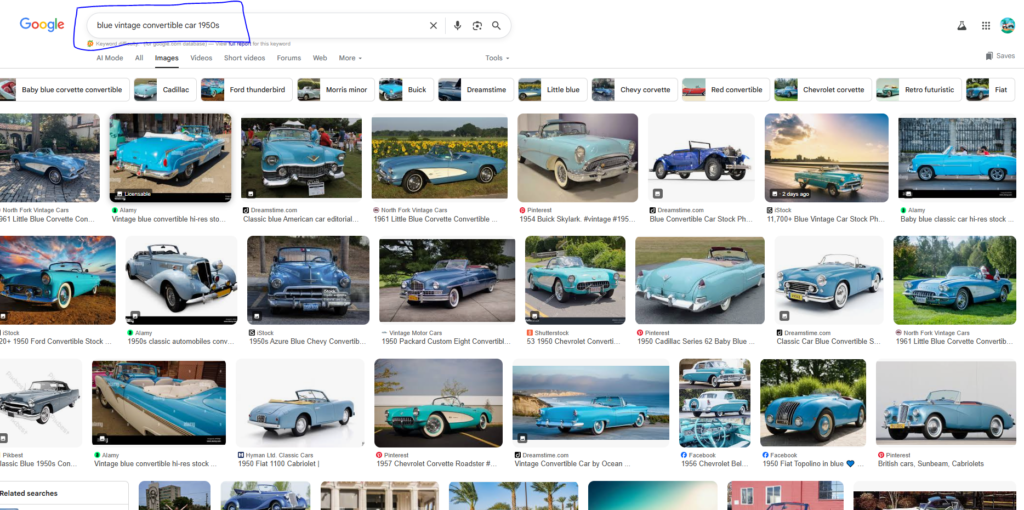
Many users search too broadly. A search like “car” will return generic results. A more specific query like “blue vintage convertible car 1950s” produces much better outcomes.
How to do it well
Use descriptive keywords that include:
- color
- style
- subject
- location
- time period
- use case
- format or size
For example, instead of searching for “office,” search for “minimalist home office setup with wooden desk.”
Instead of “shoes,” search for “white running shoes with black sole side view.”
Advanced keyword techniques
You can refine results further by using modifiers such as:
- brand names
- image type words like icon, wallpaper, logo, illustration, PNG, vector
- location words like in Paris, in winter, aerial view
- intent words like free, transparent background, royalty free
Why this technique matters
Keyword-based search works best when the image is already well-labeled online. It is especially useful for bloggers, designers, and marketers looking for stock-style visuals, concept images, or inspiration.
3. Image Filter Search
Image filters help narrow down results after a keyword or image search. This technique is often overlooked, but it can dramatically improve precision.
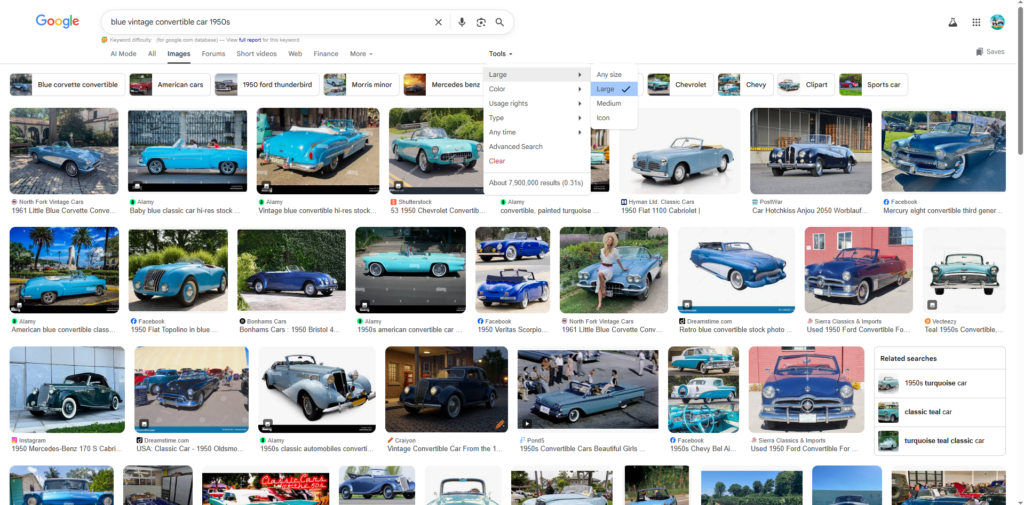
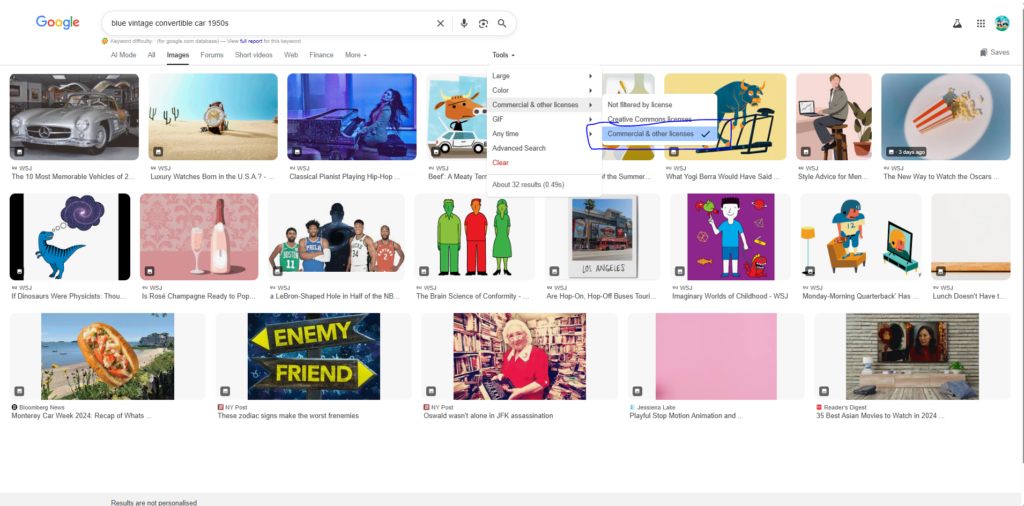
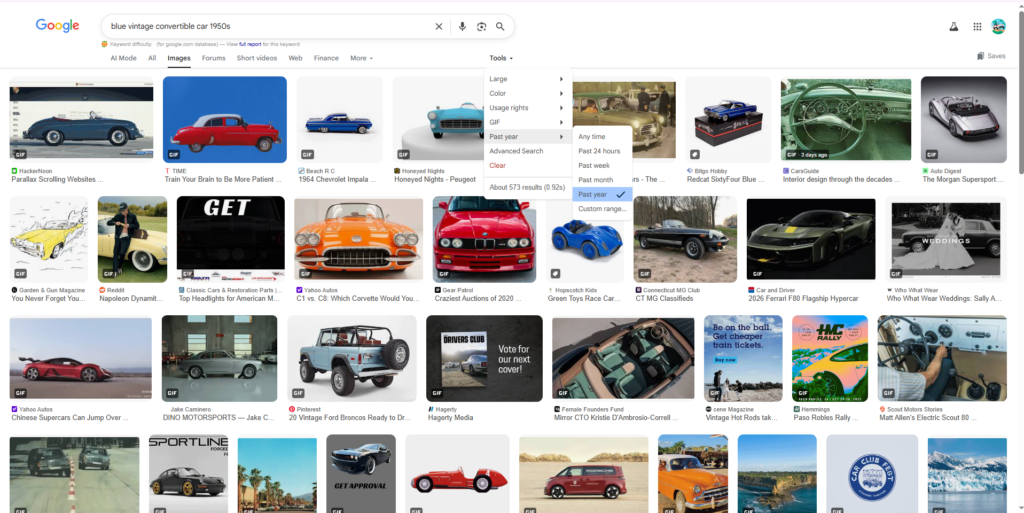
Most major image search tools allow filters based on size, color, type, date, layout, and usage rights.
Common filters to use
Size filters help you find large or high-resolution images. This is useful when you need clean visuals for presentations, blog posts, or print
.
Color filters help when you want a specific color palette or visual theme.
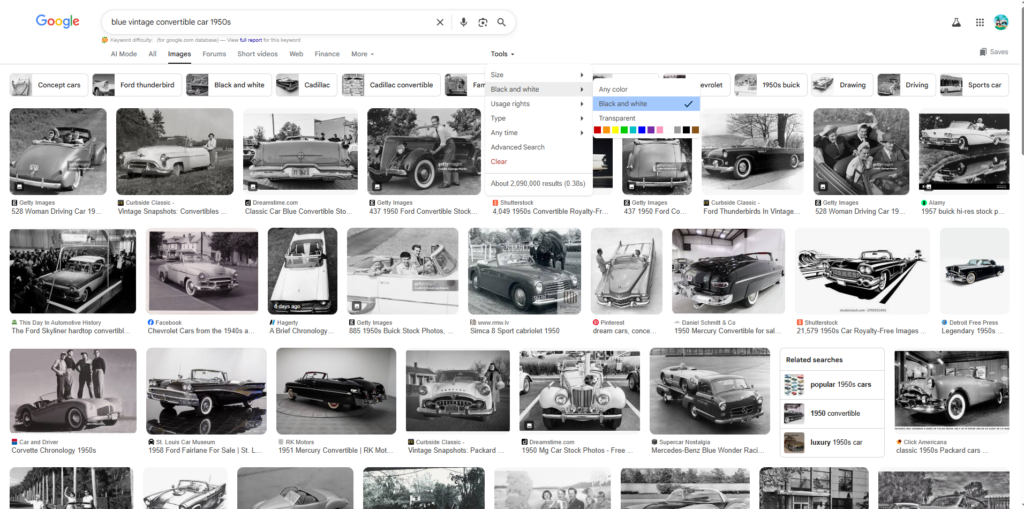
Type filters help separate photos from illustrations, vectors, GIFs, or clipart.
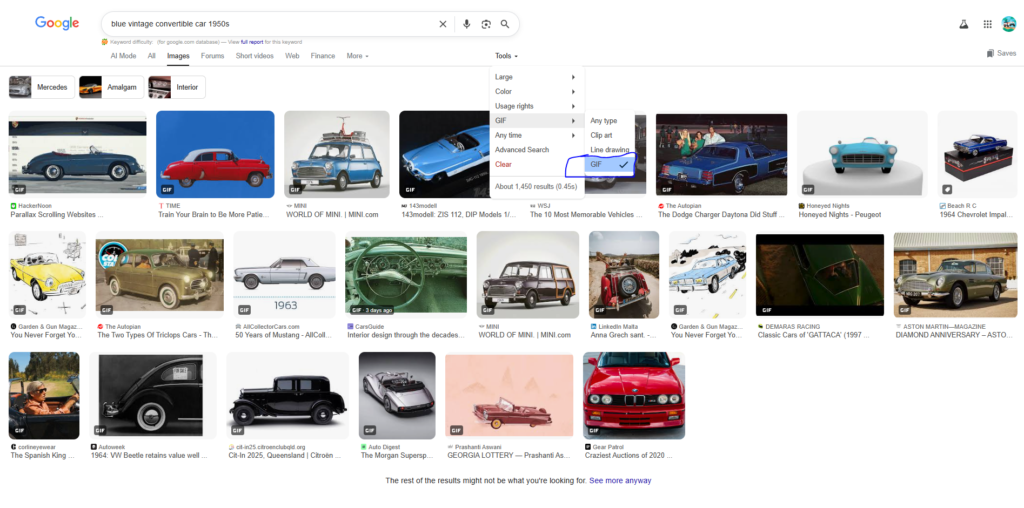
Usage rights filters are useful when you want images you can reuse legally.
Time filters can help you find newer images or current event visuals.
When image filters are most useful
Filters are especially valuable when:
- you need transparent PNGs
- you want only black-and-white images
- you need a large image for design work
- you want copyright-friendly visuals
- you need recent images for a news-related topic
Why this technique improves results
Without filters, image search results can feel cluttered. Filters reduce irrelevant results and help search engines align better with your actual intent.
4. Crop and Search Specific Parts of an Image
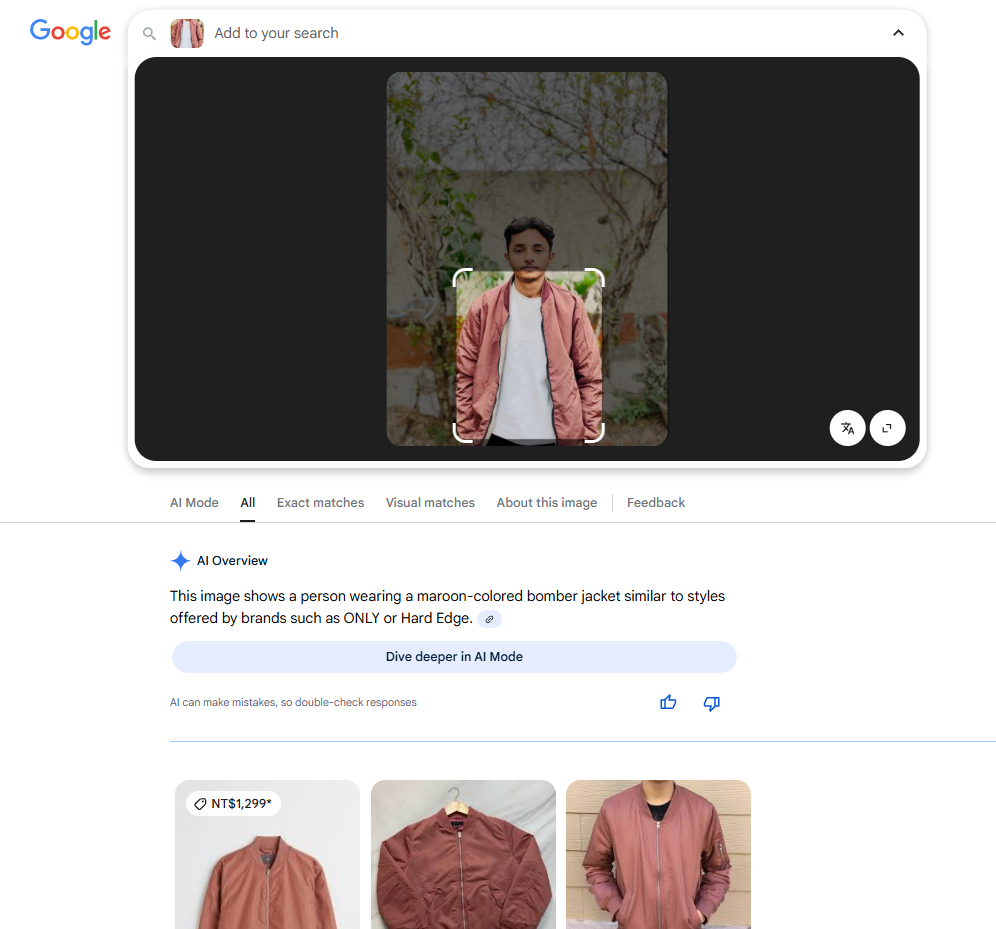
Sometimes the whole image is not what matters. You may only care about one object in it, such as a chair in a room photo, a landmark in the distance, or a jacket worn by someone in a picture.
That is where crop-based search becomes useful.
How it works
Tools like Google Lens and Bing Visual Search let you highlight or crop a specific section of an image. The search engine then focuses only on that part instead of the full photo.
Best use cases
This technique is useful for:
- identifying clothing or products
- recognizing landmarks
- isolating logos or symbols
- finding a product from a lifestyle photo
- locating the source of a cropped meme image
Example
Imagine you see a living room photo on Pinterest and want to find the exact lamp in the corner. A standard image search might show similar room photos. A cropped search focused only on the lamp can reveal the actual product or similar alternatives.
Why it matters
Crop search is often more accurate than full-image search because it removes irrelevant background information. It is one of the best image search techniques for shopping, design, and object identification.
5. Similar Image Search
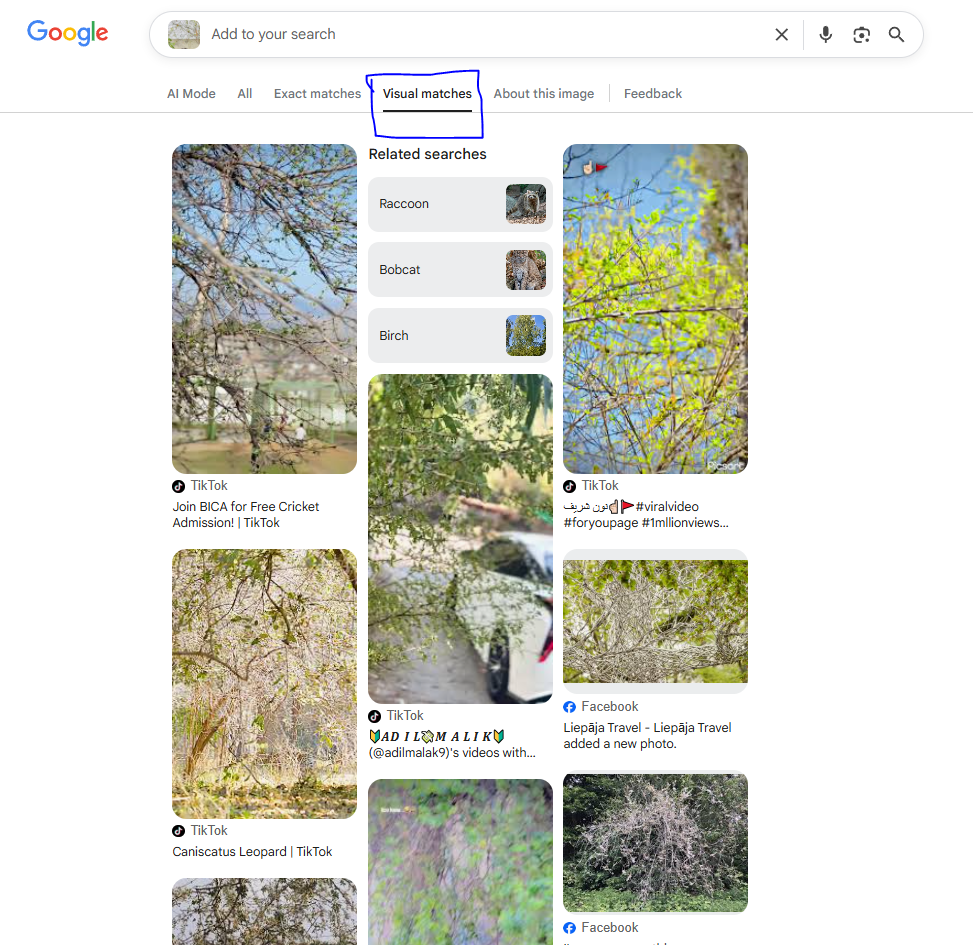
Similar image search is designed to find visually related images rather than exact copies. This makes it perfect for inspiration, alternatives, and style matching.
How it differs from reverse image search
Reverse image search often tries to find the same image or close matches. Similar image search focuses more on appearance, style, composition, and visual similarity.
When to use similar image search
This technique is useful when you want:
- design inspiration
- alternative versions of a visual concept
- similar product photography styles
- related outfit ideas
- lookalike illustrations or graphics
Best tools
Google Images often shows visually similar images after a reverse search.
Pinterest Lens is strong for visual inspiration, interior design, fashion, and aesthetics.
Bing Visual Search can also return similar-looking objects and items.
SEO and creative benefits
Writers and marketers can use similar image search to study how competitors present visuals. Designers can use it to explore layouts, styles, and themes. Ecommerce users can find comparable products without knowing product names.
6. Metadata and EXIF Search
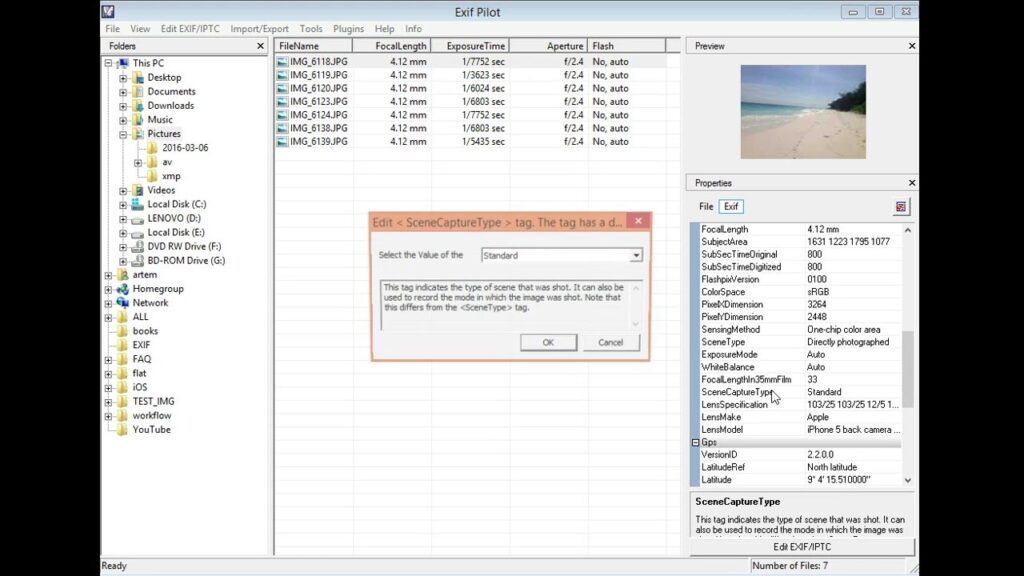
Some images contain hidden technical data known as metadata or EXIF data. This information can include camera model, date taken, editing software, resolution, and sometimes location coordinates if the device stored them.
This is one of the more advanced image search techniques because it goes beyond what the image looks like and examines the data attached to it.
What metadata can reveal
Metadata may tell you:
- when the photo was taken
- what device captured it
- whether it was edited
- file dimensions and format
- in some cases, location information
When metadata search is useful
This technique is valuable for:
- photo verification
- digital investigations
- journalism and fact-checking
- confirming originality
- detecting manipulated image histories
Important limitation
Not all images retain metadata. Many social media platforms strip EXIF data during upload. That means you should treat metadata as one clue, not final proof.
Why it matters
Metadata helps when visual search alone is not enough. For example, if you are verifying whether a photo is original or recently taken, metadata can provide important context.
7. AI Visual Search
AI visual search is the most modern image search technique on this list. It uses machine learning and computer vision to understand what is inside an image, then turns that understanding into search results.
Instead of asking only “where else does this image appear,” AI visual search asks “what is this?” and “what looks like this?”

How AI visual search works
The tool scans the image for objects, text, landmarks, products, textures, shapes, and categories. It can then generate smart search suggestions based on what it sees.
Best use cases
AI visual search is great for:
- identifying products
- translating text inside images
- finding outfit matches
- recognizing plants, animals, or landmarks
- extracting objects from cluttered visuals
Popular AI-powered tools
Google Lens is one of the most widely used visual search tools. It can identify objects, translate text, scan places, and help users shop visually.
Pinterest Lens is useful for fashion, home decor, and visual inspiration.
Many ecommerce platforms now offer visual search tools that let users upload photos to find similar products.
Why this technique is growing
AI visual search is becoming more important because users increasingly search through cameras and screenshots instead of typing detailed descriptions. It is fast, intuitive, and highly effective for mobile users.
Best Tools for Image Search
Each tool has strengths. Using more than one often produces the best results.
Google Images
Best for general image searching, reverse image search, and broad contextual results. It works well when you need both visual matches and relevant webpages.
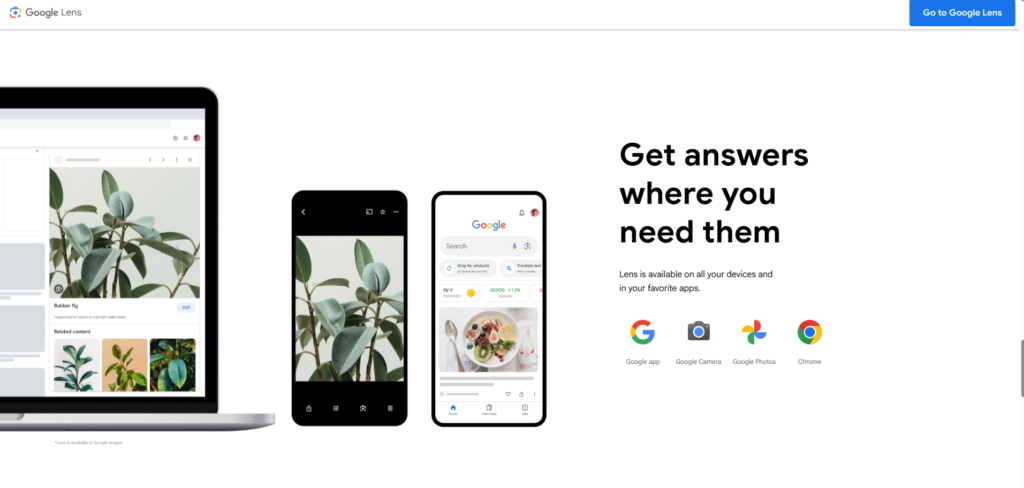
Google Lens
Best for mobile visual search, object detection, translation, product discovery, and crop-based searches. It is one of the most flexible image tools available.
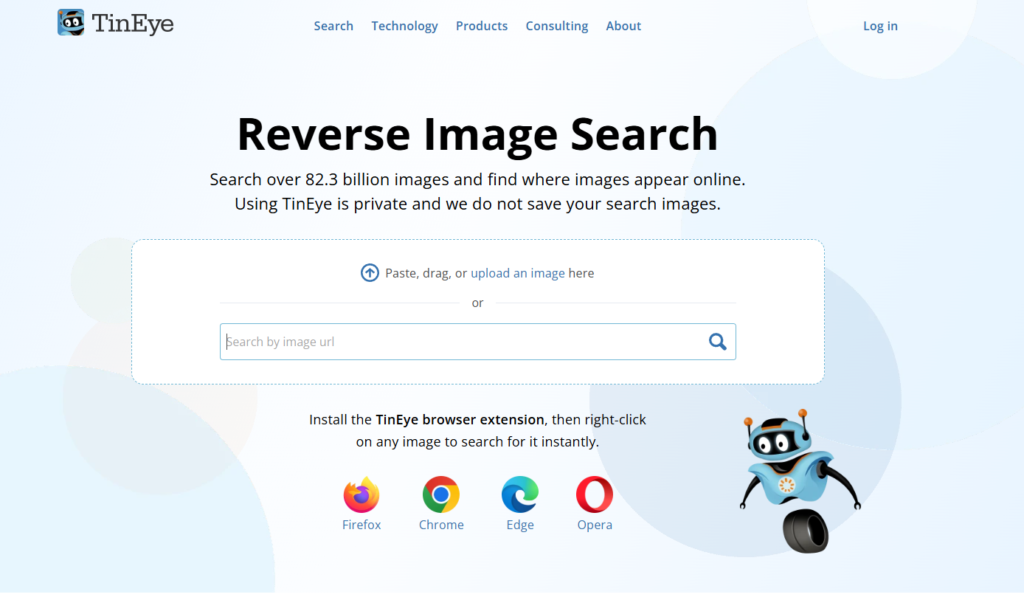
TinEye
Best for exact image matches and tracking image reuse over time. It is useful for copyright monitoring and source discovery.
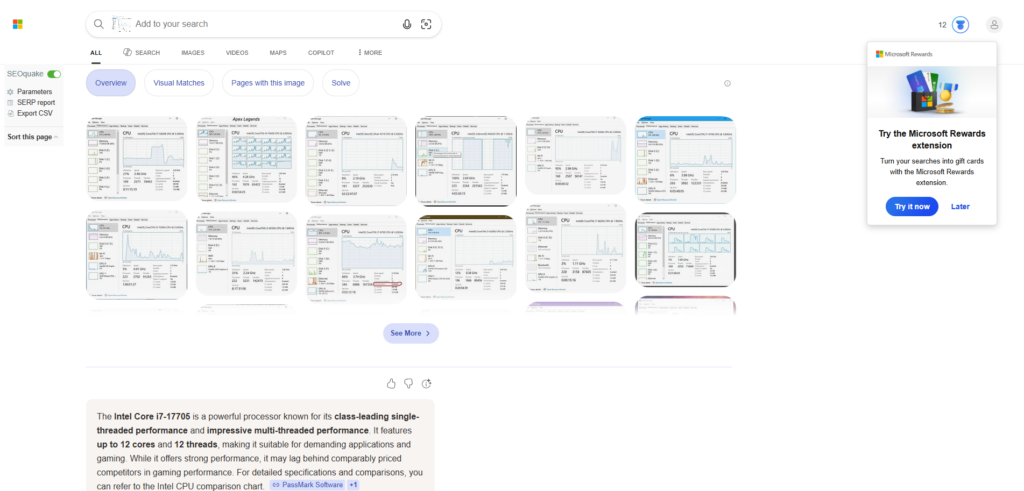
Bing Visual Search
Best for identifying products and isolating parts of an image. It can be effective for ecommerce-style searches.
Yandex Images
Best for difficult reverse searches where other tools miss results. Some users find it especially good for facial and landmark recognition.
Pinterest Lens
Best for style-based inspiration, including decor, fashion, design, and visual aesthetics.

Image Search Techniques for Research and Verification
Image search is not only about finding nice visuals. It is also a serious research tool.
Journalists use reverse image search to verify whether a viral image is old, reused, or taken out of context. Researchers may use it to trace original publications. Fact-checkers often compare search results across multiple engines to confirm authenticity.
A good verification workflow often looks like this:
First, run a reverse image search to locate earlier uses of the image.
Second, crop and search important parts of the image to isolate landmarks, signs, or logos.
Third, check metadata if the original file is available.
Fourth, compare across multiple tools rather than trusting only one.
This layered approach is far more reliable than a single search.
Image Search Techniques for SEO
If your goal is organic traffic, image search matters more than many websites realize. Google Images can send qualified visitors, especially for informational and visual-intent keywords.
How image search supports SEO
Image search helps SEO in two ways.
First, it helps you research the competition. You can study how top-ranking pages use screenshots, diagrams, featured images, product visuals, and infographics.
Second, it helps optimize your own images to rank in Google Images and support page relevance.
Image SEO best practices
Use descriptive file names instead of generic names like IMG1234.jpg.
Write clear alt text that describes the image naturally.
Surround images with relevant on-page text.
Compress images for faster loading.
Use original visuals when possible.
Add image schema where relevant.
Match images closely to the search intent of the page.
Competitor image research
You can use similar image search to study common visual patterns in your niche. If top pages use diagrams, examples, screenshots, and comparison tables, your article should not rely only on stock photos. Better visuals can improve engagement and perceived quality, even without backlinks.
Common Mistakes in Image Searching
Even good tools give weak results when used poorly. Here are some common mistakes.
Using vague keywords
Generic searches create generic results. Specificity matters.
Relying on only one tool
Different tools index and interpret images differently. Use more than one.
Ignoring crop search
A whole image may confuse the engine when you only care about one element.
Not checking image rights
Finding an image does not mean you can legally use it.
Trusting edited or reposted images
Reverse search results can show many copies of the same image, but that does not always reveal the original source immediately.
Forgetting metadata
When authenticity matters, metadata can add valuable clues.
Expert Tips for Better Image Search Results
To get more accurate results, use a layered search process.
Start with the easiest method. If you know what the image should contain, use a highly descriptive keyword search. If you already have the image, begin with reverse image search.
Then refine. Apply filters for size, type, or rights. If results are still too broad, crop the image and search the important section only.
Compare across tools. A result missed by Google may appear on TinEye or Yandex.
Use context. Search surrounding details such as visible text, logo names, product types, or locations.
Think like the uploader. Ask what words someone would have used when naming or describing that image online.
Which Image Search Technique Is Best?
There is no single best technique for every case. The right one depends on your goal.
If you want the original source of an image, start with reverse image search.
If you want inspiration or alternatives, use similar image search.
If you are trying to identify an object, use crop search or AI visual search.
If you know what you need but do not have the image, use precise keyword-based image search.
If you need verification, combine reverse search, crop search, metadata analysis, and cross-tool comparison.
The best image search strategy is often a combination rather than a single step.
Frequently Asked Questions
What is reverse image search?
Reverse image search is a method of searching with an image instead of text. You upload a picture or paste its URL, and the tool finds matching or similar images online.
How do I search using an image?
You can use tools like Google Images, Google Lens, TinEye, or Bing Visual Search. Upload the image, paste the image URL, or drag and drop the file into the search tool.
What is the best image search tool?
There is no universal winner. Google Images is great for broad results, TinEye is strong for exact matches, Google Lens is excellent for object identification, and Pinterest Lens works well for style inspiration.
Can I find the original source of an image?
Yes, in many cases. Reverse image search is the best starting point. You may need to compare results from several tools and look for the oldest indexed version.
Is image search useful for SEO?
Yes. Image search helps with competitor analysis, content research, image optimization, and traffic opportunities from Google Images.
Are all reverse image search tools free?
Many offer free basic use, though some advanced tools or commercial features may require paid access.
Conclusion
Image search has evolved far beyond typing a few words into a search box. Today, you can search by keyword, image, object, style, metadata, and AI recognition. These image search techniques make it easier to find exactly what you need, whether that means discovering the original source of a picture, identifying a product, checking authenticity, or improving your SEO workflow.
The smartest approach is not choosing just one method. It is knowing when to use each one.
Start with reverse image search when you already have a picture. Use keyword-based search when you know what you want but need options. Apply filters to narrow the noise. Crop images to isolate the important part. Use similar image search for inspiration. Check metadata when verification matters. And rely on AI visual search when you need deeper object recognition.
Master these seven image search techniques, and you will get better results than most people online.

Abdullah Zulfiqar is Co-founder and Client Success Manager at RankWithLinks, an SEO agency helping businesses grow online. He specializes in client relations and SEO strategy, driving measurable results and maximizing ROI through effective link-building and digital marketing solutions.